Better Broom Controls
🟠 Updated over a year agoThis mod may not work until the author updates it. Check for an update, or see the rollback guide.
⚠️ Install Order · 1 step
Install in this order, then this mod last — most mods fail to load without their framework and dependencies in place.
Preview
🔍 Analysis
- 👍 1.9% endorsement rate — high engagement, a strong quality signal
- 🏆 #17 of 259 Gameplay mods in this game by downloads
📋 About This Mod
About
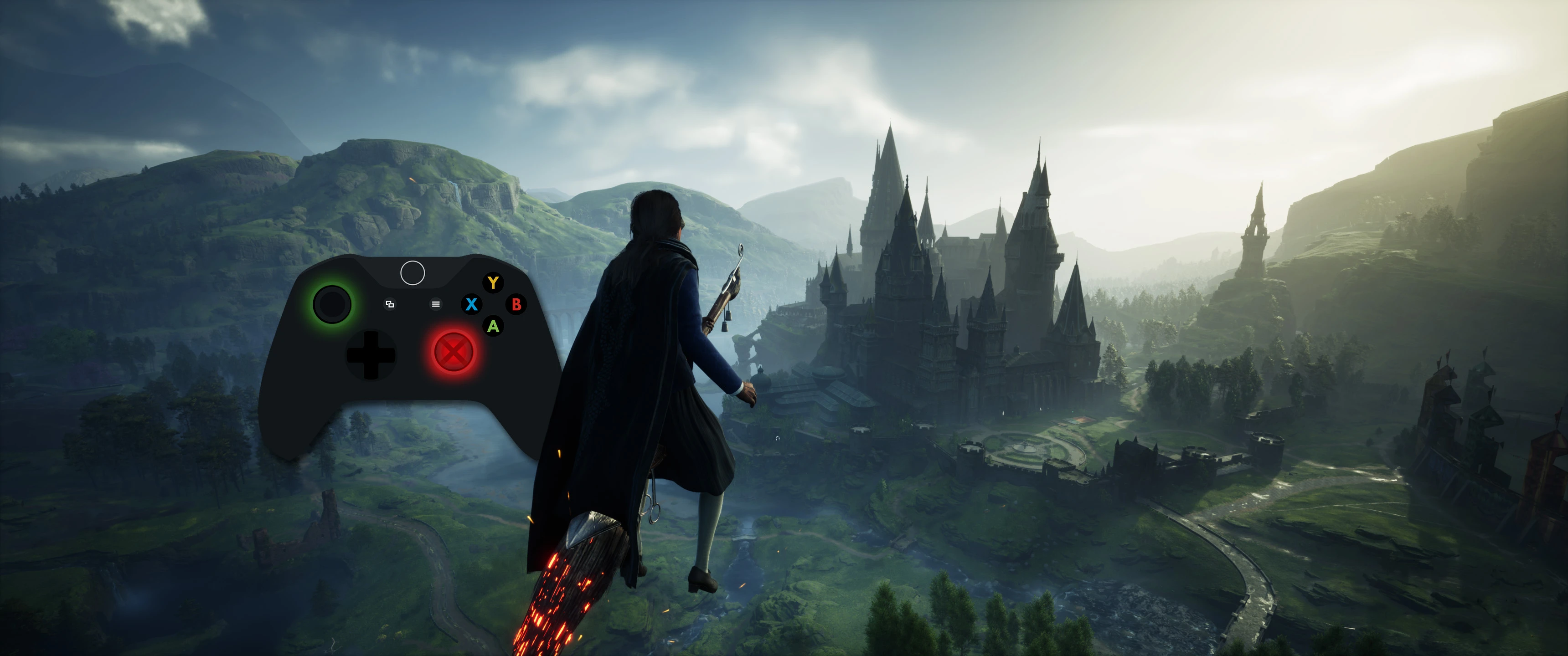
Replaces the default flying controls when using a controller, mainly by swapping the vertical flight control from the right joystick to the left. Removes the weird "180" flip behaviour your character does when you move the left joystick up and down.
In essence, all movement is now done with the left joystick and the right joystick controls the camera only.
The triggers are still used to accelerate / boost. These have been left untouched.
This control scheme is very similar to the flying from Chamber of Secrets and Prizoner of Azkaban on the Xbox/PS2/Gamecube (but less janky)
Update
Added better controls for mouse and keyboard as well. Binds vertical flight movement to mouse up/mouse down.
Other recommended changes may need remapping the in-game settings menu.
Controller:
-
[]Fly Up/Down = Left Stick
[
]Camera = Right Stick (note: it's not yet possible to move the camera up and down!)[]Accelerate = Right Trigger
[]Boost = Left Trigger
[]Slow Flight = Left Bumper
Mouse + Keyboard:
-
[]Fly Up/Down = Mouse Up/Down
[]Camera = Mouse Left/Right (note: it's not yet possible to move the camera up and down!)
[]Accelerate = W
[]Boost = Left Shift
[]Slow Flight = Space
[]Slow Flight Backwards = Left Control
Installation:
- []Download .zip file of the variant you want - both versions have the same controller mappings, but inverted mouse controls.
- Extract modfile into your ~mods folder (Should be in HogwartsLegacy/Phoenix/Content/Paks/~mods). If the ~mods folder does not exist, create it.
-
[]Fly Up/Down = Mouse Up/Down
Better Broom Controls is a gameplay mod that overhauls flying controls for both controllers and mouse/keyboard. It removes vertical controls from the right joystick and binds all navigation to the left joystick (or mouse for M+K), offering a more intuitive flying experience. With 1,562 endorsements and 81,010 downloads, it's a popular quality-of-life improvement.
✨ Key Features
📊 Pros & Cons
✅ Pros
- Community-approved with 1,562 endorsements and 81,010 downloads.
- Streamlines flying by centralizing navigation to one stick or mouse.
- Works for both controller and mouse/keyboard players.
⚠️ Cons
- Description is cut off, leaving some details unclear.
- No explicit install instructions provided by the author.
- May not suit players who prefer the original control scheme.
For players who find the default flying controls awkward and want a more streamlined experience. Ideal for those using controllers or mouse/keyboard who prefer having all navigation on one input. Skip if you're happy with the default controls or want more advanced flight mechanics.
💡 Beginner Tips
- If using a controller, test the new layout in a safe area to get used to the left stick handling all movement.
- For mouse/keyboard, ensure your mouse sensitivity is comfortable for precise navigation.
- Check the mod's page for any updates or patches if you experience issues after a game update.
📊 Mod Details
- Game
- Hogwarts Legacy Mods
- Author
- Iridium IO
- Version
- 3.0
- Downloads
- 81,010
- Endorsements
- 1,562
- Category
- Gameplay
- Created
- 2/12/2023
- Updated
- 2/18/2025
🧩 Commonly Used Together
Users add these mods to the same collections — a real compatibility signal, not an AI guess.
🔧 How to Install Hogwarts Legacy Mods
Download from Nexus.
📖 Full step-by-step install guide for Hogwarts Legacy →
Visit the official mod page for specific installation instructions for this mod.
🎮 Need cheat codes or console commands? Check ur gaming wiki for Hogwarts Legacy commands, item IDs, and more.
Keep browsing — more Hogwarts Legacy mods await