Animation Console (Play any animation)
⚪ Last updated 2023⚠️ Install Order · 1 step
Install in this order, then this mod last — most mods fail to load without their framework and dependencies in place.
Preview
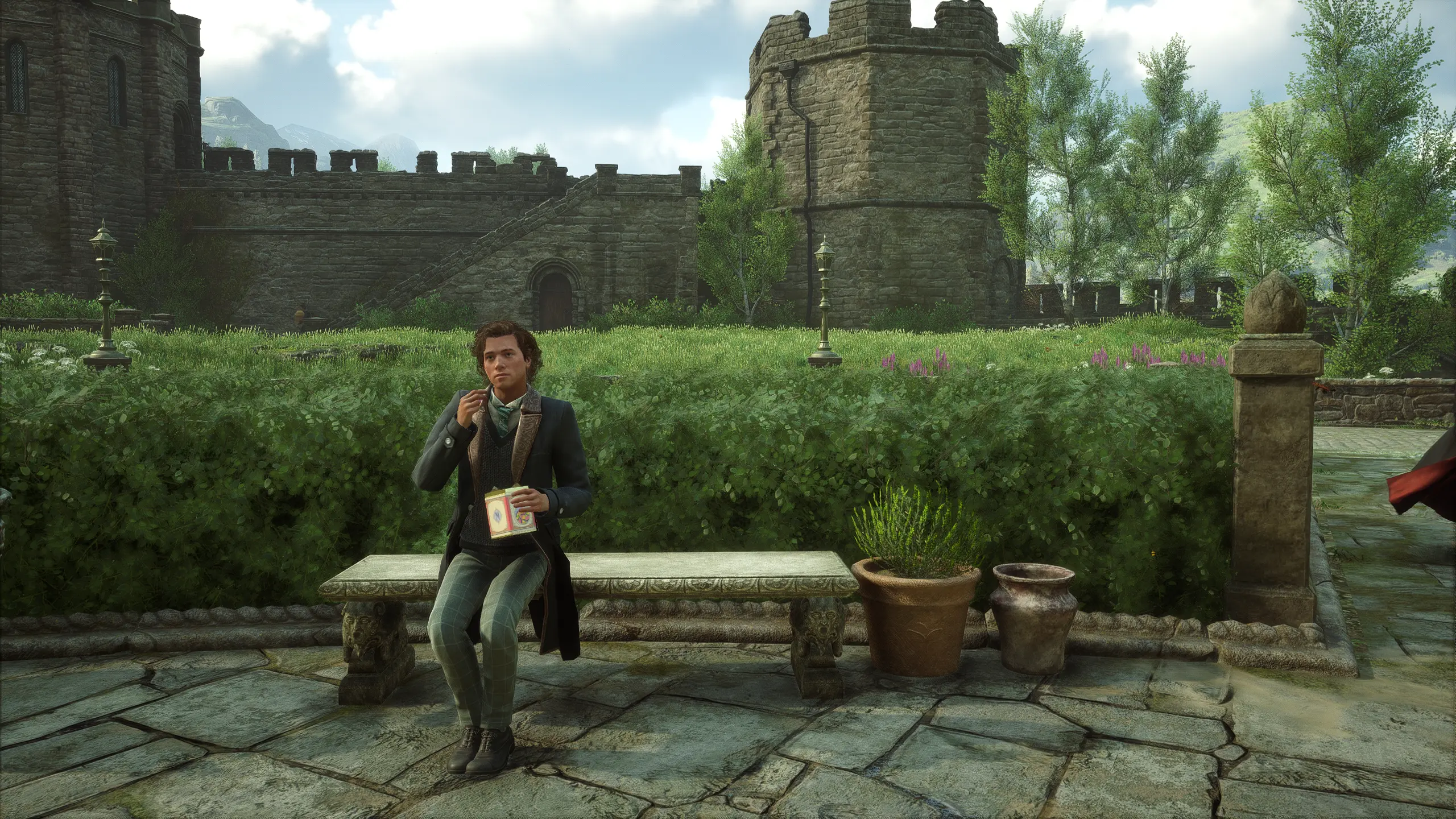
🔍 Analysis
- 👍 3.8% endorsement rate — high engagement, a strong quality signal
- 🏆 #157 of 270 Characters mods in this game by downloads
📋 About This Mod
THIS IS HEAVILY WIP AND DOESNT OFFER ANY MENU OR KEYBINDING YET. THE REASON I WANT TO RELEASE IT RIGHT NOW IS BECAUSE ITS WORKING AND MIGHT BE USEFUL FOR SOME PEOPLE. also it doesn’t cost ;)
How do I install this?
You'll need UE4SS to run the mod.
Download a release (preferably a stable release) and extract it.
You'll need two files: UE4SS-settings.ini and xinput1_3.dll
You can safely discard the other files.
Place these two files at this location in your Hogwarts Legacy install: Hogwarts Legacy\Phoenix\Binaries\Win64
Then, create a Mods folder at that location.
At the Hogwarts Legacy\Phoenix\Binaries\Win64\Mods location, paste the mod files.
Start your game and the mod should be loaded.
How does it work ingame?
To play an animation, you have to open the console (press F10) and enter the following command with parameters for the animation:
playanim <animation_path>
For example, to play an animation of coming out of a Floo chimney, you can enter:
playanim /Game/Animation/Human/Hu_Travel_Floo_Exit_SlideOnFeet_anm. Hu_Travel_Floo_Exit_SlideOnFeet_anm
How do I find animations?
Animations can be found by searching for files that end with "_anm" using a tool like FModel. The animation file paths can then be used as the parameter for the playanim command.
Note that the animation path needs to be in a specific format in order to be used.
The original animation path may look like this:
Phoenix/Content/Animation/Human/Hu_Travel_Floo_Exit_SlideOnFeet_anm.uasset
However, for it to work, the path needs to be in the following format:
/Game/Animation/Human/Hu_Travel_Floo_Exit_SlideOnFeet_anm. Hu_Travel_Floo_Exit_SlideOnFeet_anm
To convert the original path to the correct format, replace the "Phoenix/Content/" prefix with "/Game/" and remove the ".uasset" file extension. The Hu_Travel_Floo_Exit_SlideOnFeet_anm string needs to be duplicated at the end of the animation path.
To stop the animation simply press "F9"
Here are some working animations:
Generic:
playanim /Game/Animation/Human/Hu_Travel_Floo_Exit_SlideOnFeet_anm. Hu_Travel_Floo_Exit_SlideOnFeet_anm (Floo chimney exit)
Sitting:
playanim /Game/Animation/Human/Stations/Sitting/STUF_STN_SIT_Bench_Eat_Box_v01_anm. STUF_STN_SIT_Bench_Eat_Box_v01_anm true (eat jelly beans on bench and using true to loop it)
playanim /Game/Animation/Human/Stations/Sitting/HUF_STN_SIT_Bench_Idle_EatingApple_ANM. HUF_STN_SIT_Bench_Idle_EatingApple_ANM true (eating apple on bench, using true to loop it)
Animation Console is a compact utility mod for Skyrim that lets you play any animation in the game via a console command. With 69 endorsements and 1,822 downloads, it's a niche tool for players who want to test or view animations. Last updated in March 2023, it remains a simple solution for animation enthusiasts.
✨ Key Features
📊 Pros & Cons
✅ Pros
- Simple and effective—does exactly what it says.
- Niche but useful for modders and players who want to preview animations.
- Decent download count (1,822) shows some community interest.
⚠️ Cons
- Last updated in March 2023—may not be compatible with the latest Skyrim version.
- Limited to console commands, so not user-friendly for casual players.
For Skyrim modders and animation enthusiasts who want to test or view animations in-game. Also useful for players who want to trigger specific animations for screenshots or roleplay. Skip if you're looking for a polished UI or gameplay changes—this is a bare-bones tool.
💡 Beginner Tips
- Make sure to check the mod's page for any console command syntax, as the description is minimal.
- If you're using a mod manager, install it like any other mod and load your save to test.
- For Skyrim Special Edition, ensure you have the latest SKSE if the mod requires it (though not stated).
📊 Mod Details
- Game
- Hogwarts Legacy Mods
- Author
- Luffy
- Version
- 1.0
- Downloads
- 1,822
- Endorsements
- 69
- Category
- Characters
- Created
- 3/5/2023
- Updated
- 3/5/2023
🔧 How to Install Hogwarts Legacy Mods
Download from Nexus.
📖 Full step-by-step install guide for Hogwarts Legacy →
Visit the official mod page for specific installation instructions for this mod.
🎮 Need cheat codes or console commands? Check ur gaming wiki for Hogwarts Legacy commands, item IDs, and more.
Keep browsing — more Hogwarts Legacy mods await