Halo Reach next-gen edition
⚪ Last updated 2024Preview
🔍 Analysis
- 🏆 #29 of 81 Visuals and Graphics mods in this game by downloads
📋 About This Mod
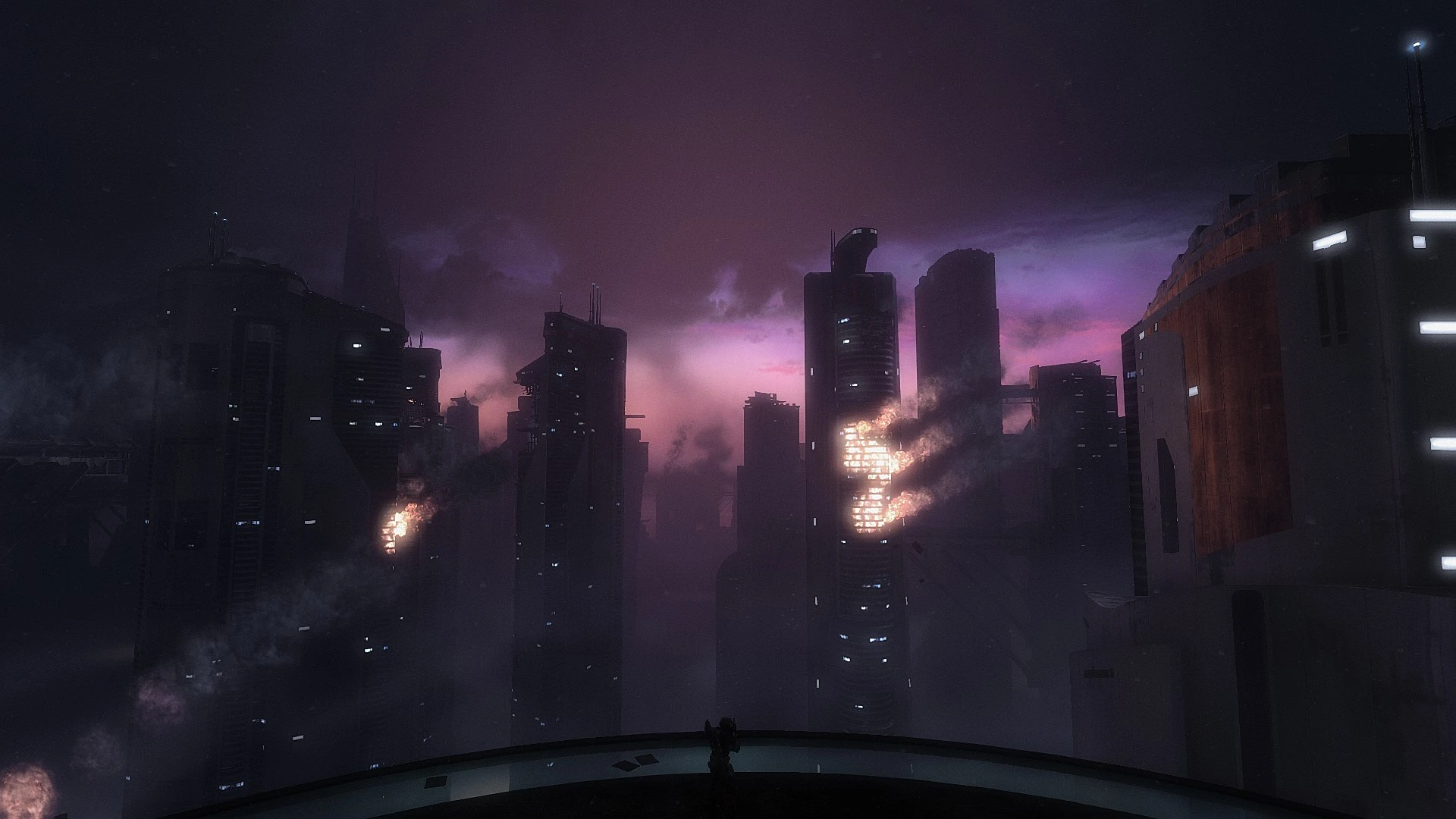
This reshade presets goal is to improve Reaches graphics without changing the more gritty and realistic identity of the game, by making lighting seem more deliberate while enhancing character and environment detail.
Effects used:
1. HSL Shift, to edit colors and make some objects look more real. (Small performance hit)
2. Ambient Light, to make lighting better. (Moderate performance hit)
3. Filmic Tonemap, to provide more contrast in the image and further improve lighting in areas where ambient light can't. (Small performance hit.)
4. LumaSharpen, to improve image and character detail. (Miniscule performance hit)
5. GloomAO, to significantly improve object and character detail, but at a cost. (HUMOUNGUS performance hit. only enable if you are confident in your computer)
6. iMMERSE Antialiasing to reduce artifacting in the overall image. (Small performance hit)
There are 2 files for download, one that prioritizes image quality and one that focuses on performance, but the screenshots that are shown are on quality.
Computer specs:
RTX 3060 Laptop GPU
I7-12700 2. 3 GZ
Play tested at 1080p.
If you don't know how to use Reshade, to install:
1. download my present (HALO MMC reshade.ini) and copy it into ":\Steam\steamapps\common\Halo The Master Chief Collection\MCC\Binaries\Win64"
2. download Reshade program (https://reshade.me/)
3. start install and when asked select HALO: The Master Chief Collection (or manually search for MMC-WIN64-Shipping.exe in your Halo folder)
4. when asked: select DirectX 10/11/12.
5. on next step you have to locate "HALO MMC reshade.ini" file, that you copied into Halo Win64 folder.
6. when asked which effect packages you need to install, make sure you have selected: standard effects, SweetFX and legacy effects.
7. When asked which "SweetFX and Legacy effects" files you wish to install, you can have them all selected
8. Thats it. Run HALO and when in game press HOME button, then "continue", again "continue" and "finish". Effects are loaded and you can press HOME button again to close the screen.
9. In settings you can also set your custom key to toggle effects ON/OFF (effect toggle key). You can that anytime turf off effects with press of a single button.
Any feedback is much appreciated! This is my 1st time doing something like this, thank you for downloading!
📊 Mod Details
- Game
- Halothemasterchiefcollection Mods
- Author
- Didyfinkis
- Version
- 1.1
- Downloads
- 364
- Endorsements
- 6
- Category
- Visuals and Graphics
- Created
- 11/22/2023
- Updated
- 4/16/2024
🔧 How to Install Halo: The Master Chief Co Mods
Download from Nexus Mods.
📖 Full step-by-step install guide for Halo: The Master Chief Co →
Visit the official mod page for specific installation instructions for this mod.
🎮 Need cheat codes or console commands? Check ur gaming wiki for Halo: The Master Chief Co commands, item IDs, and more.
Keep browsing — more Halo: The Master Chief Co mods await