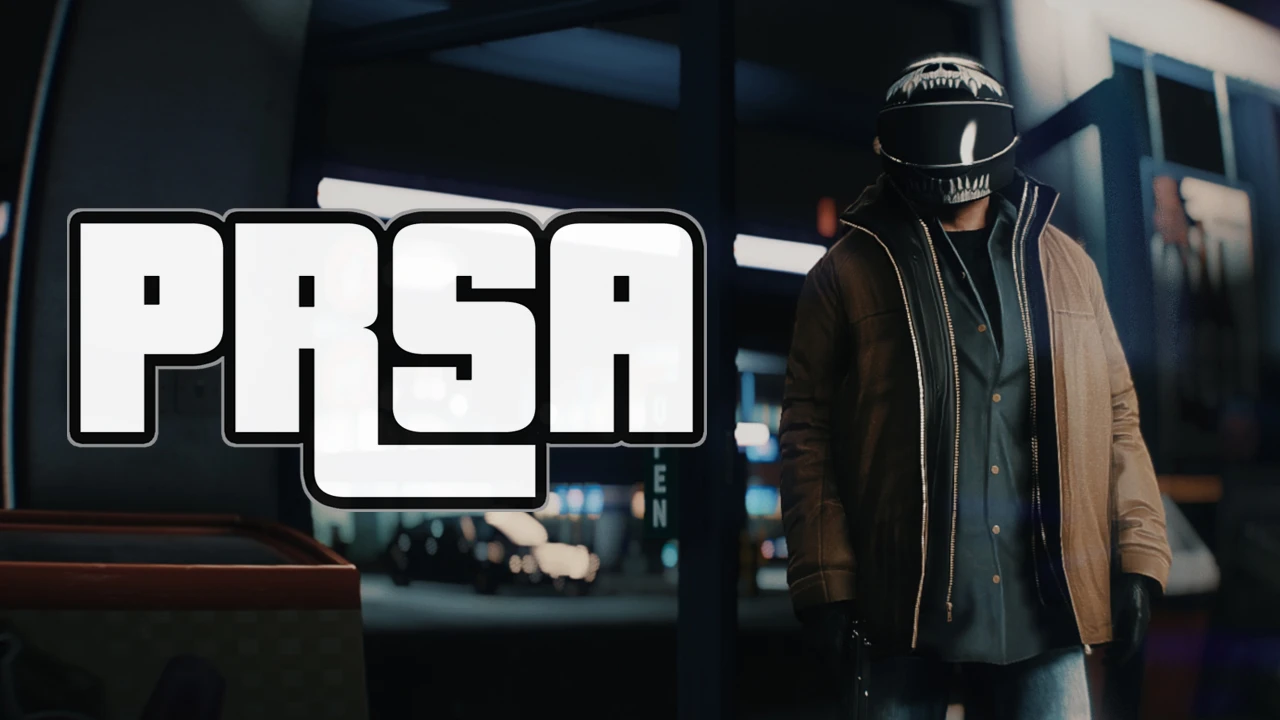
PRSA - PhotoRealistic San Andreas
⚪ Last updated 2018⚠️ Install Order · 4 steps
Install in this order, then this mod last — most mods fail to load without their framework and dependencies in place.
Preview
🔍 Analysis
- 👍 3.0% endorsement rate — high engagement, a strong quality signal
- 🏆 #4 of 82 Visuals and Graphics mods in this game by downloads
📋 About This Mod
LSXyFStwWcI
:: V I R T U A L C A M E R A ::
INSTALL OF PRSA
TO MAKE SURE PRSA CAN WORK PROPERLY:
- First always uninstall your current ENB or Reshade files and folders !
- Be sure not to use any of NVR and VisualV TimeCycleMods.asi & .ini addons as they are not compatible with current ENB binaries. Same
problem with any other mod that could modify this files.
- RageHook doesn't seem to be compatible with current ENB dlls.
- Disable the frame scaling advanced option and use a game's post-processing
option set at least to VeryHigh, else the ENB dll won't be able to work.
- disable the Display/Screen Kill effects if you experience dark screen effect during shootout.
TO INSTALL PRSA:
I: Download latest Enb version for GTA5 from Enbdev.com.
II: Extract d3d11.dll and d3dcompiler_46e ONLY from the WrapperVersion folder into Grand Theft Auto V main folder, next to the game's .exe.
III: Download PRSA and extract all the content into the Grand Theft Auto V main folder,
next to the game's .exe and Enb binaries.
TO CONFIGURE PRSA:
The ENB menu is toggleable with the END key.
If it doesn't work then delete enblocal.ini and use Shift+Enter.
Please refer to the built-in tutorial for anything else.
Remember to set the proper Visual Mod you use in the ENB as explained in the tutorial screen and use only one weather mod at a time !
By default the game is preset for Natural Vision Remastered,
which is the recommended weather mod to get the most out of PRSA. Stock settings can perfectly be used out of the box for gaming.
You can also use the Natural-Clean Light preset from the example presets folder.
HOW TO GET BETTER FPS (but lower visual quality):
From left panel of the ENB menu, disable EnableSkylighting and/or EnableAmbientOcclusion.
Remember you can change the DOF quality too, and if you really need more FPS then you can also
disable EnableDepthOfField from the left panel of the ENB menu.
MOD LIST / LOAD ORDER USED IN SCREENSHOTS
NVR: Natural Vision Remastered (no optional addons)
PRSA: PhotoRealistic San Andreas ENB
WWBaODpL7IY
OhDeer!
o3ZfSpVWaPM
All my respects to Boris Vorontsov without whom none of this would be possible.
That's it !
If you enjoy my work as modder and everything I have brought to all the games I have modded so far,
the most easiest way to show your support is to endorse this release so more people can know about it.
I could paywall my shit but I don't.
You can check out my Ko-Fi or Paypal and help me buying free time to make new content for everyone.
[url=https://www.paypal.com/payp
PRSA is a photo-realistic ENB preset for GTA V that transforms the game's visuals with a virtual camera effect. It requires manual installation of ENB binaries and is optimized for Natural Vision Remastered. With 1,086 endorsements and 36,199 downloads, it's a popular choice for players seeking cinematic graphics.
✨ Key Features
📊 Pros & Cons
✅ Pros
- Community favorite with 1,086 endorsements and 36,199 downloads
- Detailed installation instructions for ENB and preset setup
- Built-in tutorial and configuration options for fine-tuning
⚠️ Cons
- Last updated in 2018 — may not be compatible with latest GTA V patches
- Requires manual ENB installation and removal of other ENB/Reshade files
- Not compatible with RageHook or other mods that modify ENB files
For GTA V players who want cinematic, photo-realistic visuals and are willing to tweak ENB settings. Ideal for those using Natural Vision Remastered. Skip if you prefer simple mods or are on an older PC without performance headroom.
💡 Beginner Tips
- Disable frame scaling and set post-processing to VeryHigh or higher, otherwise the ENB won't work.
- Delete enblocal.ini if the ENB menu doesn't open with END key, then use Shift+Enter.
- Use only one weather mod at a time; Natural Vision Remastered is recommended for best results.
📊 Mod Details
- Game
- GTA V Mods
- Author
- L00
- Version
- 0.2
- Downloads
- 36,199
- Endorsements
- 1,086
- Category
- Visuals and Graphics
- Created
- 10/8/2018
- Updated
- 10/24/2018
🔧 How to Install GTA V Mods
Script Hook V + OpenIV. Never mod GTA Online.
📖 Full step-by-step install guide for GTA V →
Visit the official mod page for specific installation instructions for this mod.
🎮 Need cheat codes or console commands? Check ur gaming wiki for GTA V commands, item IDs, and more.
Keep browsing — more GTA V mods await