K-putt's SweetFX Config (ReShade)
⚪ Last updated 2015⚠️ Install Order · 3 steps
Install in this order, then this mod last — most mods fail to load without their framework and dependencies in place.
🖼️ Gallery (6 images)



🔍 Analysis
- 👍 0.3% endorsement rate
- 🏆 #101 of 665 misc mods in this game by downloads
📋 About This Mod
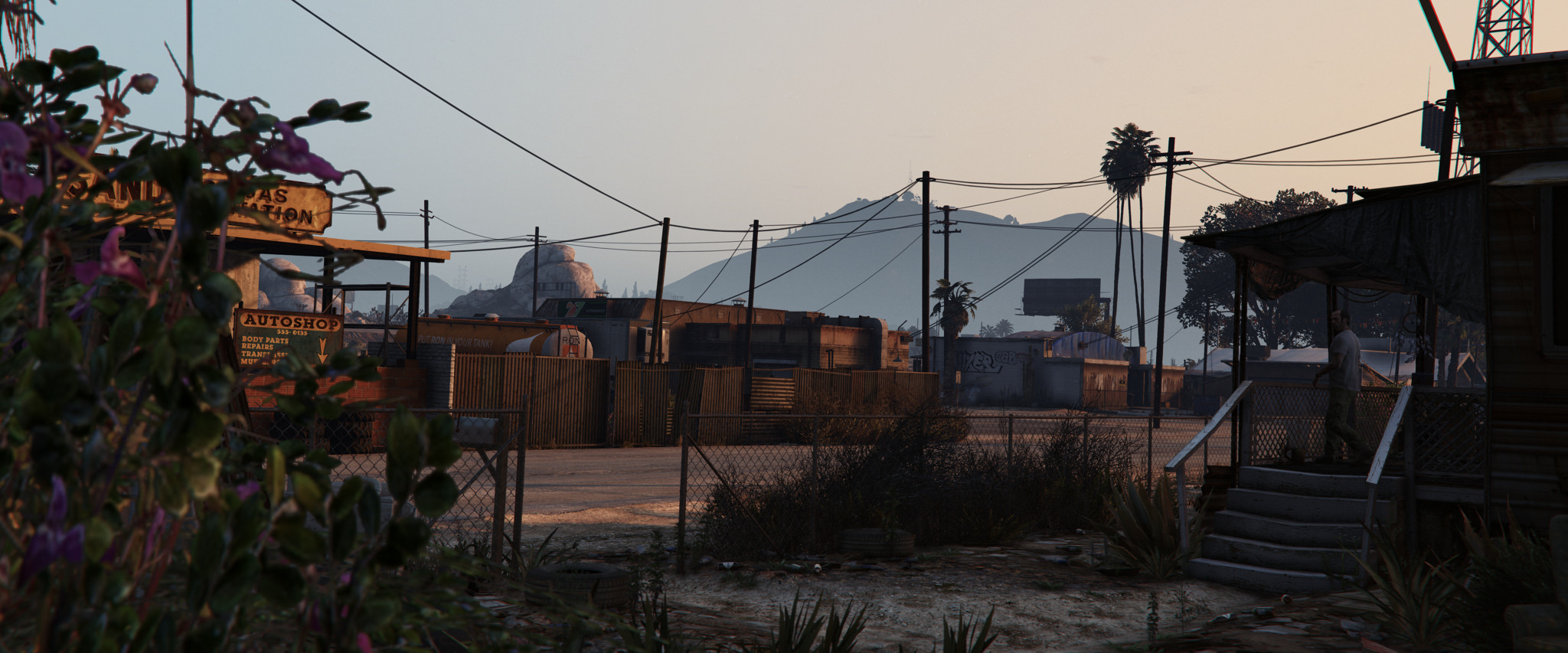
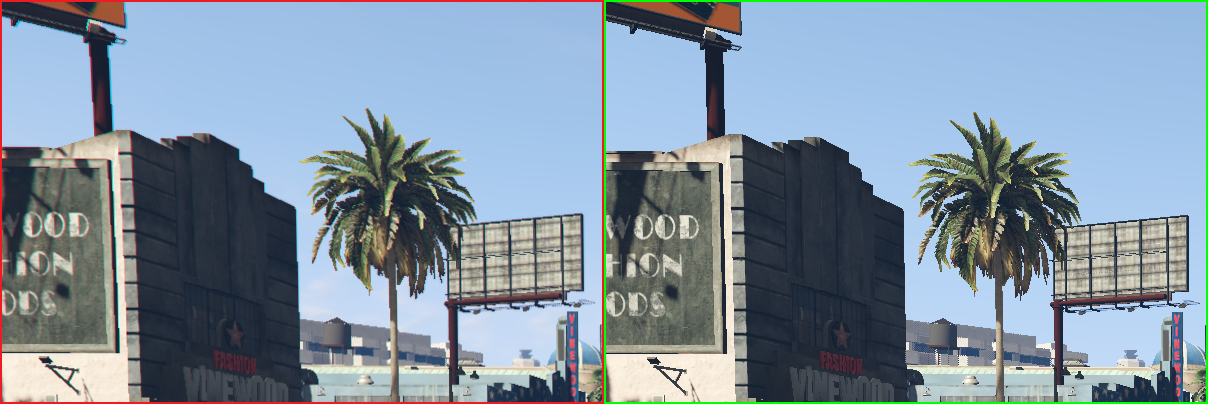
This small mod improves color and contrast of the game. Compatible with the all PC versions of GTA V. Installation Instructions Copy the files in the root directory of GTA V. To toggle the effect press "Scroll Lock" on your keyboard. You can use SMAA or FXAA. To enable FXAA, open the SweetFX_settings.txt and set #define USE_FXAA to 1 and #define USE_SMAA to 0 (Image might get a bit too blurry with FXAA enabled) You can fix this with a #define sharp_strength value of ~ 1. 1 Disable the ingame FXAA Update 1. 2 • ReShade version is now 0. 18. 4 • This version fixed the laggy start menu • No changes to the preset itself however
K-putt's SweetFX Config (ReShade) is a lightweight graphics mod for GTA V that enhances color and contrast. It works with all PC versions, supports SMAA or FXAA anti-aliasing, and can be toggled with Scroll Lock. Despite its age, it remains popular with 259 endorsements and over 74,000 downloads.
✨ Key Features
📊 Pros & Cons
✅ Pros
- Simple install: just copy files to root directory.
- Toggleable in-game with Scroll Lock—no need to restart.
- Huge community trust: 74k+ downloads and 259 endorsements.
⚠️ Cons
- Last updated in 2015—may not be optimized for newer game patches.
- Requires manual configuration to switch between SMAA and FXAA.
- Potential conflicts with other ReShade or SweetFX presets.
This is for GTA V players who want a quick, no-fuss visual boost without heavy performance hits. It's ideal for those who prefer a subtle color and contrast enhancement over full reshade overhauls, and who don't mind a slightly dated mod.
💡 Beginner Tips
- Copy the files directly into your GTA V root folder (where GTA5.exe is located).
- Press Scroll Lock in-game to toggle the effect on and off.
- If you want FXAA, edit the SweetFX_settings file to enable it; otherwise SMAA is used by default.
📊 Mod Details
- Game
- GTA V Mods
- Author
- K-putt
- Version
- .
- Downloads
- 74,671
- Endorsements
- 259
- Category
- misc
- Created
- 4/20/2015
- Updated
- 5/18/2015
🔧 How to Install GTA V Mods
Script Hook V + OpenIV. Never mod GTA Online.
📖 Full step-by-step install guide for GTA V →
Visit the official mod page for specific installation instructions for this mod.
🎮 Need cheat codes or console commands? Check ur gaming wiki for GTA V commands, item IDs, and more.
Keep browsing — more GTA V mods await