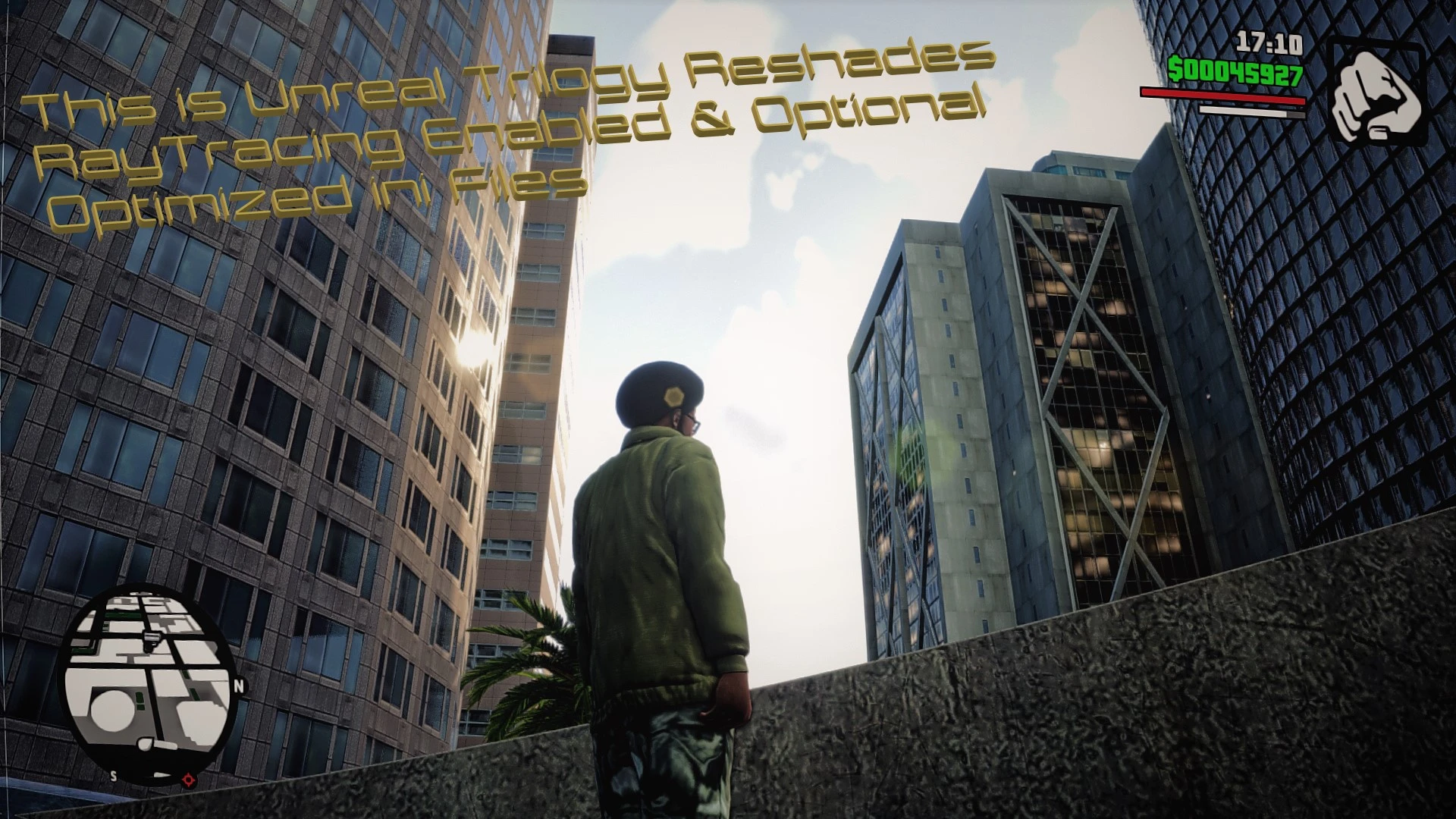
This is Unreal Trilogy Reshades RayTracing ini settings Enabled Along with Optional Optimized ini Fi
⚪ Last updated 2021Preview
🔍 Analysis
- 👍 2.8% endorsement rate — high engagement, a strong quality signal
- 🏆 #40 of 163 Visuals mods in this game by downloads
📋 About This Mod
From That iconic Green Tint & moody feel Gta 3 Had Be it not overly saturated To the more relaxed colors of San andreas to seeing every Small detail in the Textures you would of never noticed this is the mod for you.
If One way or another if your game does not look as good as shown in the video i've Changed Various settings like the draw distance in the ini files So keep that in mind its Maxed out so far as the community has found things to enable i've enabled some settings it were not displayed Such as raytracing in the menu now with The Release of 1. 1 i'm including the Engine File for san andreas & did not Get around to changing the others as they don't work all at once with what made sense it has even more Settings Related to Increased Light Distance & Normalmaps for things it did not have them
My focus was not as much on the fog Not an Overlay immitation of it Razed Fog Restoration is Highly Recommended. the Dof does a pretty good job taking care of it a bit Dof For Gta 3 Has Since been added i didn't include it in 1. 0 Because i could not get it right as it was too close if this at all annoys you its very easy you can disable it in the Reshade interface the effect is cinematic_dof
I Present to you the Official Fool Proof Tutorial
Download The Latest Reshade Select Your Preset & Place in the Definitive Edition/GameFace/Binaries
Contrast Must be Set to zero
With Brightness Maxed
If you are new to Reshade So it won't Just load automaticly After it starts Pull up the interface with the home button & Press The arrow keys in the corner Then it changes the unconfigured ini it comes with reshade To what you've added Then Select Performance mode At the buttom corner
With the CustomSettings & Gameusersettings You can replace all 3 games So For instance Heres a location Documents/Rockstar Games/GTA San Andreas definitive edition/config/windowsnoeditor For the Engine File place it in C:\Users\YourUsername\AppData\Local\Rockstar Games\GTA San Andreas Definitive Edition\Saved\Config\WindowsNoEditor
📊 Mod Details
- Game
- Grandtheftautothetrilogy Mods
- Author
- Lazardous Chaos Studios
- Version
- 1.2
- Downloads
- 2,053
- Endorsements
- 57
- Category
- Visuals
- Created
- 11/16/2021
- Updated
- 11/19/2021
🔧 How to Install Grand Theft Auto: The Tri Mods
Download from Nexus Mods.
📖 Full step-by-step install guide for Grand Theft Auto: The Tri →
Visit the official mod page for specific installation instructions for this mod.
🎮 Need cheat codes or console commands? Check ur gaming wiki for Grand Theft Auto: The Tri commands, item IDs, and more.
Keep browsing — more Grand Theft Auto: The Tri mods await