SABulletTime - Slow Down Time in San Andreas
⚪ Last updated 2021Preview
🔍 Analysis
- 👍 3.8% endorsement rate — high engagement, a strong quality signal
- 🏆 #14 of 56 Gameplay mods in this game by downloads
📋 About This Mod
Gain a special ability to slow down time, now with built-in gamepad support! Activate bullet time on foot or while driving, and restore your meter by killing enemies or driving at high speeds. Uses CLEO Redux. Only for San Andreas.
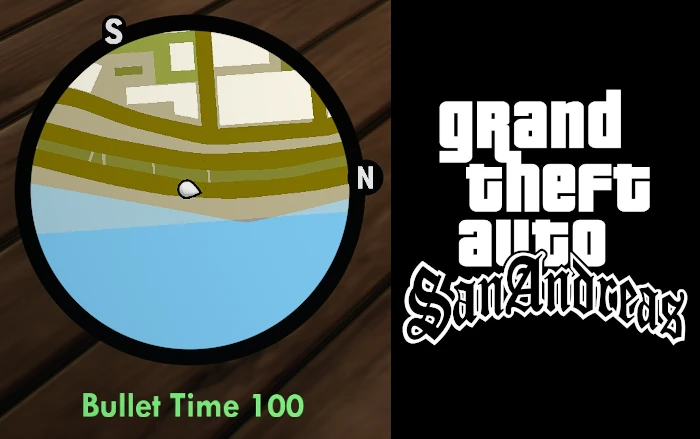
SABulletTime adds a new special ability to slow down time when you're out walking or driving in San Andreas! Your bullet time ability is tied to a new meter that appears under your radar, and it can be restored through killing armed foes or maintaining high speeds on the roads.
yGrSJo6ZaEk
Using bullet time consumes your bullet time meter (BT). The ability can only be used if you have 50 BT or more, and 10 BT lasts for approximately 1 second of bullet time activation.
When your BT is too low for use, the meter will appear red and slightly faded.
When your BT is ready for use (50+), the meter will appear light green.
When your BT is actively being used, the meter will appear gold.
When your BT is at maximum (100), the meter will appear solid green.
BT will naturally regenerate at a rate of 1 point per second until reaching 50, the minimum needed to use the ability.
BT can only reach levels above 50 through skill bonuses. Killing an armed foe grants +5 BT, while driving at high speeds produces a steady increase of BT over time.
Notes: Driving over a foe does not count grant a kill bonus. Driving at faster speeds generates BT at a quicker rate.
This is a new gameplay mechanic and has not been tested in absolutely every single area or context in the game, so it may cause unforeseen bugs or issues. Read all instructions carefully! Please report any problems you have and I will do my best to solve them in future updates. Enjoy!
Installation:
1. Install CLEO Redux (https://re.cleo.li/) in your \Gameface\Binaries\Win64\ folder and run the game once to let CLEO finish setup.
2. Put SABulletTimev2.js in your \Gameface\Binaries\Win64\CLEO folder. Delete older version if installed.
BULLET TIME CONTROLS:
Keyboard:
Just press B.
Gamepad:
On foot, press Left Trigger/L2 (Aim) + Right Bumper/R1 (Center Camera).
In a car, press Left Stick Click/L3 (Horn) + Cross/A (Sprint).
To alter controls:
Keyboard: Open SABulletTimev2.js in a text editor like Notepad and within the first few lines are instructions to set the ability keys to anything you want. Refer to codes provided at keycode.info.
Controller: Changing controller settings are not recommended unless you are very familiar with San Andreas mobile modding. Look up widget IDs
📊 Mod Details
- Game
- Grandtheftautothetrilogy Mods
- Author
- Nebucha
- Version
- 3
- Downloads
- 1,486
- Endorsements
- 56
- Category
- Gameplay
- Created
- 11/28/2021
- Updated
- 12/1/2021
🔧 How to Install Grand Theft Auto: The Tri Mods
Download from Nexus Mods.
📖 Full step-by-step install guide for Grand Theft Auto: The Tri →
Visit the official mod page for specific installation instructions for this mod.
🎮 Need cheat codes or console commands? Check ur gaming wiki for Grand Theft Auto: The Tri commands, item IDs, and more.
Keep browsing — more Grand Theft Auto: The Tri mods await