GTA III Project Revitalized - The Definitive Edition
⚪ Last updated 2022Preview
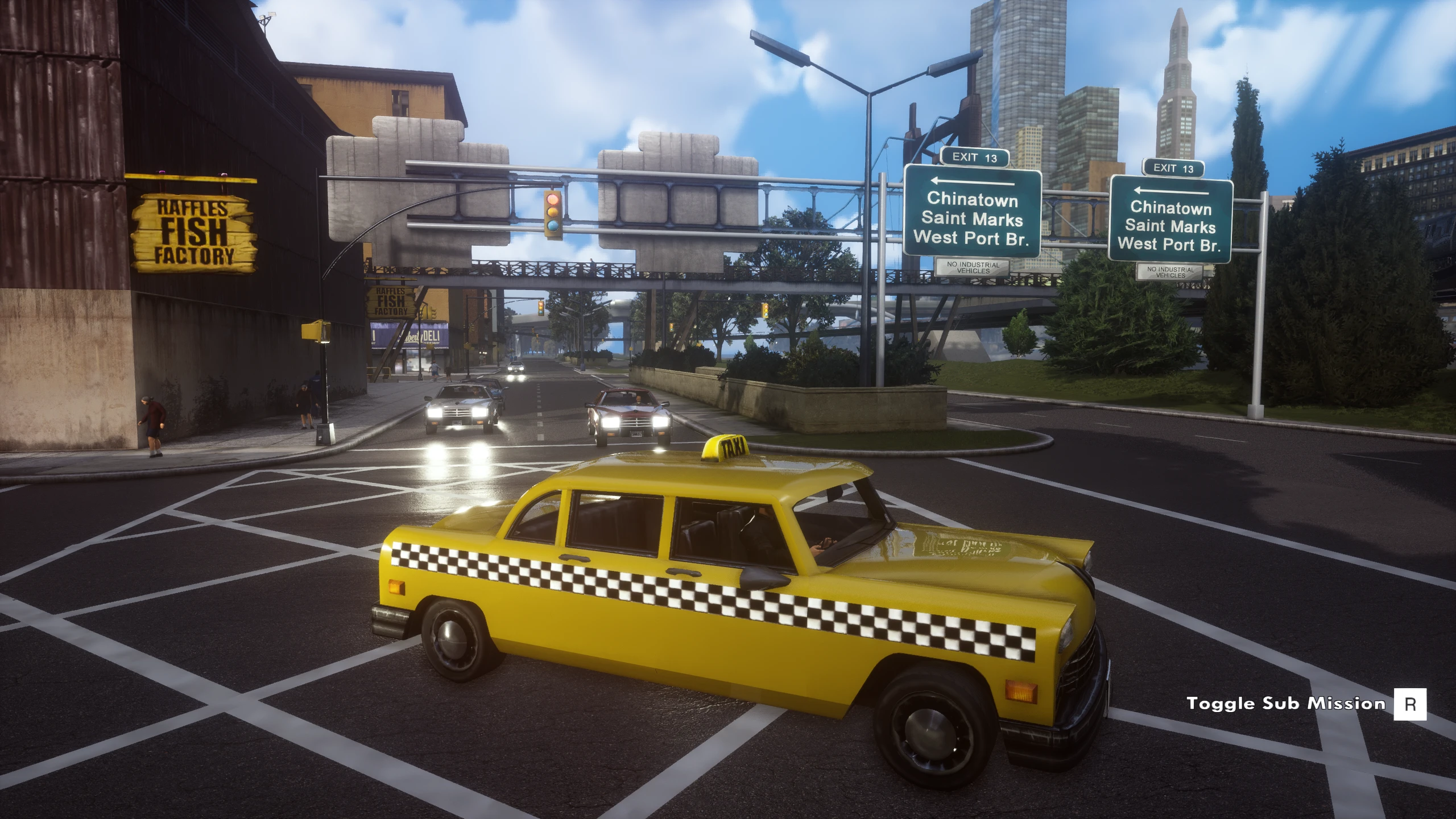
🔍 Analysis
- 👍 2.2% endorsement rate — high engagement, a strong quality signal
- 🏆 #13 of 163 Visuals mods in this game by downloads
📋 About This Mod
''GTA III Project Revitalized - The Definitive Edition ''
Enhanced Modification
Real improvements taking the visuals to new heights
Engine Enhanced Modification
Adds a Sharpen Filter,
Increases Shadow Resolution and many other Lighting and FX.
QTenhancer X1
A Very Enhanced Reshade Preset with Well Balance Visuals
Makes the game pop During the Day with Natural Colours
Makes the Nights Dark & The Colours Vivid
Overall very Nice and helps a lot with the distance scaling
QTenhanced Texture Modification
A Overhaul of New Textures & A Realistic Rain Texture PackScreen
Video
Important:
Run The Game Once, Pick your In Game Settings then Exit!
Enhanced Engine Installation:
Open the GTA III Project Revitalized - The Definitive Edition folder
Then Open Engine Enhancements folder, Inside that showing 3 files
{Engine.ini + GameUserSettings + Scalability.ini}
Now Open “Run” by pressing “Win+R” on your keyboard.
Paste the following there:
%LOCALAPPDATA%\Rockstar Games\GTA III Definitive Edition\Saved\Config\WindowsNoEditor
Hit OK
On the window that opens drop
{Engine.ini + GameUserSettings + Scalability.ini} into there
Overwriting when asked... Tweaks installed...
Reshade + Road/Pavement Textures Installation:
Open the GTA III Project Revitalize
GTA III Project Revitalized - The Definitive Edition is a visual overhaul mod that enhances the game's graphics with engine tweaks, a Reshade preset, and texture modifications. It adds a sharpen filter, increases shadow resolution, improves lighting and FX, and removes the cyan skies for a more realistic look. With 130 endorsements and 5,846 downloads, it's a popular choice for players seeking improved visuals.
✨ Key Features
📊 Pros & Cons
✅ Pros
- Community-approved with 130 endorsements and nearly 6k downloads.
- One-stop visual upgrade: engine tweaks, Reshade, and textures in one mod.
- Fixes the infamous cyan sky tint that plagues the original game.
⚠️ Cons
- Last updated in February 2022, so it may not be compatible with the latest game patches.
- Reshade presets can tank performance on lower-end PCs.
- Texture mods can conflict with other visual mods or custom texture packs.
For GTA III players who want a modernized look without juggling multiple mods. If you're tired of the washed-out colors and blurry shadows, this pack delivers. Skip if you prefer vanilla graphics or have a weak PC that can't handle Reshade.
💡 Beginner Tips
- Make sure to disable the in-game anti-aliasing to avoid conflicts with the Reshade preset.
- If you experience crashes, try running the game in Windows 7 compatibility mode.
- Use a mod manager like Mod Loader to keep track of files and easily revert changes.
📊 Mod Details
- Game
- Grandtheftautothetrilogy Mods
- Author
- QTmodz
- Version
- 1.0
- Downloads
- 5,846
- Endorsements
- 130
- Category
- Visuals
- Created
- 11/24/2021
- Updated
- 2/21/2022
🔧 How to Install Grand Theft Auto: The Tri Mods
Download from Nexus Mods.
📖 Full step-by-step install guide for Grand Theft Auto: The Tri →
Visit the official mod page for specific installation instructions for this mod.
🎮 Need cheat codes or console commands? Check ur gaming wiki for Grand Theft Auto: The Tri commands, item IDs, and more.
Keep browsing — more Grand Theft Auto: The Tri mods await