Sunny Rehade for The Chronicles Of Myrtana Archolos
⚪ Last updated 2022Preview
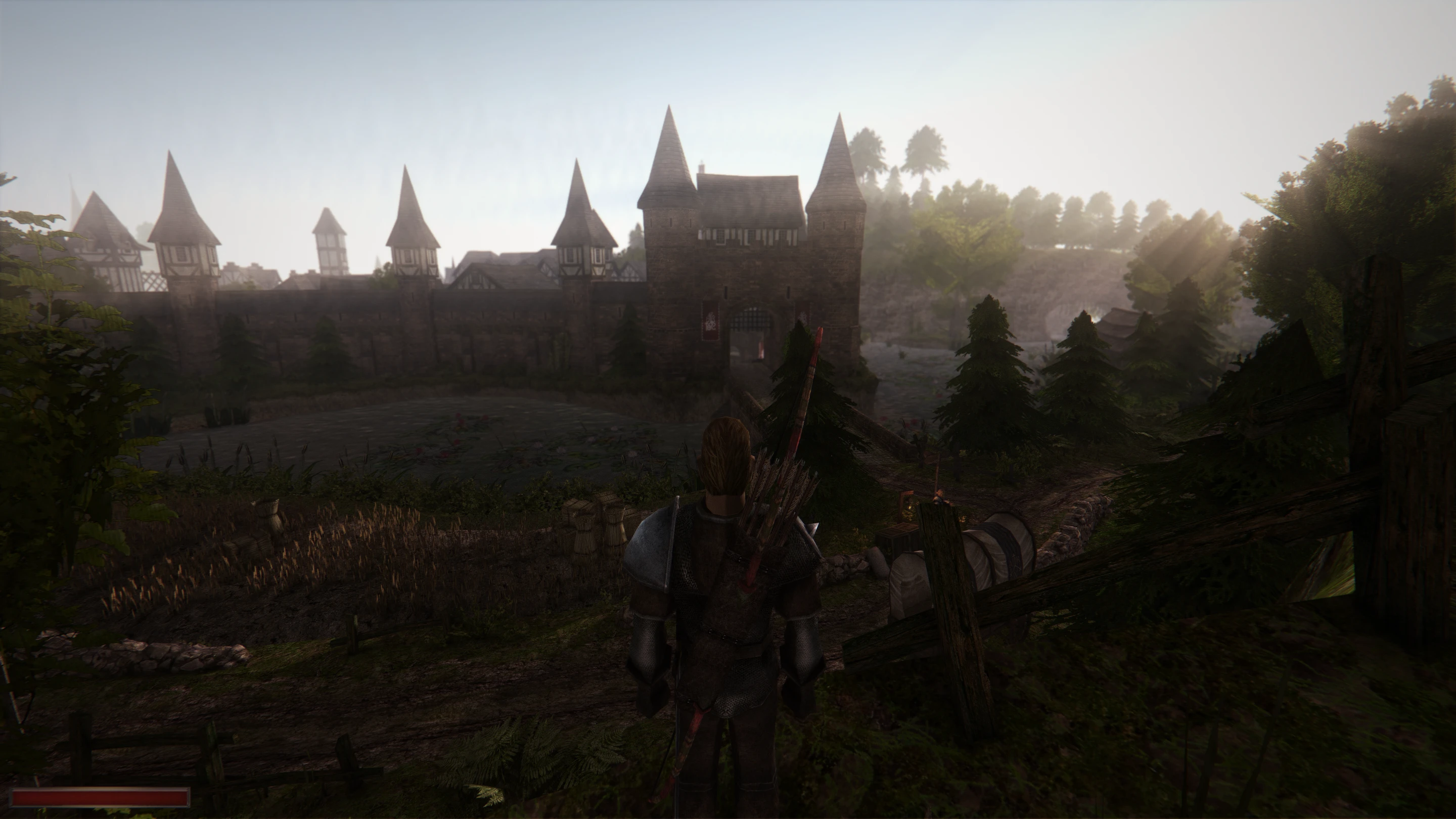
🔍 Analysis
- 👍 3.7% endorsement rate — high engagement, a strong quality signal
- 🏆 #18 of 137 Miscellaneous mods in this game by downloads
📋 About This Mod
Installation:
• Download and install the supported DX11 version (more details here).
• Download ReShade at https://reshade.me/ .
• Install it for \The Chronicles Of Myrtana Archolos\system\Gothic2.exe. Either tick and install all the shaders and then delete duplicates (such as Prism.fx) OR make sure the following shaders are installed: PD80_02_Cinetools_LUT.fx, AmbientLight.fx, MagicBloom.fx, qUINT_lightroom.fx, DisplayDepth.fx, FilmGrain.fx, Vignette.fx, qUINT_dof.fx qUINT_sharp.fx, Prism.fx, ChromaticAberration.fx, qUINT_deband,fx.
• Extract the preset .ini file to The Chronicles Of Myrtana Archolos\system
• Run the game, toggle DX11 control panel (F11 by default) to enable cursor movement. Press Home (default) to toggle ReShade GUI.
• At the bottom of the shaders list click "Edit global preprocessor definitions" and make sure Depth Input is reversed.
• Enable DisplayDepth shader, then go to D3D11 tab of ReShade settings and click around to select the correct depth buffer until you see depth properly displayed on screen. It should look like this:
Here are the settings that should work:
• Disable DisplayDepth.
• (Optional) Go to Posts and tell me what you think ;)
Known issues:
• DOF messes up UI. When you bring up the inventory, it becomes the foreground and all the rest gets blurred by DOF. For me this is fine as while I'm in the inventory, I don't focus on anything else. It is recommended to assign a key for qUINT_dof.fx to be able to toggle it on and off.
Sunny Rehade is a graphics enhancer for The Chronicles Of Myrtana: Archolos, tweaking colors, bloom, sharpening, and depth of field to give the game world a warmer look. With 37 endorsements and 1,009 downloads, it's a niche but appreciated visual mod for players seeking a subtle color overhaul.
✨ Key Features
📊 Pros & Cons
✅ Pros
- Simple visual upgrade that makes the world feel warmer and more inviting
- Decent download count (1,009) shows some players are using it
- Lightweight mod—no complex dependencies or install steps mentioned
⚠️ Cons
- Only 37 endorsements, so it's a niche pick—might not be for everyone
- Last updated in January 2022, so it may not be tested with the latest game patches
- No before/after screenshots or detailed settings guide in the description
For Archolos players who want a subtle color and lighting boost without overhauling the game's look. If you're after a more dramatic visual change, this might be too mild. Skip if you prefer the original color grading.
💡 Beginner Tips
- Make sure you have ReShade installed first, as this mod likely requires it to work
- If you're using other graphics mods, try this one last to avoid conflicts
- Check the in-game ReShade settings to adjust the effect intensity to your liking
📊 Mod Details
- Game
- Gothic2 Mods
- Author
- Sunny
- Version
- 1.0
- Downloads
- 1,009
- Endorsements
- 37
- Category
- Miscellaneous
- Created
- 1/15/2022
- Updated
- 1/15/2022
🔧 How to Install Gothic 2 Mods
Download from Nexus Mods.
📖 Full step-by-step install guide for Gothic 2 →
Visit the official mod page for specific installation instructions for this mod.
🎮 Need cheat codes or console commands? Check ur gaming wiki for Gothic 2 commands, item IDs, and more.
Keep browsing — more Gothic 2 mods await