RenoDX - HDR Fix - Tonemap - for God of War Ragnarok
🟠 Updated over a year agoPreview
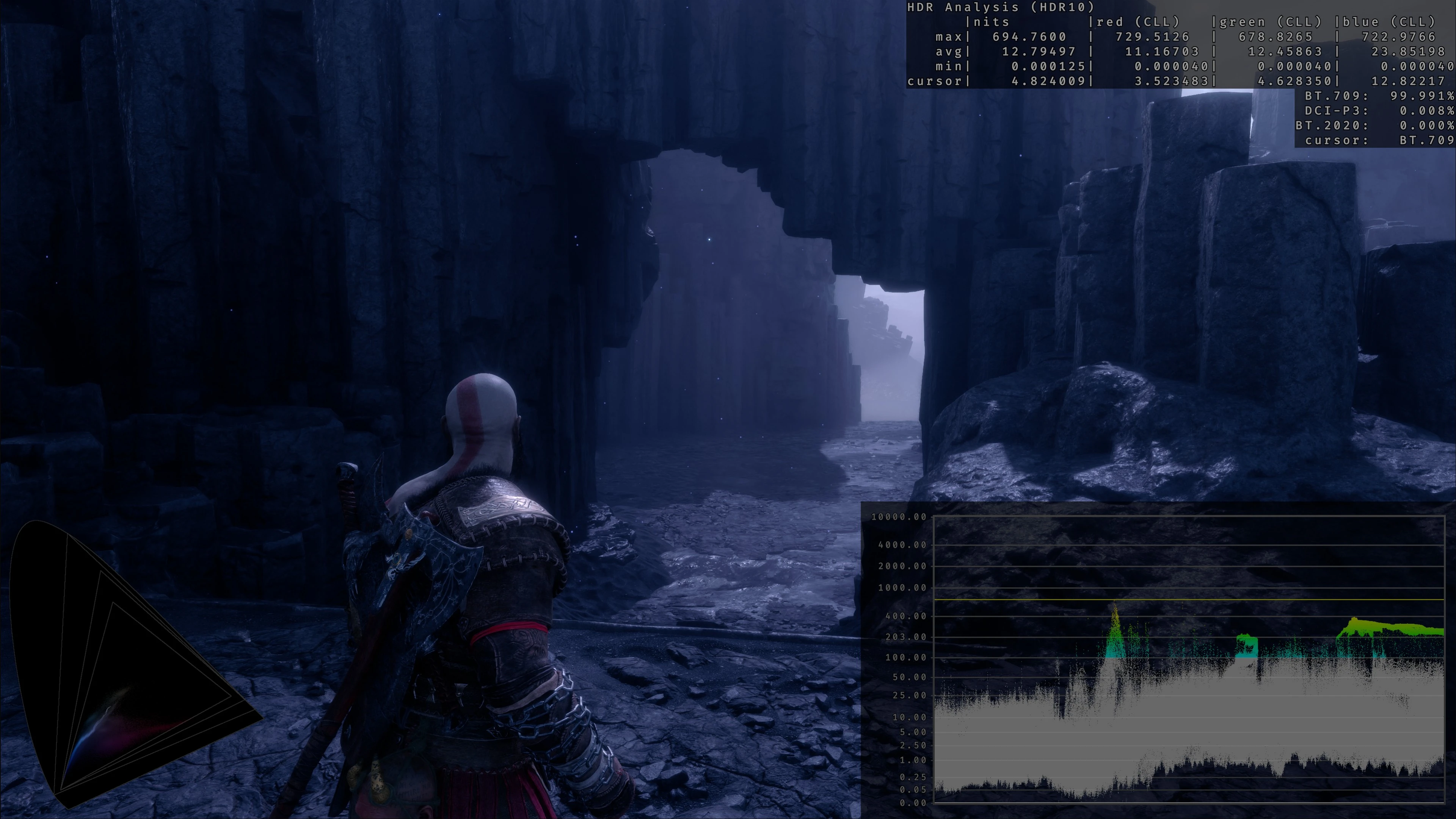
🔍 Analysis
- 👍 1.9% endorsement rate — high engagement, a strong quality signal
- 🏆 #23 of 58 Miscellaneous mods in this game by downloads
📋 About This Mod
RenoDX rewrites the game's shaders to fix and enhance its HDR implementation. It improves tonemapping and brightness control for a more immersive experience. RenoDX uses the Reshade Add-on API, not Reshade effects.
Features
General:
-
[]Based on ReShade's Addon system, eliminating the need for patches after game updates.
[
]3 customizable presets.[]"Off" Preset for reverting to the original game settings.
[]Realtime sliders for instant feedback.
HDR Fixes and Improvements:
-
[]Proper PQ Encoding: Replaced the game’s faulty approximation curve fit with proper PQ encoding for accurate HDR highlights.
[
]Gamma Correction Fix: The original SDR used sRGB gamma but was likely still intended for 2. 2 gamma displays. The HDR implementation mistakenly does not properly correct for this mismatch. The game's developers added a bizarre curve fit as an attempt to remedy this issue, but it provided poor results, as it crushed blacks, and broke the tonemaping peak nits. This issue has been properly addressed by emulating 2. 2 gamma EOTF.[]Tonemapping Options:
[]Vanilla: Original tonemapping, brightness scaling, and broken gamma correction.
[]Vanilla+: Applies proper gamma correction and allows for user set post tonemapping brightness scaling using the "game brightness" slider. The tonemappers minimum and maximum nits parameters are dynamically adjusted to account for this.
Brightness Control:
-
[]Peak Brightness: Adjust the game's maximum brightness to fit your display.
[
]Game Brightness: Control the brightness of the game render.
- []Exposure: When Vanilla+ is enabled, this slider brings back the functionality of the vanilla game's pre-tonemap brightness scaling
- []Bloom: the game's bloom effect is very strong so I added a slider to control it.
Installation
[]Install Reshade 6. 5 or higher with addon support (link). No Reshade effects are required.
[]Copyrenodx-gowragnarok.addon64
into the God of War Ragnarok installation folder (next to yourGoWR.exe
and the same folder you installed Reshade to).
[]Run the game.
[]Press<HOME>[s
-
[]Peak Brightness: Adjust the game's maximum brightness to fit your display.
A partial graphics pipeline rewrite for God of War Ragnarok that fixes HDR output and adds controls for tonemapping, paper white, hue correction, and color grading. For PC players with HDR displays who want better visuals and customization.
✨ Key Features
📊 Pros & Cons
✅ Pros
- Addresses a real issue for HDR users (51 endorsements)
- Gives you direct control over tonemapping and color grading
- Actively updated (June 2025)
⚠️ Cons
- Small user base (51 endorsements) — might be niche
- Partial rewrite could introduce instability
- No detailed instructions or compatibility notes provided
For PC players with HDR monitors who want to fix washed-out colors and fine-tune the image. Skip if you play on SDR or prefer vanilla visuals.
💡 Beginner Tips
- Make sure your Windows HDR is enabled before launching the game.
- Use the in-game settings to adjust paper white to match your display's peak brightness.
- Test different tonemapping presets to find one that suits your panel.
📊 Mod Details
- Game
- Godofwarragnarok Mods
- Author
- MusaQH
- Version
- 2025-6-5
- Downloads
- 2,675
- Endorsements
- 51
- Category
- Miscellaneous
- Created
- 4/17/2025
- Updated
- 6/7/2025
🔧 How to Install God of War Ragnarok Mods
Download from Nexus Mods.
📖 Full step-by-step install guide for God of War Ragnarok →
Visit the official mod page for specific installation instructions for this mod.
🎮 Need cheat codes or console commands? Check ur gaming wiki for God of War Ragnarok commands, item IDs, and more.
Keep browsing — more God of War Ragnarok mods await