Dynamic FOV FIX
🟠 Updated over a year agoPreview
🔍 Analysis
- 👍 1.7% endorsement rate — high engagement, a strong quality signal
- 🏆 #7 of 58 Miscellaneous mods in this game by downloads
📋 About This Mod
This mod stops applying the offsets when the game is paused to prevent messing up with characters when you are in inventory or looking at codex or your skills.
This game is made to be experienced as a single cut from player's POV.
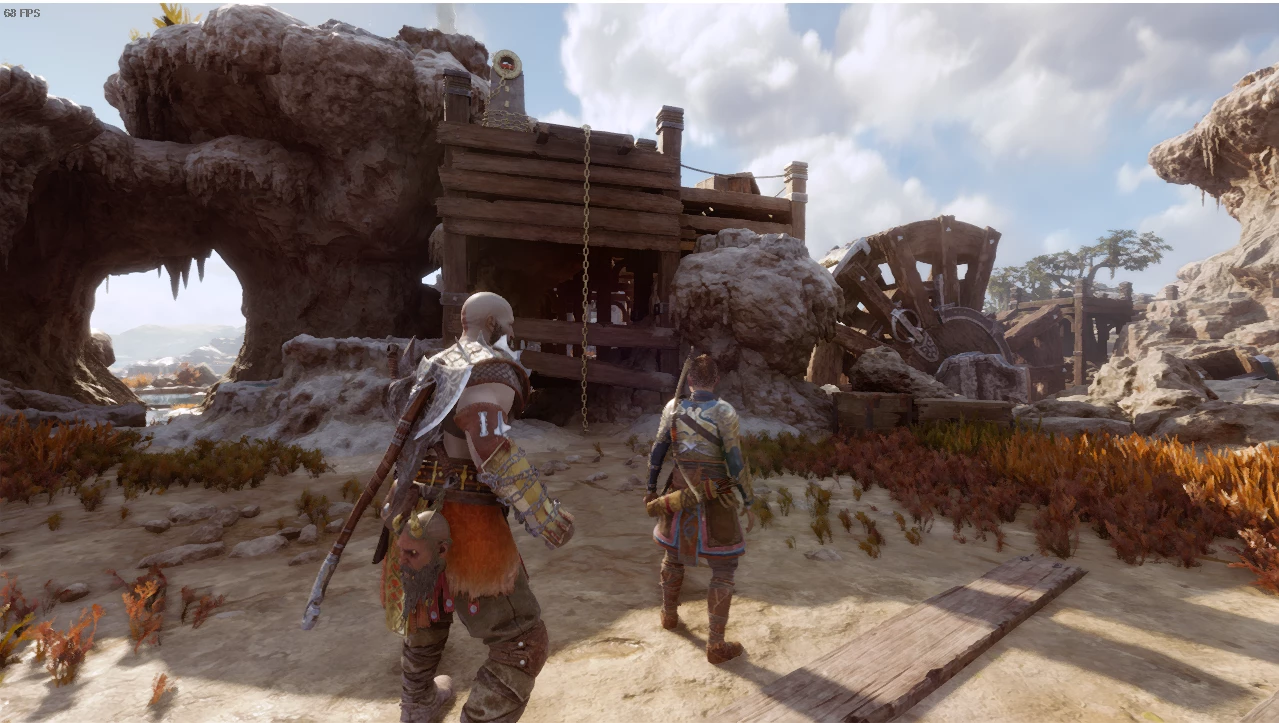
The game constantly calculates the FOV to give the feeling of a movie/experience.
This mod will add or remove (whatever works for you :p) an offset to the calculations instead of fixing it to a value giving you the ability to experience the intended experience by the dev/director (plus our offset :P)
This mod does not use pointers, it actually updates the game instructions, therefore it should work will all versions that use the instructions. (Pretty much all updates after the original release.)
If you want the cutscenes to have the regular calculations, you can use CTRL+F to toggle the script on and off. Make sure the checkbox for both " Enable me before chaning offset (CTRL+F) to toggle for cutscenes(if you want :P)" and " Your offset. (how much do you want to add to the FOV? eg. 20) is marked.
Image in the mod details.
Just in case:
Instructions:
https://www.youtube.com/watch?v=Qhjbi6Hd0BI
Download the Mod and extract it to the game directory .
Open the . CT file.
Click on the computer with magnifying glass on top left corner of the cheat engine window.
Find God of war in the list of processes on the new window that pops up and click ok.
(So far this was the basics of attaching cheat engine tables to the game. (pretty much the same for all cheat engine tables))
Now how to use this script:
On the address bar under the activate column make sure there's an x next to " Enable me before chaning offset (CTRL+F) to toggle for cutscenes(if you want :P)"
Do the same thing for "Your offset. (how much do you want to add to the FOV? eg. 20)" by clicking on the empty box.
Now that both of them have the red x next to them :
Double click the value for " Your offset. (how much do you want to add to the FOV? eg. 20)"
In the box that pops-up enter how much you want to add to the FOV ( I recommend starting with 20 and going from there) you can change it as many times as you want.
Now your window should look like the image in the mod details.
If you get to a cutscene or somehwere you don't want the script to apply. Use (CTRL+F) to toggle the script off and whenever you want to use it again, (CTRL+F) to turn it back on again.
Don't forget to have fun :)
Dynamic FOV FIX is a small utility mod for adjusting field of view, with 159 endorsements and nearly 9,500 downloads. It requires Cheat Engine and manual offset changes, and includes a toggle for cutscenes. Last updated December 2024, it remains a niche tool for players comfortable with external software.
✨ Key Features
📊 Pros & Cons
✅ Pros
- Solid download count (9,488) shows real demand for FOV tweaks
- Active as of December 2024, so it's not abandoned
- Cutscene toggle is a thoughtful touch for immersion
⚠️ Cons
- Requires Cheat Engine, which is a hassle for console or casual players
- No clear install instructions—you're left to figure out the offset process
- Manual offset changes mean it's easy to mess up if you're not careful
For PC players who hate the default FOV and want a quick fix without waiting for mod support. If you're comfortable with Cheat Engine and don't mind a bit of tinkering, this gets the job done. Skip if you want a simple plug-and-play mod or play on console.
💡 Beginner Tips
- Make sure to mark the X in the active column for both Cheat Engine entries before changing any offsets.
- Use the cutscene toggle (CTRL+F) only when you want to adjust FOV during cutscenes—otherwise leave it off.
- Watch the linked YouTube video for a visual walkthrough, as the text description is sparse.
📊 Mod Details
- Game
- Godofwarragnarok Mods
- Author
- TheFireman18287
- Version
- 1.1
- Downloads
- 9,488
- Endorsements
- 159
- Category
- Miscellaneous
- Created
- 9/21/2024
- Updated
- 12/6/2024
🔧 How to Install God of War Ragnarok Mods
Download from Nexus Mods.
📖 Full step-by-step install guide for God of War Ragnarok →
Visit the official mod page for specific installation instructions for this mod.
🎮 Need cheat codes or console commands? Check ur gaming wiki for God of War Ragnarok commands, item IDs, and more.
Keep browsing — more God of War Ragnarok mods await