Smooth Mouse Look (Minecraft's Cinematic Camera)
⚪ Last updated 2024Preview
🔍 Analysis
- 👍 0.0% endorsement rate
📋 About This Mod
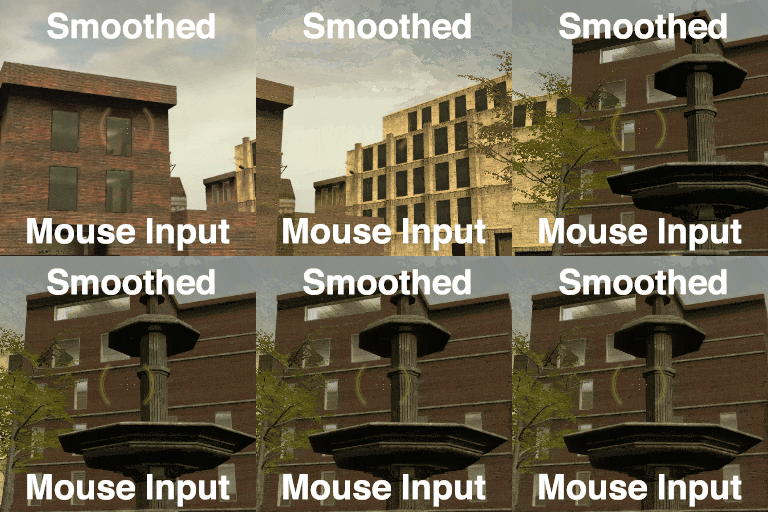
Smooth & floaty mouse input. Many of you will see the title and immediately know what this is. It's an acceleration filter on your mouse input, with a short attack and a long release. And it's probably best known as "Cinematic Camera" in Minecraft. Origin In fact, this addon truly is a faithful copy of Minecraft's Cinematic Camera, replicated exactly from its source code. You can use it just how you would in Minecraft - pretty useless in most gameplay scenarios, but helpful when you need to record some quick first-person footage and you want it to look like it has slightly-more-than-zero production value. It's most useful when you need a stabilized or smoothed first-person take, like when panning over a scene, tracking a target, moving around, or any combination of all three. That was the scenario I had which led me to create this addon. How to use & Customization Open the Spawnmenu, click on the Options tab, and find the Smooth Mouse Look section. Basics On the main Settings page, check the box to enable Smooth Mouse Look. Use the Floatiness slider to control the strength of the filter. Low values like 0. 2 are subtle and responsive. Similar to L4D. High values like 0. 8 are slow and broad. Similar to Minecraft. Expanding the Advanced section will show additional options for atypical use. Hotkeys On the Hotkeys page, you can set a keybind to quickly toggle Smooth Mouse Look on and off. By default, it's set to F8 - just like in Minecraft. Advanced (These options all have descriptions while in-game; this screenshot just omits them for bevity.) Generally, you should leave all of these options enabled & at their default values. If your mouse sensitivity changes when you enable Smooth Mouse Look, try adjusting Inverse Turn Rate until it matches your normal (unsmoothed) mouse sensitivity. Disabling InputMouseApply hook override might improve compatibility with other addons that use the mentioned hook, but it can introduce errors in your mouse input. When disabled, it is cr
📊 Mod Details
- Game
- Garrys Mod Mods
- Author
- 76561198029133445
- Version
- N/A
- Downloads
- 46,357
- Endorsements
- 0
- Category
- Addon, tool, Scenic, movie
- Created
- 2/24/2024
- Updated
- 4/11/2024
🔧 How to Install Garry's Mod Mods
Subscribe on Steam Workshop. Mods auto-download and install. Launch the game to activate.
📖 Full step-by-step install guide for Garry's Mod →
Visit the official mod page for specific installation instructions for this mod.
🎮 Need cheat codes or console commands? Check ur gaming wiki for Garry's Mod commands, item IDs, and more.
Keep browsing — more Garry's Mod mods await