Proper PlayStation Buttons (DS4)
🟠 Updated over a year agoPreview
🔍 Analysis
- 👍 2.0% endorsement rate — high engagement, a strong quality signal
- 🏆 #5 of 9 User Interface mods in this game by downloads
📋 About This Mod
I had at least 3 mods with higher priority and yet here I am...
So, I was not happy with the other DS4 mod as it used different icons and not the official ones I was used to see in the PS4 version. It was a bit longer compared to other games and at first I just felt overwhelmed but I pushed through and made it, even if I will probably not even play the game in the end. But this aside, let's proceed with the setup.
INSTALLATION: This mod has been made for Flagrum, but I will include the raw texture if you want to inject it through Special-K. I have not tried injecting but there are a lot of guides if you want to do that. So, just install Flagrum, click on "Install Mod" and select this mod. Done.
HOW TO USE (DON'T SKIP): This mod replaces Xbox buttons, so it's necessary to connect your DS4 through DS4Windows and let it convert its inputs to Xbox ones. Use HidHide to hide DS4's inputs from everything except DS4Windows, this will also prevent the double input issue that happens with many games so I recommend making a quick Google search about it to set it up. Another important thing to remember is that you MUST NOT press any key on the keyboard or the mouse BEFORE pressing a button on your controller after the game launched. So wait until the "A Final Fantasy for Fans and First-Timers" message appears and just press any button. Why? Because the game sets its default input, and so its default texture, with the first input it receives. In case you pressed KBM and you have generic controller buttons, close and open the game again. If you are not affected by this thing you can ignore this.
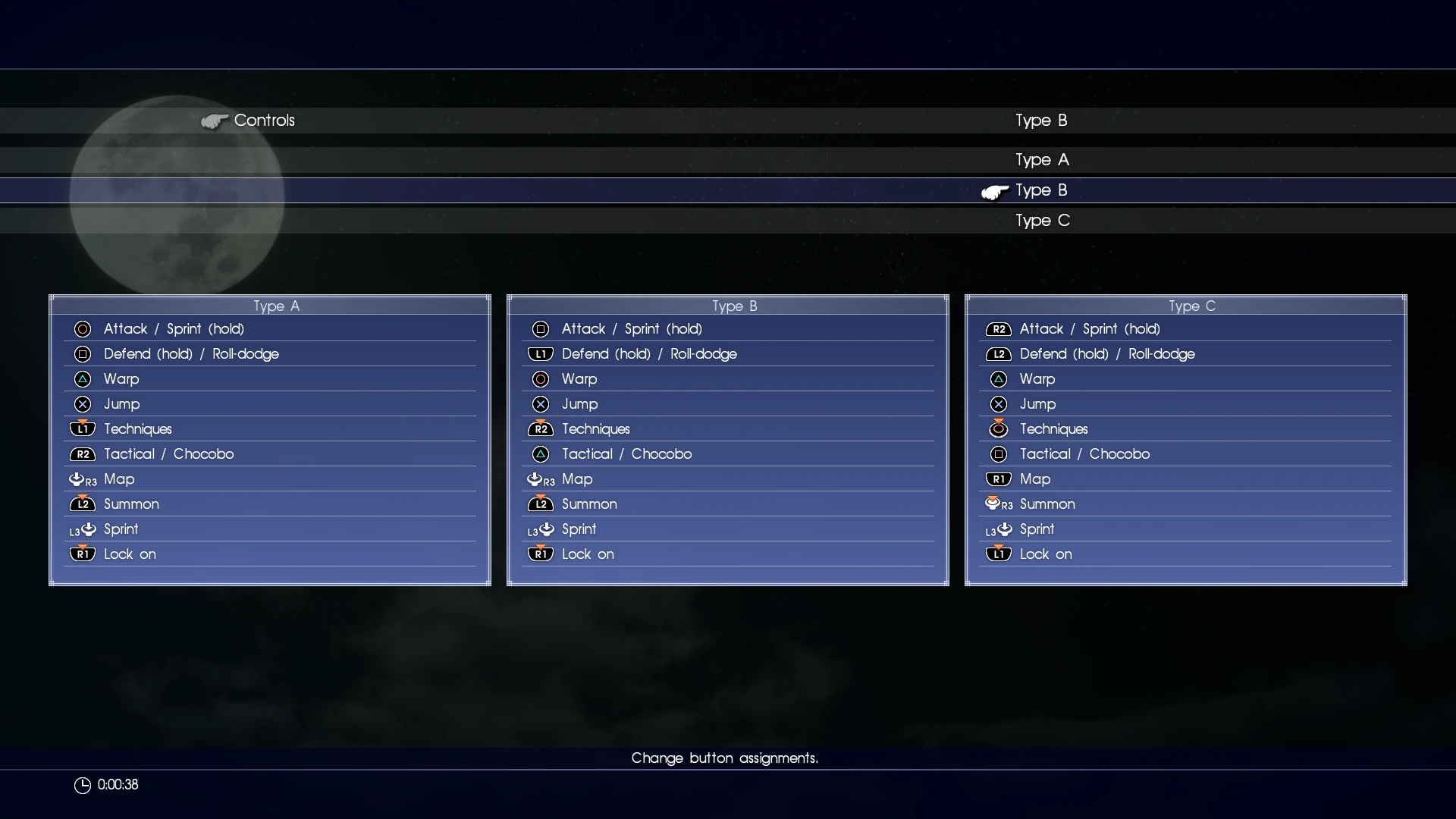
FINAL WORDS: So that's it I guess, remember that the mod is still a 0. 9 and Type C buttons may not be 100% compatible. It's quite a dumb layout if you ask me so I didn't bother with it. If anyone wants to use it and needs me to fix it, then just write it in the comments. Also, if you notice anything, even when using Type A or Type B layout, report the problem in the comment as well and I will try to fix it. I am sure buttons are aligned perfectly already, as you can see in the pictures (I used to red lines to test the alignment of the buttons), but if they aren't or if you notice a random Xbo
Proper PlayStation Buttons (DS4) is a UI mod that replaces Xbox button prompts with PlayStation DS4 icons. It requires enabling vibration in game settings, as noted by the author. With 15 endorsements and 761 downloads, it's a niche mod for players using DualShock 4 controllers.
✨ Key Features
📊 Pros & Cons
✅ Pros
- Makes the UI match your DualShock 4 controller, so no more Xbox prompts confusing you
- Small but dedicated following (15 endorsements) — it's a niche fix that works
- Lightweight UI mod that doesn't mess with gameplay
⚠️ Cons
- Author warns they don't come online often, so don't expect quick support
- Only 15 endorsements, so it's not widely tested across different setups
For PS4 controller users on PC who can't stand seeing Xbox button prompts. If you're using a DS4 and want the UI to match your muscle memory, this is for you. Skip if you're on keyboard/mouse or an Xbox controller.
💡 Beginner Tips
- Make sure vibration is enabled in the game's settings, or the mod won't work as intended
- If you're using Steam, check if Steam Input is remapping your buttons — you may need to disable it for the mod to show correctly
- Since the author is rarely online, search forums for troubleshooting before asking questions
📊 Mod Details
- Game
- Finalfantasy15 Mods
- Author
- Myself
- Version
- 0.9
- Downloads
- 761
- Endorsements
- 15
- Category
- User Interface
- Created
- 3/27/2025
- Updated
- 3/27/2025
🔧 How to Install Final Fantasy XV Mods
Download from Nexus Mods.
📖 Full step-by-step install guide for Final Fantasy XV →
Visit the official mod page for specific installation instructions for this mod.
🎮 Need cheat codes or console commands? Check ur gaming wiki for Final Fantasy XV commands, item IDs, and more.
Keep browsing — more Final Fantasy XV mods await