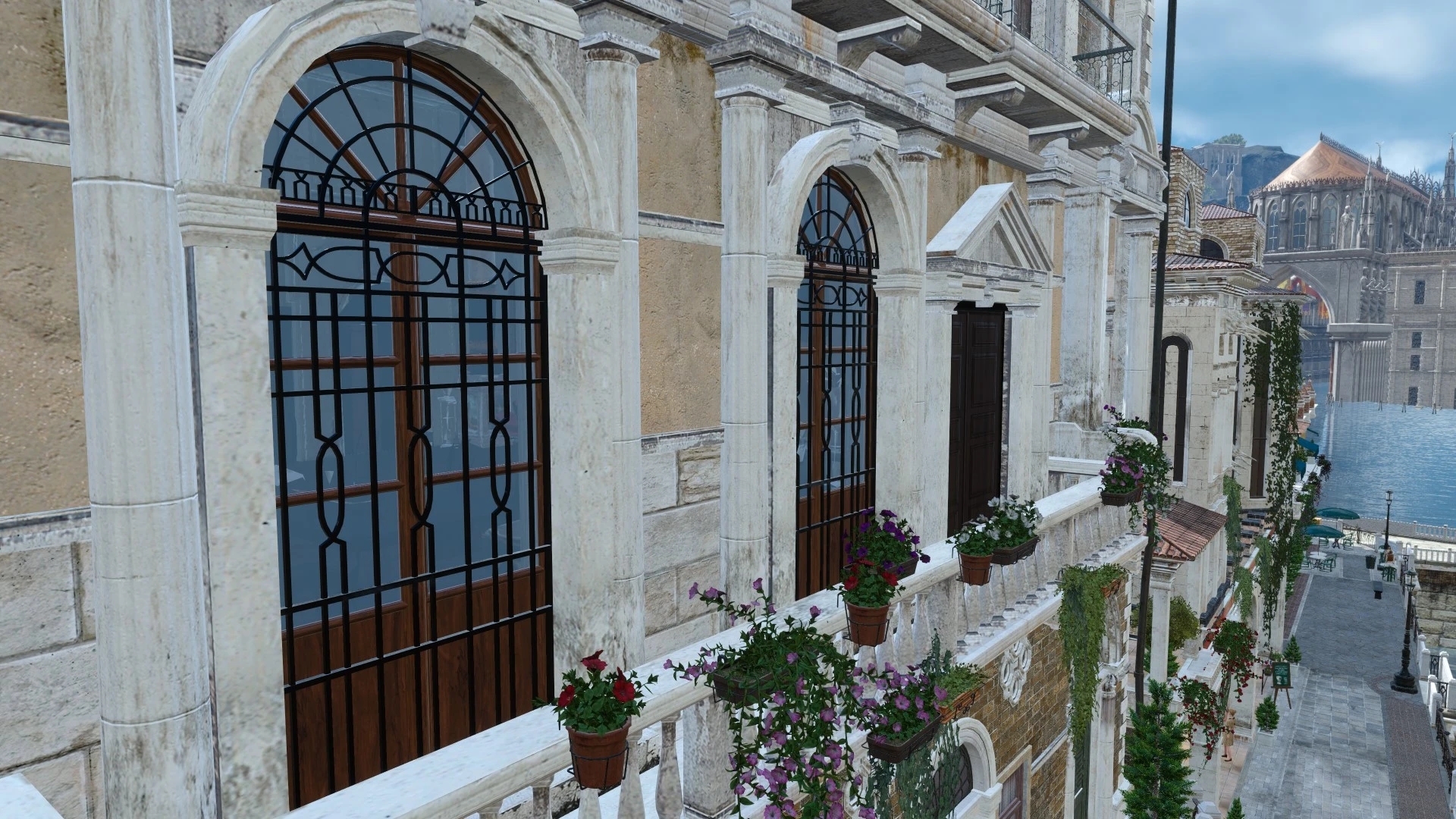
Fixed a texture bug in Altissia
⚪ Last updated 2020Preview
🔍 Analysis
- 👍 4.5% endorsement rate — high engagement, a strong quality signal
- 🏆 #4 of 60 Miscellaneous mods in this game by downloads
📋 About This Mod
※日本人の方は自動翻訳を解除して日本語説明のみ読んだ方が分かりやすいです。
Fixes a building texture glitch and improves the landscape in Altissia.
オルティシエの一部の建物のテクスチャ不具合を修正し、オルティシエの景観を改善します。
---------------------------------------------------------------------------------
INSTALLATION:
Open up the folders "FINAL FANTASY XV / datas / environment / altissia / ebex / props"
and replace file "al_al_b_lunaroom_envsys.earc"
※Please remember to always backup your files first!
※Please replace the files at your own risk.
KNOWN ISSUES:
The texture of the window glass in this building will be reduced.
There shouldn't be any real-time rendering in this room cutscene, so it shouldn't be a problem, but please let me know if you have any problems with it.
-------------------------------------------------------------------------------
日本語説明(内容は英文と同じです。)
「FINAL FANTASY XV / datas / environment / altissia / ebex / props」のフォルダを開いて、
「al_al_b_lunaroom_envsys.earc」を置き換えます。
※最初に必ずバックアップをとってください!
※自己責任でお願いします。
この建物の窓ガラスの質感が落ちてしまいます。
この部屋のリアルタイムレンダリングはないはずなので大丈夫だとは思いますが、何か不具合があればご連絡ください。
This mod fixes a texture bug on one building in Altissia, a location in Final Fantasy XV. It's a small, targeted fix for players who notice visual glitches. With 578 endorsements and 12,840 downloads, it's a popular solution for a specific issue.
✨ Key Features
📊 Pros & Cons
✅ Pros
- Community-approved fix (578 endorsements) for a specific visual annoyance.
- Lightweight and focused—does exactly what it says without extra bloat.
- High download count (12,840) shows many players needed this fix.
⚠️ Cons
- Only addresses one building—other texture issues in Altissia may remain.
- Last updated in 2020—may not be compatible with the latest game version or DLCs.
- No detailed instructions or screenshots provided by the author.
For Final Fantasy XV players who are bothered by a specific texture glitch in Altissia and want a quick fix. Skip if you're looking for broader visual overhauls or gameplay changes—this is purely a single-building cosmetic patch.
💡 Beginner Tips
- Make sure to place the mod files in the correct game directory, typically the 'mods' folder if using the Steam version.
- If you're using the Epic Games version, you may need to enable mod support in the game settings.
- Since this mod is from 2020, check if your game version is up-to-date to avoid compatibility issues.
📊 Mod Details
- Game
- Finalfantasy15 Mods
- Author
- Nsept0403
- Version
- 1.00
- Downloads
- 12,840
- Endorsements
- 578
- Category
- Miscellaneous
- Created
- 8/19/2020
- Updated
- 8/19/2020
🔧 How to Install Final Fantasy XV Mods
Download from Nexus Mods.
📖 Full step-by-step install guide for Final Fantasy XV →
Visit the official mod page for specific installation instructions for this mod.
🎮 Need cheat codes or console commands? Check ur gaming wiki for Final Fantasy XV commands, item IDs, and more.
Keep browsing — more Final Fantasy XV mods await