Starlight Polar Bear and Panda
⚪ Last updated 2017Preview
🔍 Analysis
- 🏆 #15 of 36 Mounts mods in this game by downloads
📋 About This Mod
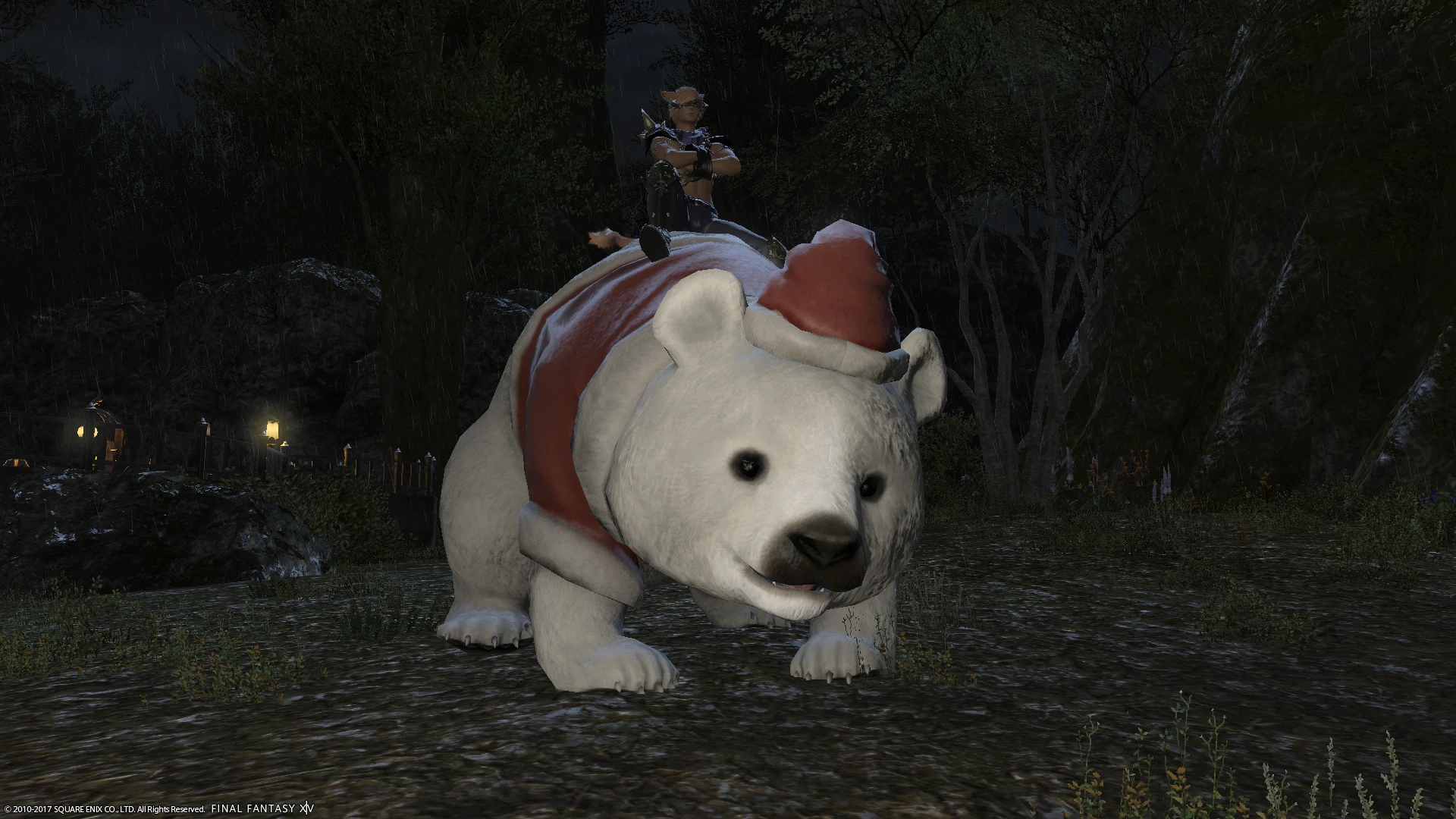
Replaces the Starlight Bear with a Polar Bear or Panda texture.
DESCRIPTION:
Two variants for the adorable Starlight bear: Polar Bear and Panda.
REQUIRES:
The latest version of FFXIV TexTools, found there:
http://ffxivtextools.dualwield.net/index.html
INSTALLATION:
1) Download and set up FFXIV TexTools as explained on the website.
2) Download the version you want, and extract it with 7zip, Winrar or a similar software in a temporary location of your choice.
3) Transfer the "Saved" folder from my mod to FFXIV TexTools's folder.
4) Open FFXIV TexTools. In the left column, choose "Companions", then "Mounts", then find "Starlight Bear".
5) In the window on the right, on the bottom half, click "Import". You will see the image in the middle change.
6) Before every major patch, reopen FFXIV TexTools, and at the very top, choose "Mods", then "Disable All Mods". Once your game is patched, reopen FFXIV TexTools, and this time, choose "Reenable All Mods". This is recommended by the author of FFXIV TexTools to avoid issues. If you don't like how the texture looks ingame, you can simply go back to Companions -> Mounts -> Starlight Bear and click on "Disable", right next to the "Import" button.
📊 Mod Details
- Game
- Finalfantasy14 Mods
- Author
- Arkann
- Version
- 1.0
- Downloads
- 220
- Endorsements
- 4
- Category
- Mounts
- Created
- 12/15/2017
- Updated
- 12/15/2017
🔧 How to Install Final Fantasy XIV Mods
Download from Nexus Mods.
📖 Full step-by-step install guide for Final Fantasy XIV →
Visit the official mod page for specific installation instructions for this mod.
🎮 Need cheat codes or console commands? Check ur gaming wiki for Final Fantasy XIV commands, item IDs, and more.
Keep browsing — more Final Fantasy XIV mods await