Newfound Adventures Gameplay (Reshade Preset)
⚪ Last updated 2023Preview
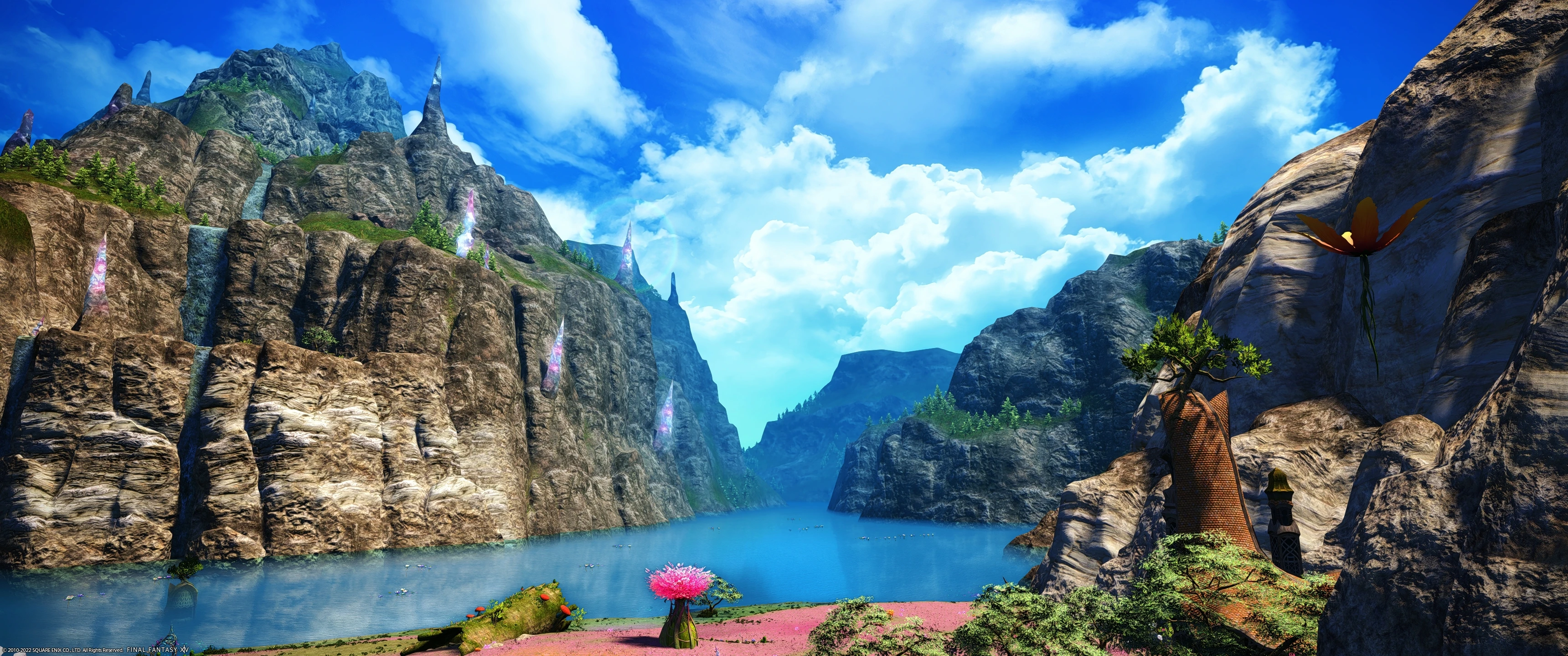
🔍 Analysis
- 👍 2.6% endorsement rate — high engagement, a strong quality signal
- 🏆 #17 of 119 Visuals mods in this game by downloads
📋 About This Mod
A gameplay preset meant to enhance the game while keeping it's original beauty.
🤖 AI-enhanced — based on mod data
A Reshade preset for Newfound Adventures that enhances the game's visuals while preserving its original aesthetic. With 165 endorsements and over 6,000 downloads, it's a community-tested option for players seeking a subtle visual upgrade without overhauling the game's look.
✨ Key Features
Enhances the game's visuals while preserving its original beauty
Designed as a gameplay preset, suggesting it balances visual fidelity with performance
Community-tested with 165 endorsements and 6,269 downloads
📊 Pros & Cons
✅ Pros
- Solid community backing (165 endorsements) – plenty of players have tried it and stuck with it
- Downloads are healthy (6,269) – it's not some obscure preset nobody's heard of
- Focus on keeping the original look means you won't get that over-saturated, plastic-y Reshade vibe
⚠️ Cons
- No before/after screenshots in the description – you're flying blind until you install it
- Last updated in March 2023 – if the game's had major patches since then, this preset might not play nice
- Reshade presets can tank your FPS depending on your rig – no performance info here, so test it out
🎯 Is This For You?
For Newfound Adventures players who want a subtle visual boost without changing the game's core aesthetic. If you're after dramatic, cinematic overhauls, this isn't it – it's for purists who just want a bit more polish. Skip if you're on a low-end PC and can't afford any FPS hit.
For Newfound Adventures players who want a subtle visual boost without changing the game's core aesthetic. If you're after dramatic, cinematic overhauls, this isn't it – it's for purists who just want a bit more polish. Skip if you're on a low-end PC and can't afford any FPS hit.
📦 Install:Easy· 5-10 minutes
💡 Beginner Tips
- Make sure you have Reshade installed first – this preset just configures it, so you'll need the base tool
- After installing, tweak the preset's settings in-game (Shift+F2 by default) to match your monitor's brightness and contrast
- If you notice a big FPS drop, try disabling some of the heavier effects like ambient occlusion or depth of field
📊 Mod Details
- Game
- Finalfantasy14 Mods
- Author
- Nei ra
- Version
- 2.0
- Downloads
- 6,269
- Endorsements
- 165
- Category
- Visuals
- Created
- 5/17/2022
- Updated
- 3/9/2023
🔧 How to Install Final Fantasy XIV Mods
Download from Nexus Mods.
📖 Full step-by-step install guide for Final Fantasy XIV →
Visit the official mod page for specific installation instructions for this mod.
🎮 Need cheat codes or console commands? Check ur gaming wiki for Final Fantasy XIV commands, item IDs, and more.
Keep browsing — more Final Fantasy XIV mods await