Alex's Revamped FFXIV ReShade Preset
⚪ Last updated 2023Preview
🔍 Analysis
- 👍 2.2% endorsement rate — high engagement, a strong quality signal
- 🏆 #18 of 119 Visuals mods in this game by downloads
📋 About This Mod
Clarity, more detail, more realistic lighting and more. Revamped.
Another one?
I've uploaded 2 different things for FFXIV before. One is old and was for ReShade. The other one was for GShade. As you know, some things have happened.
Now, I've been working on this for atleast a couple of weeks now, with some issues here and there. It's finally working almost entirely how I want it to.
A more up-to-date ReShade Preset from me to you, without any weird issues.
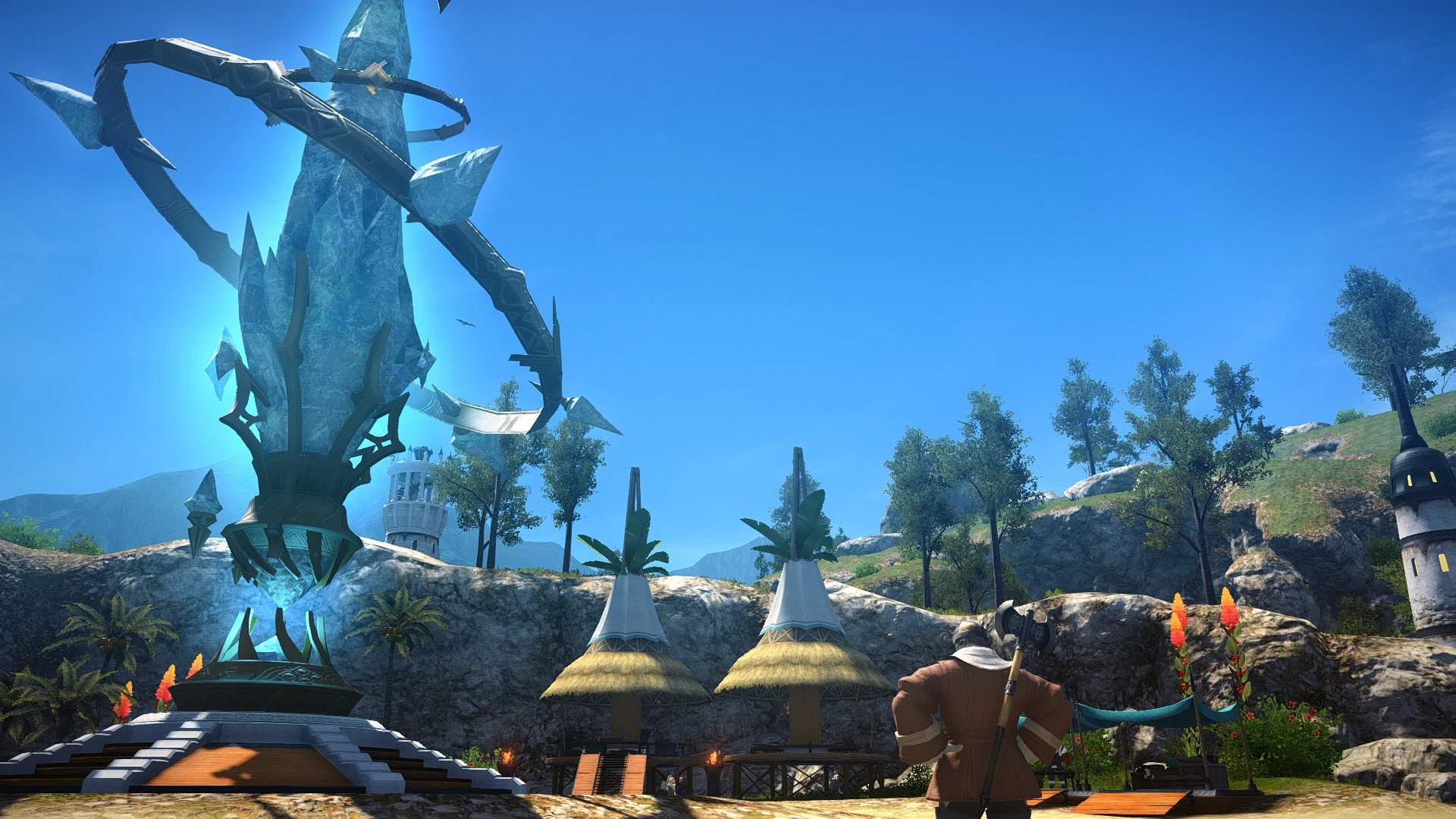
This is a ReShade preset that upon successful installation/setup will ignore the UI, bring a lot more clarity to the game, fake more realistic global lighting, bring out more detail in the scenery, clothes, props and pretty much anything.
Due to it's AO method, it also fakes light bounces a bit and adds a hint of something that looks a bit like SSS.
It's made for gameplay and also features properly working DoF. The DoF is mainly set up to be used for gameplay. Works for cutscenes as well but some might have the wrong focal point (nothing we can do about that).
Of course, there's still only so much thar any injectors can do. Some issues in the game itself like AA methods, lighting itself and other things can't be adjusted until we get the graphics update one day.
Game Settings
This is just a recommendation:
- Any graphics settings that you want
- Set the AO method to off or leave it on. The screenshots were taken with in-game AO turned off.
- You can disable the cutscene DoF in-game in case you're using the ReShade DoF that comes with this. Otherwise, some scenes might look a bit wonky.
SPECIAL (non-optional)
- Set the in-game brightness to anything other than 50. You can do 51, 49 or 45 or even 55 if you're like me. This is in case you want to use the REST addon for ReShade that will fix ReShade drawing over the UI in FFXIV. You could also just use KeepUI.fx (obtainable separately) but that has certain other issues. leaving it at 50 will make the game very dark.
(If you want to use KeepUI.fx, you most likely know what you're doing anyways, so there's no point to keep reading here).
ADDITIONALLY
- You might have to disable dynamic resolution. It's written on the REST GitHub page. I don't use that option in-game but if you have any issues, try disabling it.
Installation
1. Get ReShade from here. Scroll down and get the version with the full addon support. This is important for the UI issue among other things like flickering, unloading and borking some effects in certain areas in the game like Limsa Lominsa. ReShade will tell you that it's meant for singleplayer games but ignore that. You need to get this version of ReShade for full functionality and no bugs.
2. Now you can download my preset.
📊 Mod Details
- Game
- Ffxiv Mods
- Author
- AngryKarakuri
- Version
- 1.0
- Downloads
- 4,475
- Endorsements
- 99
- Category
- Visuals
- Created
- 3/7/2023
- Updated
- 3/7/2023
🔧 How to Install Finalfantasy14 Mods
Download from Nexus Mods.
📖 Full step-by-step install guide for Finalfantasy14 →
Visit the official mod page for specific installation instructions for this mod.
🎮 Need cheat codes or console commands? Check ur gaming wiki for Finalfantasy14 commands, item IDs, and more.
Keep browsing — more Finalfantasy14 mods await