Alive Reshade Preset
🟡 Updated this year⚠️ Install Order · 1 step
Install in this order, then this mod last — most mods fail to load without their framework and dependencies in place.
Preview
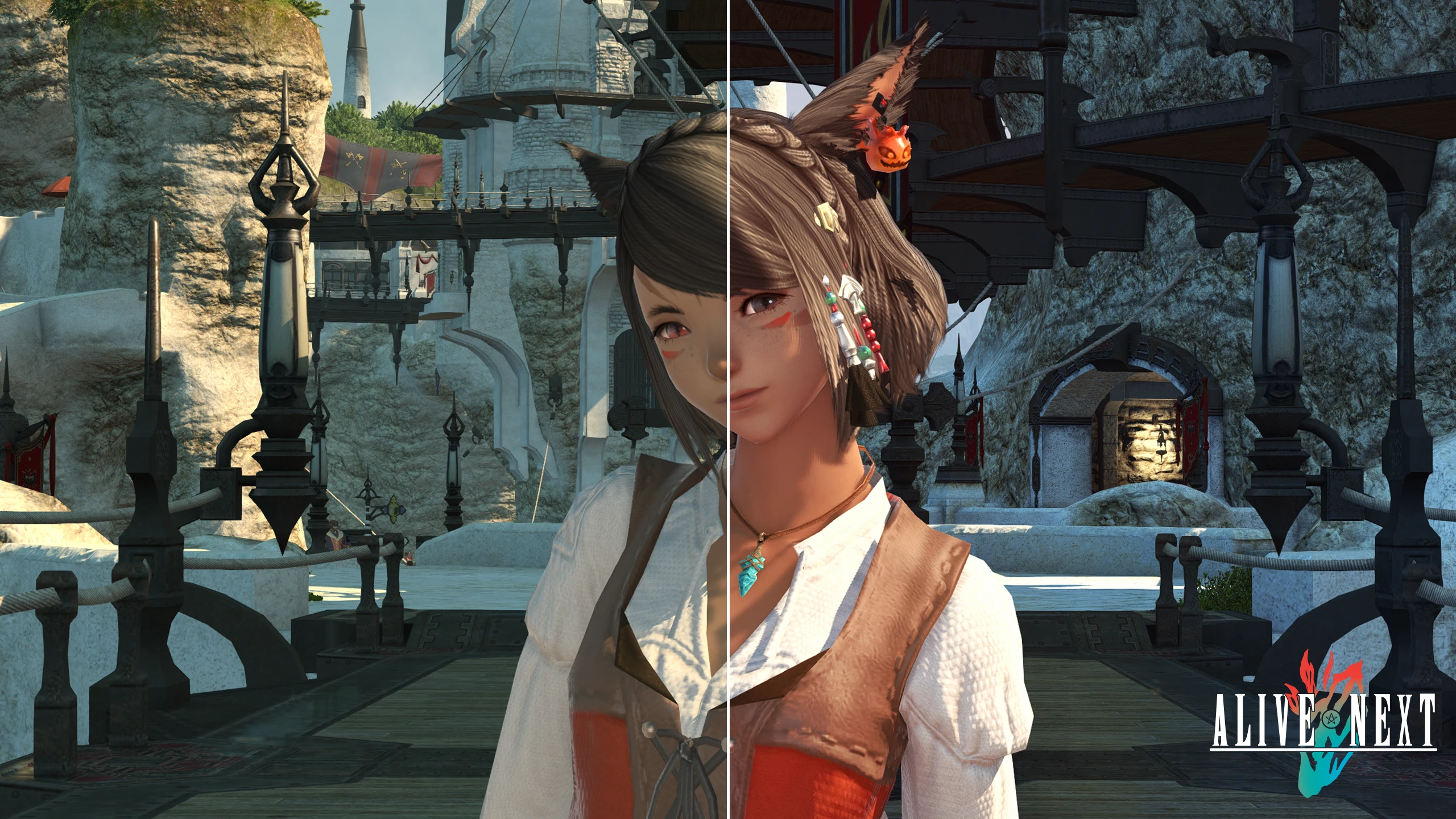
🔍 Analysis
- 👍 1.8% endorsement rate — high engagement, a strong quality signal
- 🏆 #1 of 119 Visuals mods in this game by downloads
📋 About This Mod
Updated the WIP of Alive NEXT to V. 34
• Removed an entry in the transformers settings in the REST Preset
• Disabled "Preserve Target Alpha"
• Changed Glamaryre Fast Effects Colorspace to 2 (scRGB Linear) This fixed the gamma issues in-game causing super dark visuals. Probably also fixed hiding UI making the game brighter. You should no longer need to set your gamma to any specific number.
ReShade 6. 7. 0 With Full Addon Support at a minimum is required, But Newest ReShade is recommended!
ReShade 6. 7. 3 With Full Addon Support
Alive NEXT Stable does NOT require any RTGI or paywalled shaders.
There is an experimental version of these presets available if someone wishes to use RTGI, but they will need to set it up themselves.
The Experimental version requires the newest 2607 release to properly function.
Again, YOU the user will have to set up RTGI if you so wish to use it.
Huge thanks to Werin for helping with Alive NEXT
For a detailed description of each shader, please scroll to the bottom of this list.
------------------------------------------------------- INSTALLATION -------------------------------------------------------
Alive Installation:
-
[]ReShade 6. 7. 3 With Full Addon Support or newer is recommended, with a minimum of 6. 7. 0 for Alive NEXT to work.
• During the reshade installation, on the "select shaders" step, at a minimum select iMMERSE and qUINT from the list.
Alternatively, toggle all the shaders to keep compatibility for any other presets.
• During the Addon selection phase, Skip all. The WIP Zip has the addon you require already in it.[/
][]Extract the contents of Alive NEXT WIP 32 Stable.zip into XIV's "game" folder. (includes NEXT WIP and older Alive 7 Suite shader presets as well as the REST addon and REST preset required) Overwrite existing files if asked.[/]
[]If you want the RTGI Experimental shaders, extract the contents of the Alive NEXT (RTGI) Experimental.zip into XIV's "game" folder. Overwrite existing files if asked.[/]
[]If you run into compile issues that causes nothing to load, uninstall reshade and do a fresh reshade install.[/]
[]If you have an Nvidia Graphics Card, please install the DLSS mod from: XIV DLSS MOD[/]
[]If other issues persist, please check troubleshooting below
ReShade 6. 7. 0 With Full Addon
Alive Reshade Preset is a subtle visual enhancement pack for Final Fantasy XIV that fine-tunes color, atmospheric fog, and SSAO to make Eorzea feel more vibrant without washing out the game. With over 3,000 endorsements and 175,000 downloads, it's a popular choice for players seeking a natural look.
✨ Key Features
📊 Pros & Cons
✅ Pros
- Huge community trust: 3,114 endorsements and 175k downloads show it's a go-to for many players
- Subtle tweaks keep the game looking natural, not over-processed
- Fog and SSAO adjustments add depth without hurting performance
⚠️ Cons
- Requires Reshade to be installed separately, which adds setup steps
- Presets are subjective—what looks 'alive' to some may be too subtle for others
This is for FFXIV players who want a visual upgrade without the heavy, oversaturated look of many reshade presets. If you're a screenshot enthusiast or just want your daily play to feel more immersive, this is a solid pick. It's also great for those who are new to reshade and want a safe, popular starting point.
💡 Beginner Tips
- Make sure you install Reshade first and select the correct DirectX version for FFXIV (DX11) during setup.
- After applying the preset, tweak the in-game brightness and gamma to match your monitor for the best result.
- If the game looks too dark or too bright, adjust the SSAO intensity in the Reshade settings to your liking.
📊 Mod Details
- Game
- Ffxiv Mods
- Author
- Wafflezs
- Version
- 0.34
- Downloads
- 175,725
- Endorsements
- 3,114
- Category
- Visuals
- Created
- 1/5/2019
- Updated
- 7/26/2026
🔧 How to Install Finalfantasy14 Mods
Download from Nexus Mods.
📖 Full step-by-step install guide for Finalfantasy14 →
Visit the official mod page for specific installation instructions for this mod.
🎮 Need cheat codes or console commands? Check ur gaming wiki for Finalfantasy14 commands, item IDs, and more.
Keep browsing — more Finalfantasy14 mods await