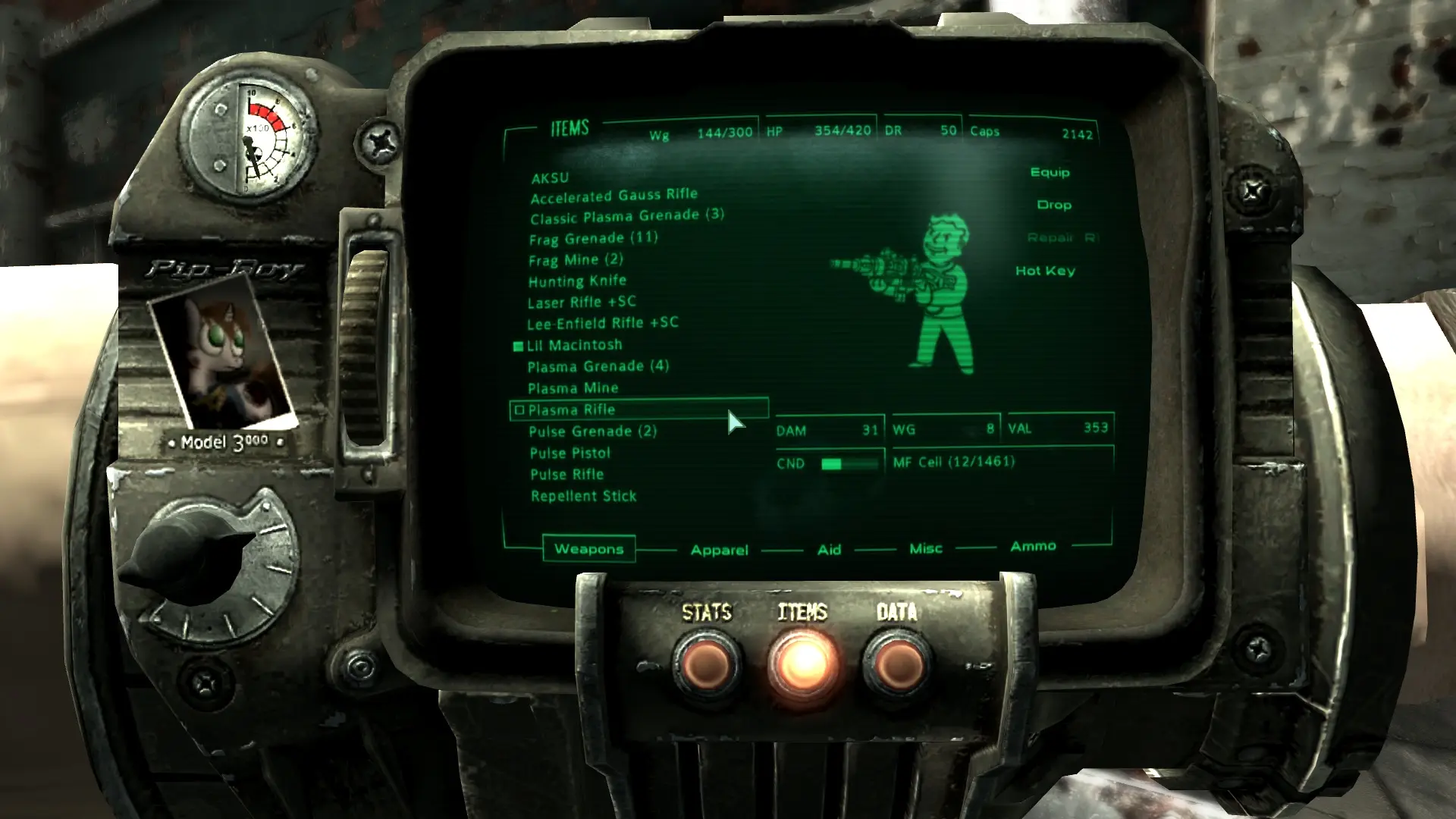
Pony PipBoy Photo
⚪ Last updated 2012Preview
🔍 Analysis
- 👍 4.8% endorsement rate — high engagement, a strong quality signal
- 🏆 #411 of 429 Models and Textures mods in this game by downloads
📋 About This Mod
Confound these ponies! They drive me to survive post-Apocalyptic hell!
Pony Pipboy Photo V2 by Mattatatta (mattatatta.deviantart.com) Overview: Four skins to choose from! Current roster: Littlepip (Lead protagonist of Fallout: Equestria) Steelhooves (Supporting Lead Protagonist of Fallout: Equestria) Fluttershy (Main character of My Little Pony: Friendship is Magic) Rainbow Dash (Main character of My Little Pony: Friendship is Magic) Upcoming additions: None at this moment, ask if you want a particular character Download the files you want! I take requests! Ask in comments or PM me! Installation: I favour manually installing modifications whenever possible, as I am most familiar with it. Simply copy the Textures folder over to the Data folder in the Fallout 3 directory, and click \'Yes to all\' if prompted. Make sure your game has some form of Archive Invalidation installed If you can\'t see the entire PipBoy on your screen, exit the game and open Fallout.ini in the \"My Games/Fallout3\" folder (found in your Documents folder). Find the line \"fPipboy1stPersonFOV\" and change the number value to 60 or a near-about number (depends on your game settings). Tweak and save until you have the PipBoy in the position you wish it to be in. If you play with a gamepad, you\'ll need to rename the \"pc\" folder to \"xbox\". If you alternate between gamepad and keyboard and mouse, then obviously you create both an \"xbox\" and \"pc\" folder. Uninstallation: Delete the \"pipboy3000\" folder in the \"Textures\" folder if you haven\'t installed any other mods using that folder. If you have, examine this archive\'s structure to delete the correct files and folders. Credits: Artificeren: Inspiration KKat: Authoring \"Fallout: Equestria\" Mattatatta: Creating mod, drawing all art featured in this mod. (visit mattatatta.deviantart.com for more of my artwork!)
📊 Mod Details
- Game
- Fallout3 Mods
- Author
- Mattatatta
- Version
- V2.0
- Downloads
- 5,344
- Endorsements
- 254
- Category
- Models and Textures
- Created
- 5/2/2011
- Updated
- 5/2/2012
🔧 How to Install Fallout 3 Mods
Download from Nexus Mods.
📖 Full step-by-step install guide for Fallout 3 →
Visit the official mod page for specific installation instructions for this mod.
🎮 Need cheat codes or console commands? Check ur gaming wiki for Fallout 3 commands, item IDs, and more.
Keep browsing — more Fallout 3 mods await