Pip-Boy 2500 Hi-Res Retexture EN_RU
⚪ Last updated 2015Preview
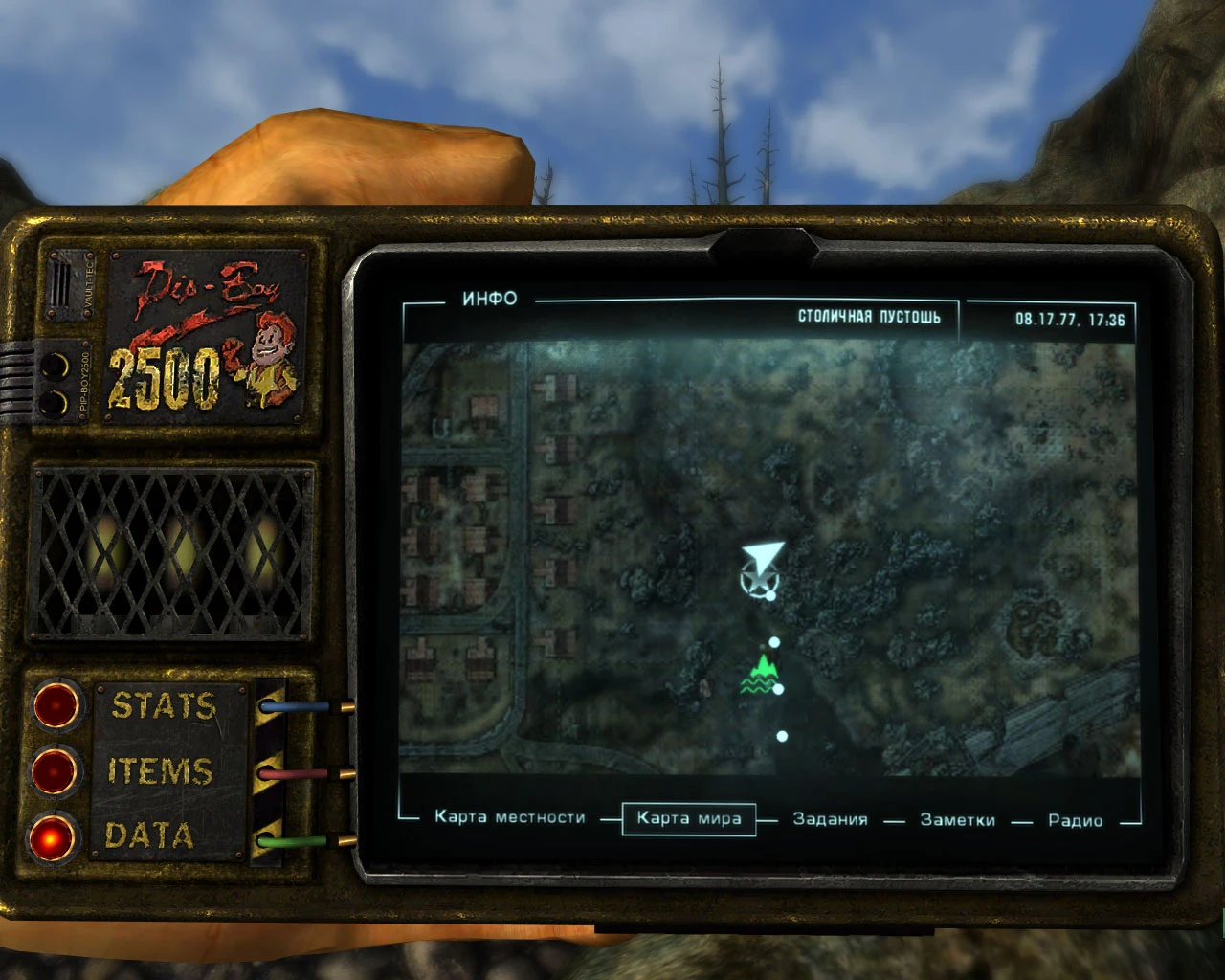
🔍 Analysis
- 👍 4.1% endorsement rate — high engagement, a strong quality signal
- 🏆 #168 of 429 Models and Textures mods in this game by downloads
📋 About This Mod
High resolution, more detailed textures for Pip-boy 2500. There are currently available 9 variants to choose from, choose whatever suits your tastes.
Version 1. 2. 1 (optional): Small optional update for "Pip-Boy 2500 Hi-Res Retexture" - just install it if you think your PipBoy is too shiny. Replace old normal map with new version and you will get dull body of your device.
Works perfectly in Fallout New Vegas!
Description: ============ High resolution, more detailed textures for Pip-boy 2500 http://fallout3.nexusmods.com/mods/16836 There are currently available 9 variants to choose from, choose whatever suits your tastes.
Attention! There isn't an esp, if you want Pip-boy 2500 you have to download it!
Installation: ============ 1. Download and install Pip-boy 2500 from there: http://fallout3.nexusmods.com/mods/16836
2. Extract the mod folders named "Textures" and "Meshes" to (install folder)\Fallout 3\Data. Overwrite files when asked. 2. 1.(Optional) Install version 1. 2. 1 after main file 1. 2 if you want to get dull body of your device.
3. I highly recommend to make this changes in the Fallout.ini in "My Documents\My Games\Fallout 3": Section : fScanlineScalePipboy=0 bEnableFlickerPipboy=0 Section : fDefaultBurstDuration=1 fDefaultBurstIntensity=0 fMiniBurstDuration=1 fMiniBurstIntensity=0 fPulseBrightenIntensity=0 fPulseRadiusIntensity=0 fPulseRate=0 fVertHoldChance=0 fShudderChance=0 bEnableFlickerMenus=0 bEnableScanlinesMenus=0 bEnableScanlinesPipboy=0 fBlurRadiusMenus=0 bUseImageSpaceMenuFX=0 Section : fPipboy1stPersonFOV=42
;Change this value (fPipboy1stPersonFOV) to your liking. Lower is closer, higher is further away. This value is a simple thing that lets to resize your pipboy and therefore also the text inside the pipboy. Personally I use fPipboy1stPersonFOV=39. 8 for 1280*1024 so at now it's more visible and therefore better to read. But if you want to see the whole device on the screen change this value to at least 42.
4. If you use FOMM you have to go to the buttons at the top & select: Tools - Archive Invalidation. And you have to also do this: Go to "My Documents\My Games\Fallout 3" and open Fallout.ini. Press Ctrl+F and find the line bInvalidateOlderFiles=0 and change it to bInvalidateOlderFiles=1 Save changes. Or, download & activate ArchiveInvalidation Invalidated: <
📊 Mod Details
- Game
- Fallout3 Mods
- Author
- front210
- Version
- 1.2.1
- Downloads
- 23,368
- Endorsements
- 947
- Category
- Models and Textures
- Created
- 7/14/2012
- Updated
- 1/3/2015
🔧 How to Install Fallout 3 Mods
Download from Nexus Mods.
📖 Full step-by-step install guide for Fallout 3 →
Visit the official mod page for specific installation instructions for this mod.
🎮 Need cheat codes or console commands? Check ur gaming wiki for Fallout 3 commands, item IDs, and more.
Keep browsing — more Fallout 3 mods await