Megaton_Texture_Pack
⚪ Last updated 2009Preview
🔍 Analysis
- 👍 2.1% endorsement rate — high engagement, a strong quality signal
- 🏆 #12 of 429 Models and Textures mods in this game by downloads
📋 About This Mod
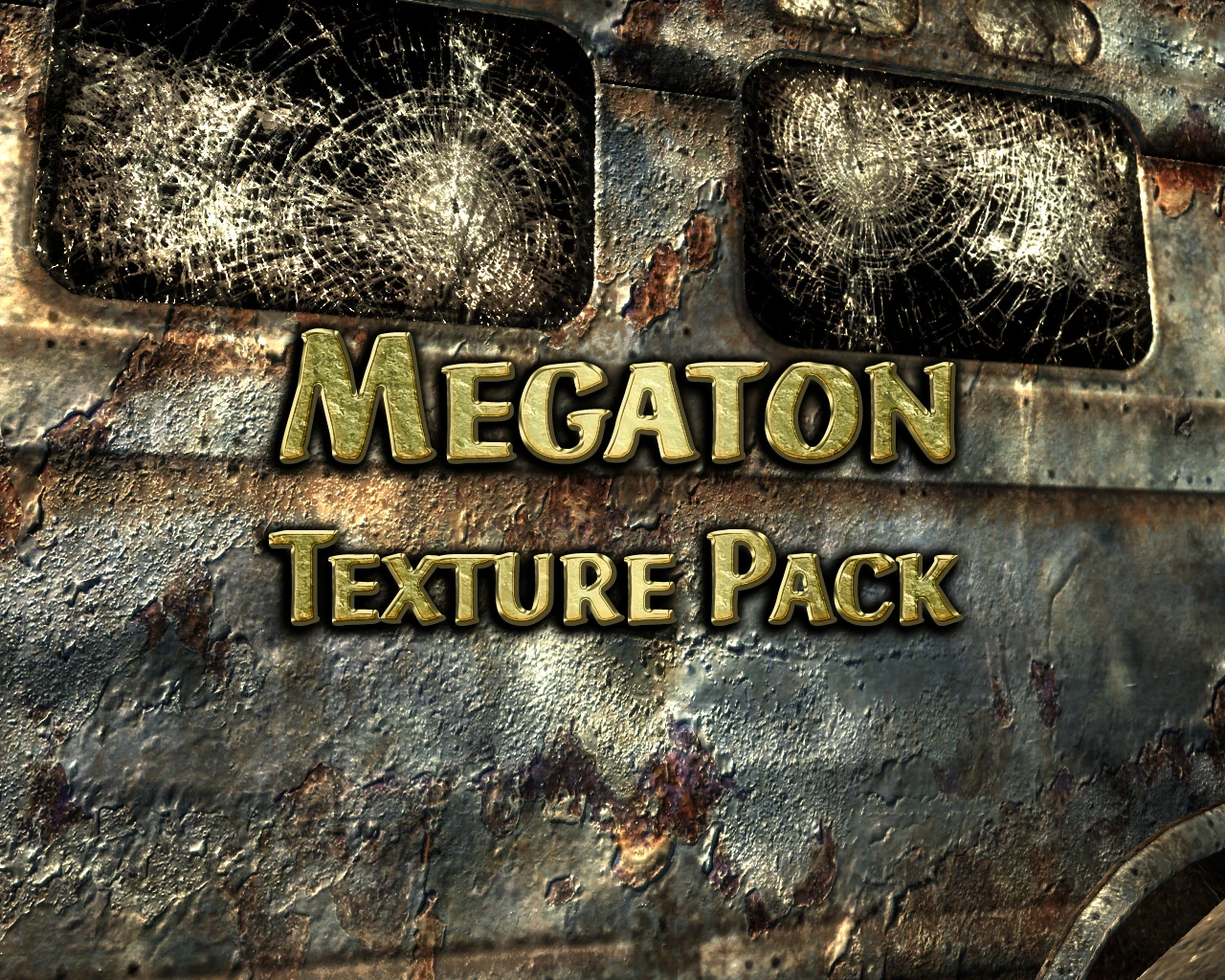
It's here as promised weeks ago! Replaces Megaton textures and bumpmaps with high resolution real-world photograph-based equivalent textures. You can choose 3 different resolutions to suit your PC.
Readme File:
Megaton Texture Pack v1. 0. (Fallout 3)
______________________________________________________________
Description:
Replaces Megaton textures and bumpmaps for FALLOUT 3. The default game textures and bumpmaps and have a typical resolution of 512x512 pixels. These textures have all been replaced with real-world photograph-based equivalent textures,and you can choose 3 different resolutions to suit your PC.
Max resolution (400% larger, Most detailed)
High resolution (200% larger, Detailed)
* Default Resolution (same resolution as original textures, see screenshots)
______________________________________________________________
The higher resolution packs MAY cause increased VRAM usage and therefore page-file swapping/ hard drive 'texture thrashing' and (due to increased memory usage) may cause some in-game stuttering/ lag or slow-downs. This will depend on your PC, CPU, RAM and graphics card. (None of this will harm your PC, just make it sweat a bit!)
HOWEVER, that said, The Maximum resolution pack runs fine on my rig with no problems at all. (q6600 (oc to 3. 3Ghz), 2gb ram, hd3870 (oc))
All screenshots posted use x2 level of anistropic filtering enabled.
This texture pack is designed to work with my Terrain Pack and Rocks addon Pack mods.
Terrain Pack: http://www.fallout3nexus.com/downloads/file.php?id=774
Rocks Add-on Pack: http://www.fallout3nexus.com/downloads/file.php?id=866
(Oh, and I sweated blood over this one!.
______________________________________________________________
Installation:
Unpack the 7zip file once downloaded you will see 2 new files.
Place the new 7zip file in your Fallout 3\ Data folder and extract the file. The texture files will be written to the necessary folder.
The other file (ArchiveInvalidation .txt) contains the strings to enable the preferential use of these textures over the default ones.
Simply add the text into your own archive invalidation file, found in your Fallout 3 folder, or simply place the file there if it does not already exist.
Replace the following line in your Fallout.ini file:
Navigate to "My Documents", then "My Games" then "Fallout3" folder. Open the "Fallout.ini" (with notepad program) press ctrl+f and search for :
"bInvalidateOlderFiles=0", change the "0" to "1" and save.
NEW ALTERNATIVE METHOD:
VERY recommended, and props to the author of this idea, SplitSoul
(read in full here: http://forums.somethingawful.com/showthread.php?threadid=2998807)
"How to install mods:
If the mod you wish to install isn't simply an .esp
📊 Mod Details
- Game
- Fallout3 Mods
- Author
- NeilMc_NMC
- Version
- 1.0
- Downloads
- 403,031
- Endorsements
- 8,344
- Category
- Models and Textures
- Created
- 12/16/2008
- Updated
- 2/4/2009
🔧 How to Install Fallout 3 Mods
Download from Nexus Mods.
📖 Full step-by-step install guide for Fallout 3 →
Visit the official mod page for specific installation instructions for this mod.
🎮 Need cheat codes or console commands? Check ur gaming wiki for Fallout 3 commands, item IDs, and more.
Keep browsing — more Fallout 3 mods await