Interface Shared Colorized 1.2
⚪ Last updated 2008Preview
🔍 Analysis
- 👍 3.2% endorsement rate — high engagement, a strong quality signal
- 🏆 #29 of 61 User Interface mods in this game by downloads
📋 About This Mod
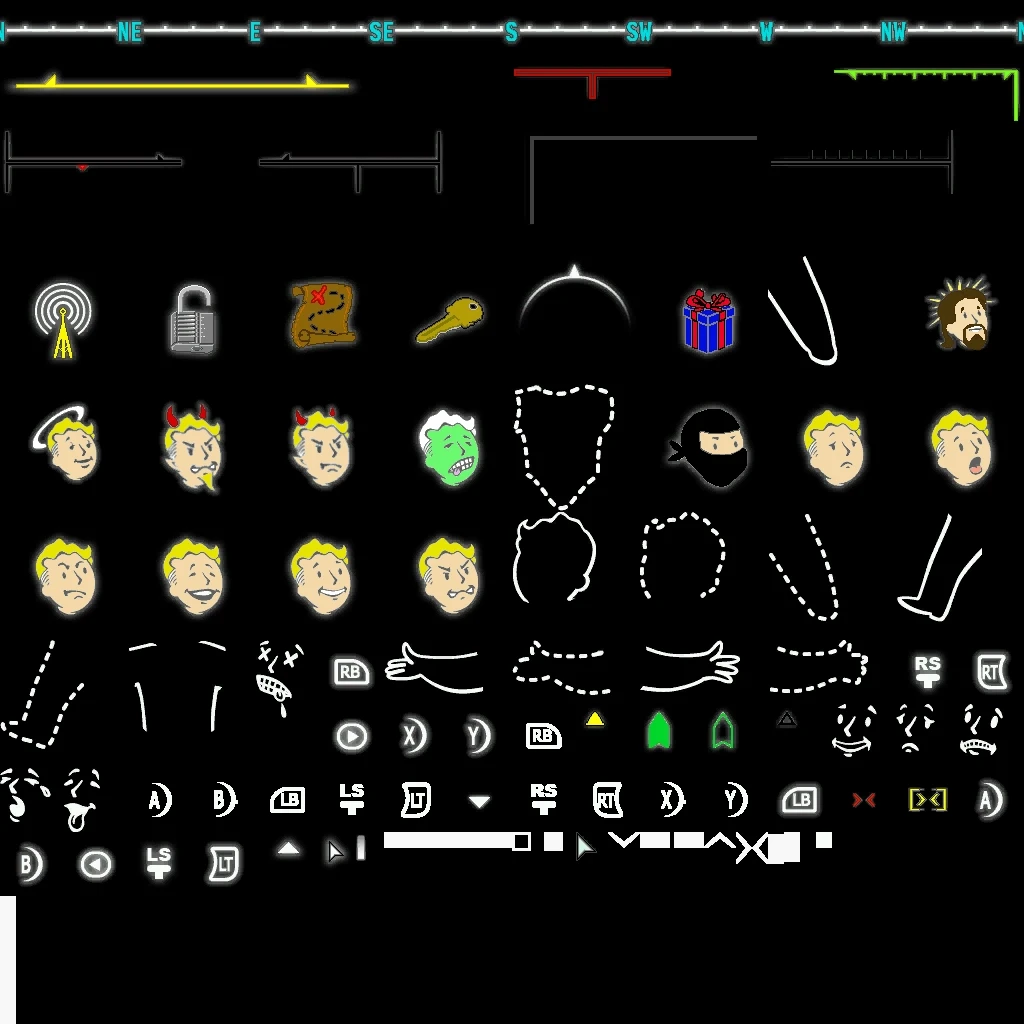
Fallout 3 InterfaceShared colorization.
FALLOUT 3 - User Interface Shared v1. 2
--------------------------------------
This is a edited version of the original thats just modified for a quick fix for those
of us that are wanting a bit more to the mono toned default that came with the game.
1. 1 - Ok I had a couple things bother me so I enhanced a few things and added a red marker to the compass.
1. 2 - Extended some bars for a cleaner look and filled in blank areas.
- Also reduced the crosshair size it will light up better when firing against hostiles.
NOTE: To see the colors you need a WHITE hud interface.
INSTALLATION
------------
1. Unpack the "Data" folder from the archive into Fallout 3\
2. Edit your ArchiveInvalidation.txt
textures/interface/interfaceshared0.dds
3. Run game and set HUD color to WHITE.
UNINSTALLATION
--------------
Remove: \data\textures\interface\interfaceshared0.dds from FALLOUT 3\
Delete: textures/interface/interfaceshared0.dds from ArchiveInvalidation.txt
VERSION HISTORY
---------------
1. 0 - First Release
1. 1 - Second Revision
1. 2 - Latest Update
📊 Mod Details
- Game
- Fallout3 Mods
- Author
- drolhcet
- Version
- 1.2
- Downloads
- 3,144
- Endorsements
- 100
- Category
- User Interface
- Created
- 11/22/2008
- Updated
- 11/23/2008
🔧 How to Install Fallout 3 Mods
Download from Nexus Mods.
📖 Full step-by-step install guide for Fallout 3 →
Visit the official mod page for specific installation instructions for this mod.
🎮 Need cheat codes or console commands? Check ur gaming wiki for Fallout 3 commands, item IDs, and more.
Keep browsing — more Fallout 3 mods await