Better Arsenal Desert Eagles V5
⚪ Last updated 2008Preview
🔍 Analysis
- 👍 2.8% endorsement rate — high engagement, a strong quality signal
- 🏆 #13 of 313 Weapons mods in this game by downloads
📋 About This Mod
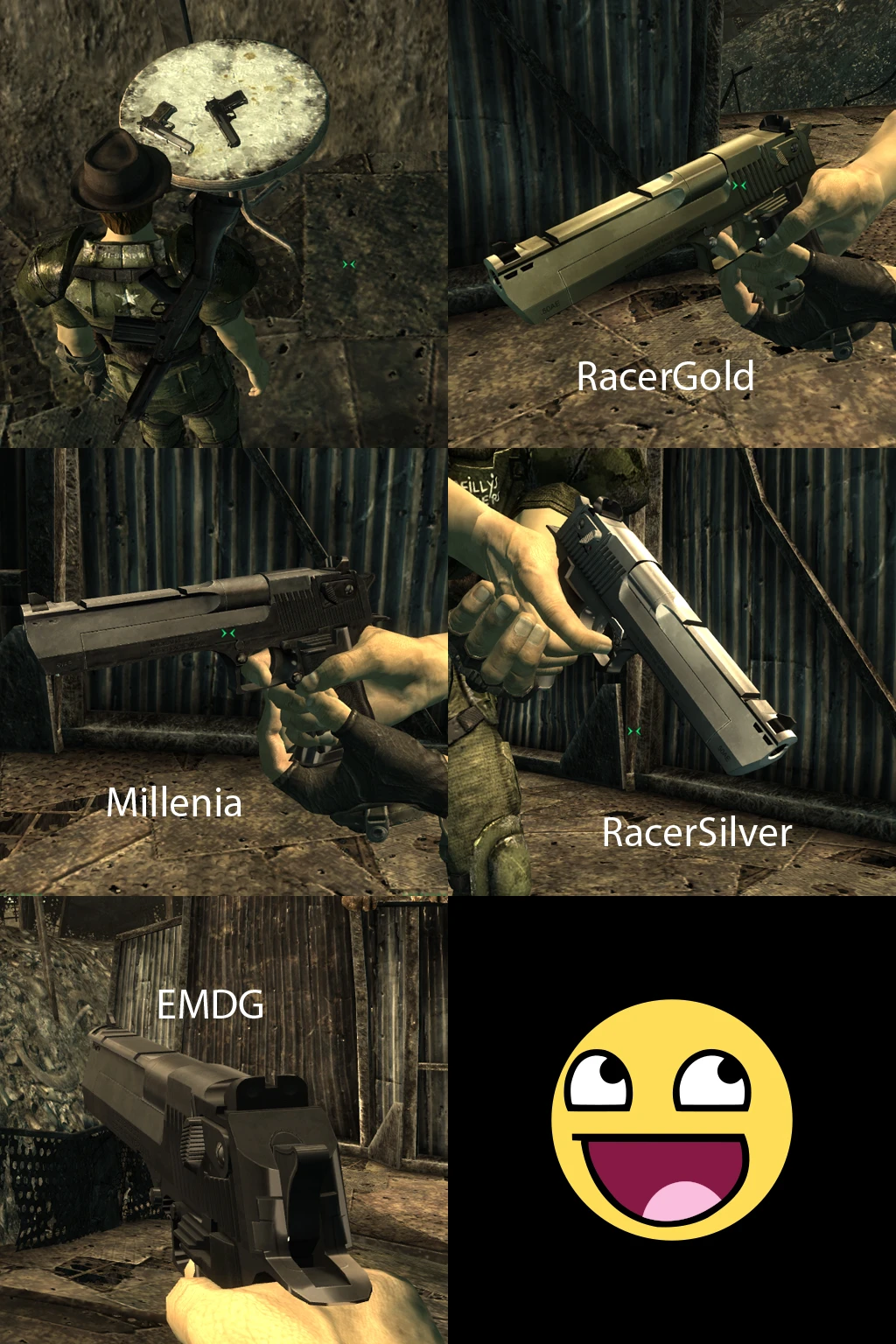
a modification that integrates the Desert Eagle XIX into Fo3, as well as adds a Unique weapon, Desert Dragon. *UPDATE* V5 now up. i have left v4.3 up just incase there are new installation instructions. be sure to read them, also if you
Desert Eagles V5 Adds the Desert eagle XIX plus a Unique firearm: Desert Dragon. CREDITS: Model: Vashts1985 Uvmapping: Flamshmizer & Malignant Textures: Millenia El maestro De Graffiti Racer445 Fallout 3 port and compile: Vashts1985 Special thanks goes to: Moraelin: for his expert knowledge of Gamebryo and hexing Brurpo: for having the persistence to figure out the problems with the . Nifs The entire Niftools development team: for their dedication and timely resolve to get their tools up to Fo3\'s standard. INSTALLATION: first step: acquire FOMM (fallout mod manager) second step: change the value \"bInvalidateOldFiles\" from 0 to 1 in both Fallout.ini and FalloutPrefs.ini in your appdata or my documents\\my games\\fallout 3 folder. third step: open VashdeagleV5.rar. using windows explorer, navigate to your Fallout3\\data folder (c:\\program files\\bethesda software\\fallout3\\data, by default). drag the Vashdeaglev5. ESP into your data folder drag the meshes folder into your data folder. fourth step: decide which resolution (high or low) you will use for the textures. i highly recommend the High res, but if you find it causes your frame rate to drop too much, the low res will be better. after you have chosen your resolution, open the corresponding folder in the rar. choose one and only one of the 4 named folders. the names correspond to the texture\'s creator.(check the .jpeg in the Rar to decide) open that folder. drag the textures folder into your data folder. **in order for this mod to work, you must run MPammo.esp with it and have it load first in order to make it load first, in FOMM, hold left click on the MPammo.esp line and drag it upwards. placing it underneath fallout.esm is recommended but not necessary, just make sure it is in the list before VashdeagleV5.esp. getting the new weapons* fight high level raiders. find them occasional at vendors that sell rare small arms desert dragon can only be bought from Smiling jack or cheated for at this time OR \"player.additem 00f0434f 1\" without the quotes (desert dragon) \"player.additem 00E0434f 1\" without the quotes (desert eagle XIX) \"00f2935e\" for the . 50ae Change log from V4 added compatibility with Master Ammo Plugin usage* the works contained within \"vashdeagleV5.rar\" are free to use with Fallout 3. permission is hereby granted to anyone who wishes to include these works in conjunction with a \"pack\" under the terms of: A. any and all contributing author of each work to be used are credited to their contributions and displayed in plain view within the description of the release and the Readme.txt accompanying the release. B. the artistic works used from \"vashdeagleV5.rar\" remain intact and as they came originally. NO reskins/recolors/mesh edits will be permitted for public download without prior confermation from the original artist. PERIOD C. the works conta
📊 Mod Details
- Game
- Fallout3 Mods
- Author
- Vashts1985
- Version
- V5
- Downloads
- 130,670
- Endorsements
- 3,704
- Category
- Weapons
- Created
- 11/19/2008
- Updated
- 12/6/2008
🔧 How to Install Fallout 3 Mods
Download from Nexus Mods.
📖 Full step-by-step install guide for Fallout 3 →
Visit the official mod page for specific installation instructions for this mod.
🎮 Need cheat codes or console commands? Check ur gaming wiki for Fallout 3 commands, item IDs, and more.
Keep browsing — more Fallout 3 mods await