Woodland Retreat Clean Retexture Bundle
⚪ Last updated 2024🖼️ Gallery (6 images)





🔍 Analysis
- 👍 3.2% endorsement rate — high engagement, a strong quality signal
- 🏆 #244 of 247 Models and Textures mods in this game by downloads
📋 About This Mod
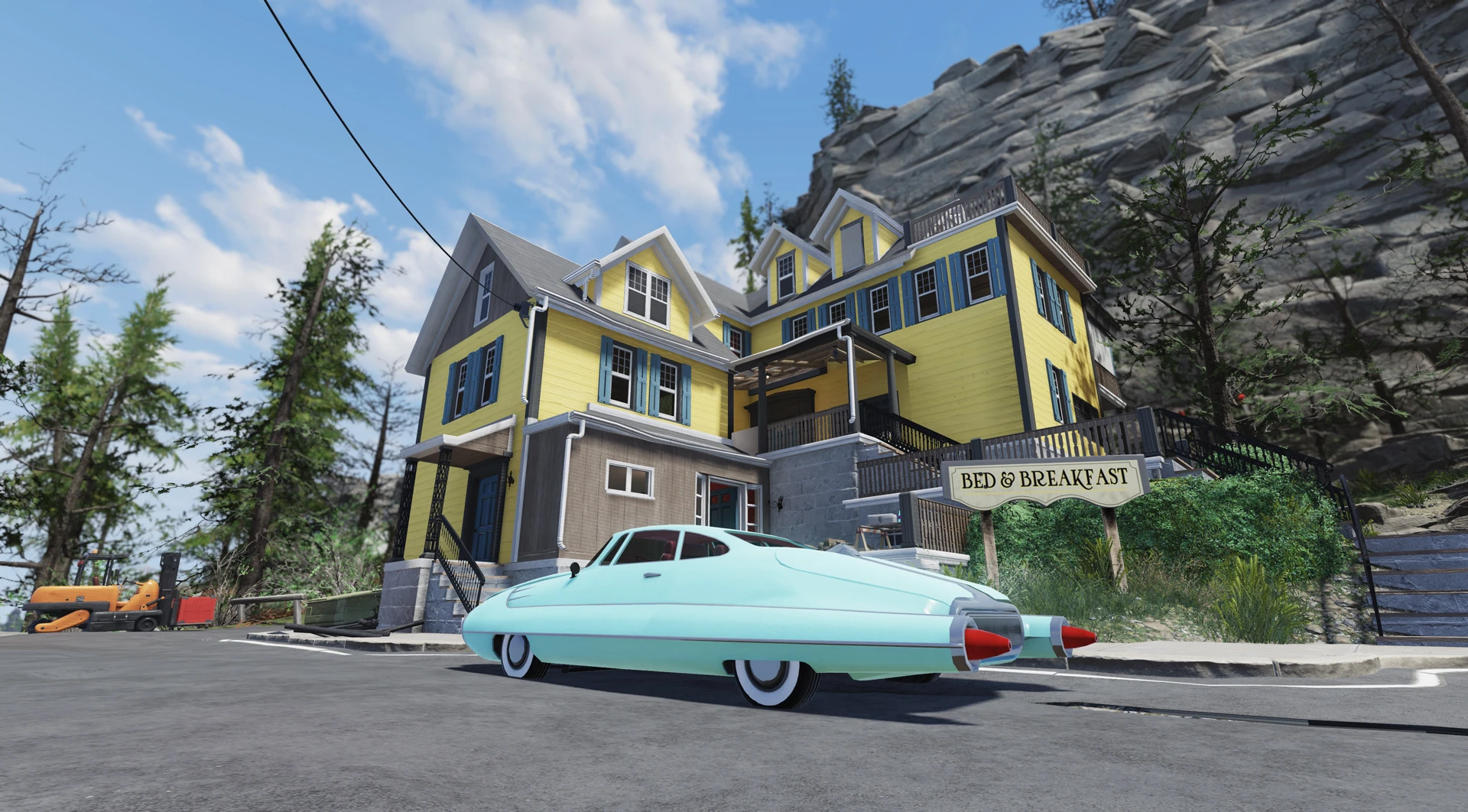
If you're like me, you definitely hated how dirty and low quality that Woodland Retreat prefab actually was... Up until now! This mod brings you cleaner textures with higher quality and several options for wall siding, wood trim, interior wall colors and wallpapers.
Version 1. 2 Contents
-
[]Base light blue/white color scheme and clean interior wallpapers/white plaster walls
[
]New! Dark Wood Trim[]New! Stone, Flagstone and Red wall siding options to go with the Dark Wood Trim!
[]Color options for the exterior wall siding - Yellow, Grey, Pink
[]Color options for the 1st and the 2nd floor plaster walls - Blue, Green, Yellow, Pink, Flowers
[]Color options for the attic plaster walls - Blue, Green, Yellow, Pink, Flowers
[]4 Wallpaper replacer bundles - Mothman, Vintage Pattern, Blue Flowers, Yellow flowers. (Both light and pink default wallpapers can be replaced on each separate floor, separate from each other!)
[]Mix and match to your heart's content! :D
Installation
1. Extract the ba2 file(s) from the archive you've downloaded to your Fallout76/Data folder.
2. Check whether you've got the Fallout76Custom.ini file under Documents/My Games/Fallout 76 folder, and if not, create it.
2a. If you've just created the Fallout76Custom.ini file, you need to open it and input this string in it:
3. Find sResourceArchive2List = line under the section of your Fallout76Custom.ini or type it down if there is no such line.
4. Add ", WoodlandPrefab_M.ba2, WoodlandPrefab_T.ba2" (without quotes) to the end of the sResourceArchive2List line.
4a. If you've downloaded Wall or Siding Color Options, add ", W_Siding.ba2" (without quotes) to the end of the sResourceArchive2List line.
4b. If you've downloaded Plaster Walls Color Options, add ", W_Plaster.ba2" (without quotes) to the end of the sResourceArchive2List line.
A cosmetic retexture bundle for the Woodland Retreat, offering cleaner textures and numerous color options for siding, wood trim, plaster, and wallpapers. With 87 endorsements and 2,678 downloads, it's a niche but appreciated visual upgrade for players seeking to personalize their in-game home.
✨ Key Features
📊 Pros & Cons
✅ Pros
- Community-approved with 87 endorsements from 2,678 downloads.
- Adds significant visual variety with color choices for multiple surfaces.
- Simple cosmetic mod that doesn't complicate gameplay.
⚠️ Cons
- Limited to the Woodland Retreat only—doesn't affect other structures.
- Last updated in January 2024; may not be compatible with future game patches.
For players who want to refresh the look of their Woodland Retreat with customizable colors. Perfect for builders and decorators who enjoy personalizing their in-game spaces. Skip if you're looking for gameplay changes or mods that affect other areas.
💡 Beginner Tips
- If using a mod manager, preview the color options before installing to pick your favorite.
- Check the mod's file structure to ensure you place textures in the correct folder if installing manually.
- Since it's a texture replacer, make sure your game is not running when you add the files to avoid conflicts.
📊 Mod Details
- Game
- Fallout 76 Mods
- Author
- Rigell
- Version
- 1.2
- Downloads
- 2,678
- Endorsements
- 87
- Category
- Models and Textures
- Created
- 1/6/2024
- Updated
- 1/13/2024
🔧 How to Install Fallout 76 Mods
Use Vortex. Place .ba2 files in Data folder. Use cautiously online.
📖 Full step-by-step install guide for Fallout 76 →
Visit the official mod page for specific installation instructions for this mod.
🎮 Need cheat codes or console commands? Check ur gaming wiki for Fallout 76 commands, item IDs, and more.
Keep browsing — more Fallout 76 mods await