Nuka World Events ESP
⚪ Last updated 2022Preview
🔍 Analysis
- 👍 4.2% endorsement rate — high engagement, a strong quality signal
- 🏆 #233 of 247 Models and Textures mods in this game by downloads
📋 About This Mod
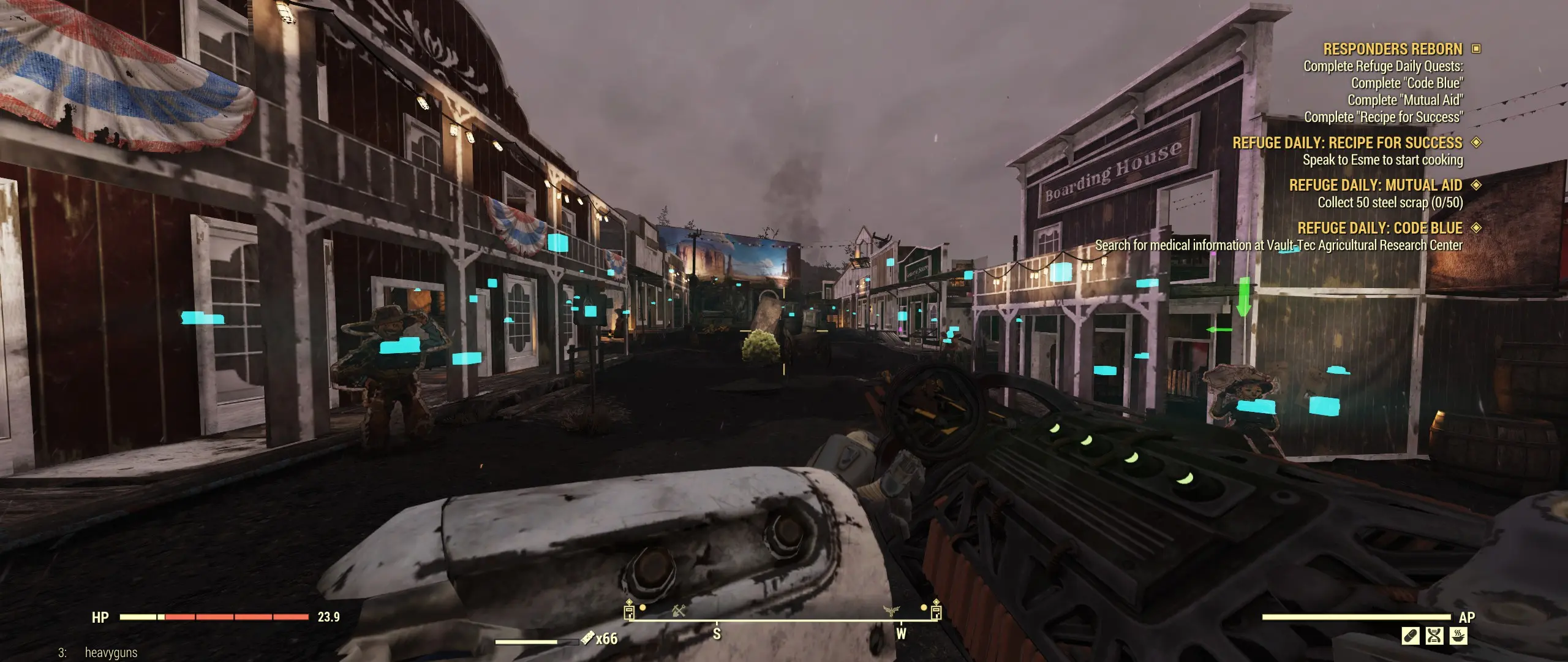
Reuploading my old PTS ESP. Still works the same, highlights the must-find items in all of the nuka world events.
🤖 AI-enhanced — based on mod data
A small utility mod for Fallout 4 that highlights must-find items in Nuka World events. It's a reupload of an older PTS ESP, still functional. With 116 endorsements and 2,782 downloads, it's a niche tool for players who want to spot key objectives quickly.
✨ Key Features
Highlights must-find items in all Nuka World events.
Reupload of an older PTS ESP, still works the same.
Simple ESP file for easy installation.
📊 Pros & Cons
✅ Pros
- Does exactly what it says—highlights key items, no bloat.
- Niche but useful for Nuka World event completionists (116 endorsements).
- Lightweight ESP, won't impact performance.
⚠️ Cons
- Last updated in 2022—may not be compatible with the latest Fallout 4 patches.
- No detailed documentation or screenshots provided.
- Only affects Nuka World events, so it's useless outside that DLC.
🎯 Is This For You?
For Fallout 4 players who struggle to spot must-find items during Nuka World events and want a visual aid. Skip if you don't play Nuka World or prefer gameplay overhauls.
For Fallout 4 players who struggle to spot must-find items during Nuka World events and want a visual aid. Skip if you don't play Nuka World or prefer gameplay overhauls.
📦 Install:Easy· Under 1 minute
💡 Beginner Tips
- Place the ESP in your Fallout 4 Data folder and enable it in your mod manager or launcher.
- Make sure you have Nuka World DLC installed, or the mod won't have any effect.
- If you use other mods that alter Nuka World, load this ESP after them to ensure highlights appear.
📊 Mod Details
- Game
- Fallout 76 Mods
- Author
- Lupit
- Version
- 1
- Downloads
- 2,782
- Endorsements
- 116
- Category
- Models and Textures
- Created
- 12/7/2022
- Updated
- 12/16/2022
🔧 How to Install Fallout 76 Mods
Use Vortex. Place .ba2 files in Data folder. Use cautiously online.
📖 Full step-by-step install guide for Fallout 76 →
Visit the official mod page for specific installation instructions for this mod.
🎮 Need cheat codes or console commands? Check ur gaming wiki for Fallout 76 commands, item IDs, and more.
Keep browsing — more Fallout 76 mods await