Mean Red Auto-Axe Retex (UHD)
⚪ Last updated 2022🖼️ Gallery (6 images)




🔍 Analysis
- 👍 0.5% endorsement rate
- 🏆 #226 of 247 Models and Textures mods in this game by downloads
📋 About This Mod
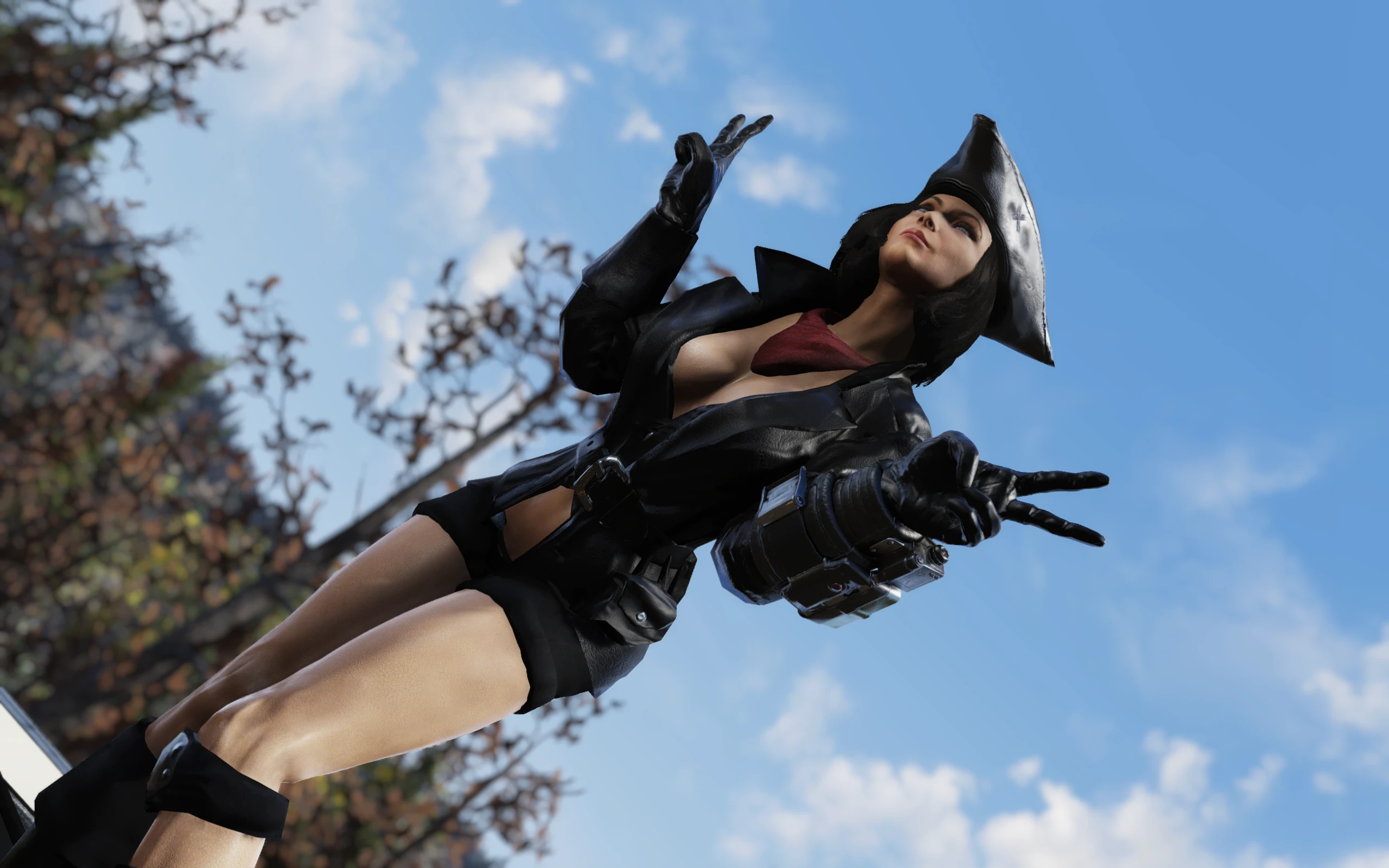
This is just a simple retexture for the base Auto-Axe skin in black and red.
Also, I got tired of that obnoxious spark and smoke animations created by the turbo modification and removed them too.
Installation
1. Extract AA_T.ba2 and AA_M.ba2 files to your Fallout76/Data folder.
2. Check whether you've got the Fallout76Custom.ini file under Documents/My Games/Fallout 76 folder, and if not, create it.
2a. If you've just created the .ini file, you need to open it and input this string in it:
3. Find sResourceArchive2List = line under the section of your Fallout76Custom.ini or type it down if there is no such line.
4. Add ,AA_T.ba2, AA_M.ba2 to the end of the sResourceArchive2List line.
Please note that only you will see this retexture in-game. Other players will still see the model/texture they have in their game.
If you liked this mod, please click the "Endorse" button and also check out my other mods:
Global mods:
Appalachia Restored - lets you explore pre-war version of Appalachia, where everything is clean and pristine!
Winter in Appalachia - turn your wasteland into winter wonderland!
Subtle Snow Weather - removes the snowflakes from weather machines completely or makes them smaller.
No Dust and Sand Storms - removes Dust/Sand storms from the Burning Springs area
Halloween in Appalachia - adds a lot of halloween decor and other stuff to Appalachia
Spring in Appalachia 2. 0 - global-conversion spring/summer mod!
Enchanted Forests - global fantasy(-ish) mod :D
Hot Pinup Billboards - Fallout 2077 Edition
Marker/ESP mods:
All Enemies and Critters Outline ESP - lets you find most enemies almost instantly (Outline version)
Fading Markers - Bobbleheads, Magazines, Plans, Nuka-Cola, SugarBombs, Cap Stashes - find everything with ease! Omni-visible item markers fade away after a while to reduce clutter!
Player Vendors Outline ESP - find player vendors easily with this outline marker mod!
Harvestable Plants Outline ESP - lets you find harvestable plants easier with fancy outline markers!
Animated Glowing Lootbags with Optional ESP - lets you easily see fancy animated lootbags, now with a see-through option
All Enemies ESP - lets you find most enemies almost instantly (Full silhouette version)
Salt Pepper Sugar Spices ESP - find salt, spices, pepper and sugar with ease! Visible through the walls and other obstacles.
Soap ESP - lets you easily f
A 4K texture replacer for the Auto Axe in Fallout 76, replacing the default paint with a darker, meaner look. It has 15 endorsements and 2,838 downloads, last updated in September 2022. For players who want a sharper, more aggressive appearance for their weapon.
✨ Key Features
📊 Pros & Cons
✅ Pros
- Sharp 4K textures for a noticeable visual upgrade
- Small but dedicated following (15 endorsements)
- Lightweight mod that doesn't affect gameplay
⚠️ Cons
- Only 15 endorsements — not widely tested by the community
- Last updated in 2022 — may not be compatible with recent game patches
For Fallout 76 players who want a more aggressive look for their Auto Axe without overhauling the whole game. If you're into cosmetic tweaks and don't mind a niche mod, this is for you. Skip if you prefer vanilla textures or want gameplay changes.
💡 Beginner Tips
- Since it's a texture replacer, just drop the files into your Data folder or use a mod manager like Vortex.
- Make sure to back up the original textures if you want to revert easily.
- Check the mod's comments section for any compatibility notes with other Auto Axe skins.
📊 Mod Details
- Game
- Fallout 76 Mods
- Author
- Rigell
- Version
- 1.0
- Downloads
- 2,838
- Endorsements
- 15
- Category
- Models and Textures
- Created
- 9/15/2022
- Updated
- 9/15/2022
🔧 How to Install Fallout 76 Mods
Use Vortex. Place .ba2 files in Data folder. Use cautiously online.
📖 Full step-by-step install guide for Fallout 76 →
Visit the official mod page for specific installation instructions for this mod.
🎮 Need cheat codes or console commands? Check ur gaming wiki for Fallout 76 commands, item IDs, and more.
Keep browsing — more Fallout 76 mods await