Glowing Loot Bags - All Bags
⚪ Last updated 2021Preview
🔍 Analysis
- 👍 5.8% endorsement rate — high engagement, a strong quality signal
- 🏆 #73 of 247 Models and Textures mods in this game by downloads
📋 About This Mod
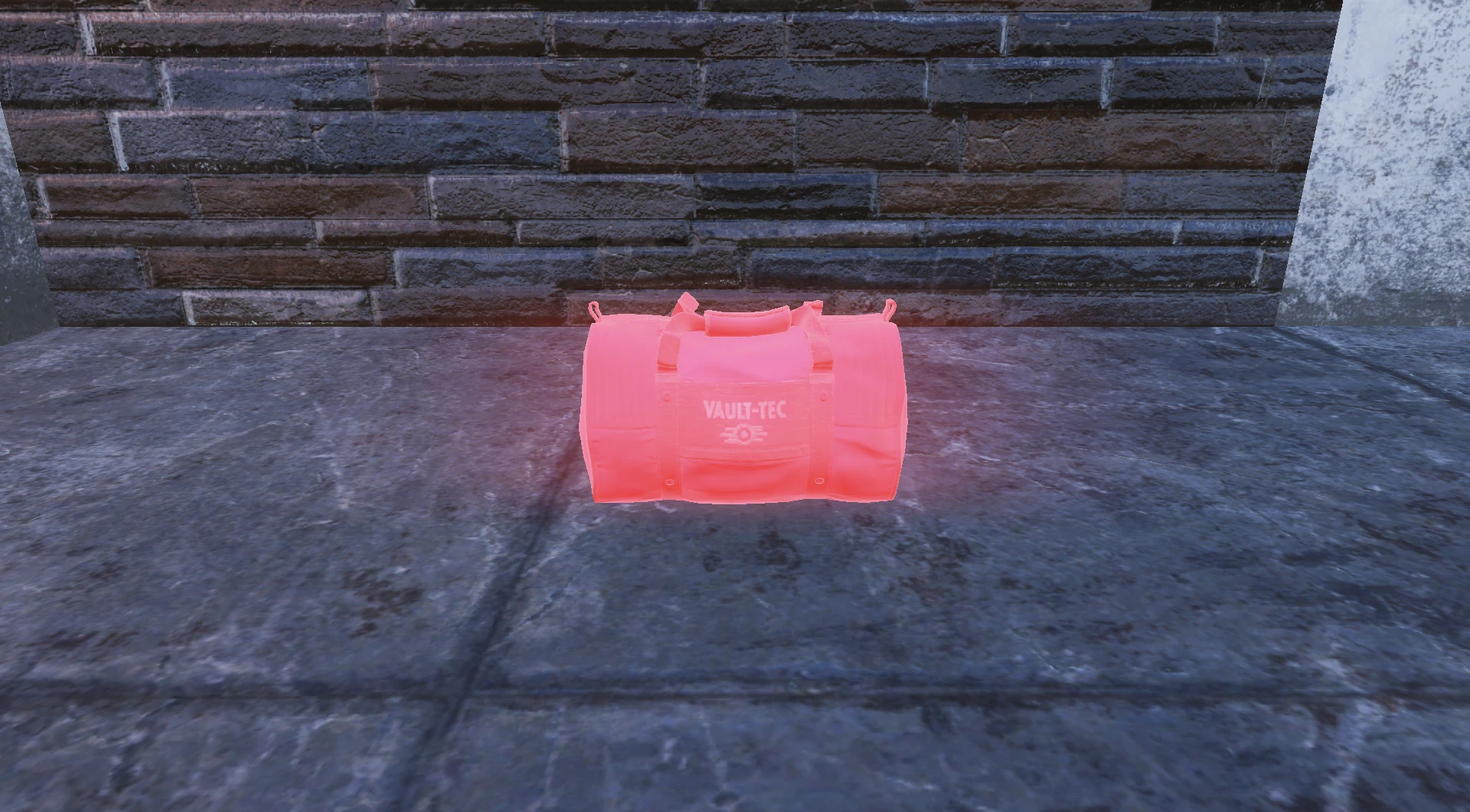
Never miss out on dropped player loot again! This mod makes ALL CURRENT loot bags glow in a variety of colours!
Colours include:
If you'd like a custom colour added, send me a message with the hex code!
Select your colour from the Loot Bags folder
Select either BA2 or Loose Files
Put them into your Fallout76/Data Folder
Add the following to your Fallout76Custom.ini
sResourceArchive2List=76OT.ba2
sResourceIndexFileList=Loot Bags - (Colour you chose).ba2
If you need any help, feel free to contact me.
Fixed an issue with Raider Bone PIle and Settler Traveler bag not glowing.
This mod makes all loot bags in Fallout 76 glow in a variety of colors, including dark blue, green, light blue, magenta, orange, purple, red, and yellow. It's a simple cosmetic enhancement for players who want to spot dropped loot easily. With 447 endorsements and 7,771 downloads, it's a popular quality-of-life visual mod.
✨ Key Features
📊 Pros & Cons
✅ Pros
- Community favorite with 447 endorsements and 7,771 downloads
- Multiple color choices to suit your preference
- Author offers custom color requests via hex code
⚠️ Cons
- Last updated in 2021 — may not work with current game versions
- Requires manual INI edits, which can be tricky for beginners
- Only affects loot bags, not other items (though author mentions a future project)
For Fallout 76 players who hate missing loot drops and want a visual cue. Great for those who want a simple cosmetic tweak without overhauling the game. Skip if you're looking for gameplay changes or if you prefer a more subtle look.
💡 Beginner Tips
- Make sure to add the exact lines to your Fallout76Custom.ini as shown, or the mod won't load.
- If you're using a mod manager, you can still use the loose files option, but you'll need to manually edit the INI.
- Test the mod in a low-traffic area first to ensure the glow effect is visible and not too distracting.
📊 Mod Details
- Game
- Fallout 76 Mods
- Author
- BlackThenWhite
- Version
- 1.01
- Downloads
- 7,771
- Endorsements
- 447
- Category
- Models and Textures
- Created
- 8/24/2021
- Updated
- 8/28/2021
🔧 How to Install Fallout 76 Mods
Use Vortex. Place .ba2 files in Data folder. Use cautiously online.
📖 Full step-by-step install guide for Fallout 76 →
Visit the official mod page for specific installation instructions for this mod.
🎮 Need cheat codes or console commands? Check ur gaming wiki for Fallout 76 commands, item IDs, and more.
Keep browsing — more Fallout 76 mods await