Easy to find Pitt steel stacks
⚪ Last updated 2022Preview
🔍 Analysis
- 👍 6.3% endorsement rate — high engagement, a strong quality signal
- 🏆 #136 of 247 Models and Textures mods in this game by downloads
📋 About This Mod
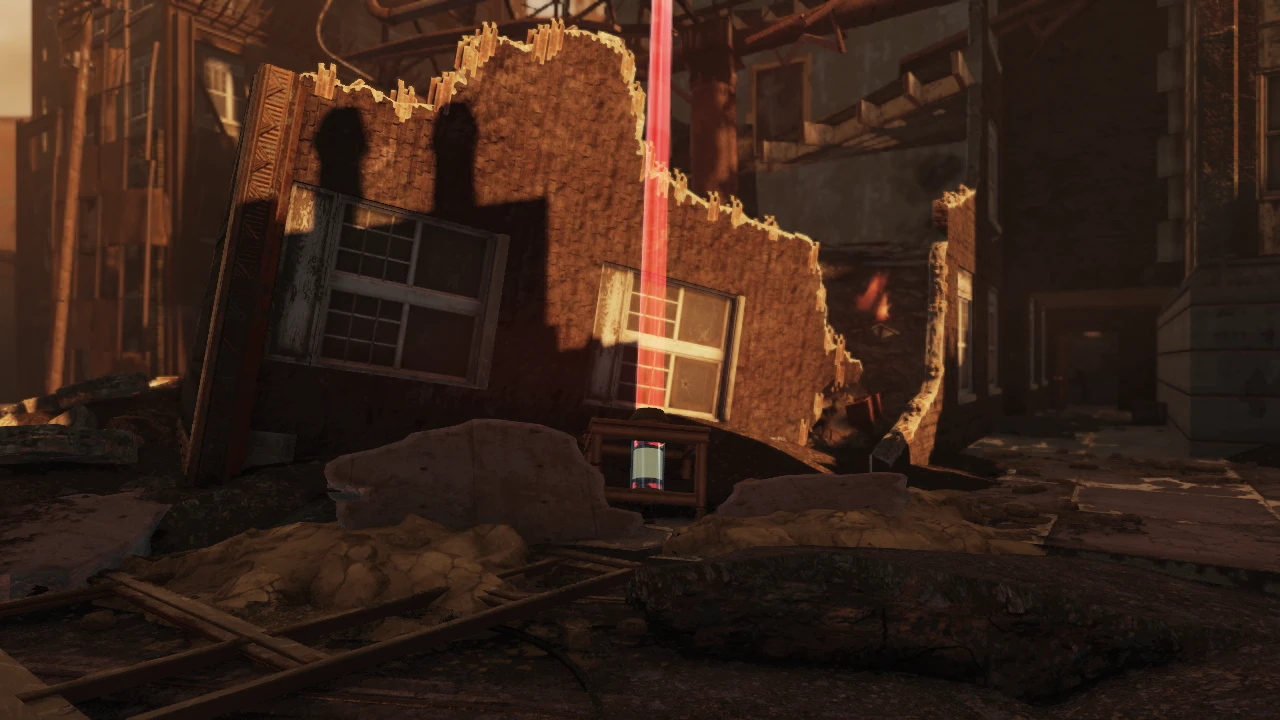
Replaces the steel stack collectable item with an ultracite battery with an orbital beam coming out the top. You can collect the steel at the base of the ultracite battery.
Added optional file which makes other Pitt objectives easy to find (model is the same as shown in the images but the beam color is different):
Steel stack - Red
Union Supplies - Orange
Signal Briefcase - Blue
Sealing Agent Box - Yellow
Chemical Agent - Sky Blue
Haven't been able to test all the side objectives so let me know if there are any issues.
For anyone who wants to make a similar mod, the beam used is the zetanmissile_striketarget.nif mesh int eh Meshes.ba2 archive.
The horns in some of the pictures are from my other mod.
All meshes used in this mod belong to Bethesda game studios
Replaces the steel stack collectible in Fallout 76's Pitt expedition with an ultracite battery featuring an orbital beam, making objectives easier to spot. Includes optional files to highlight other Pitt objectives with different beam colors. 290 endorsements and 4,576 downloads, last updated September 2022.
✨ Key Features
📊 Pros & Cons
✅ Pros
- Community-approved with 290 endorsements and over 4.5k downloads.
- Makes Pitt objectives significantly easier to spot with bright, color-coded beams.
- Optional file covers multiple objective types, not just steel stacks.
⚠️ Cons
- Author admits not all side objectives have been tested, so some may not work as intended.
- Last updated in September 2022 — may not be compatible with the latest game updates.
- Requires manual installation of optional files; no mod manager integration mentioned.
For Fallout 76 players who grind the Pitt expedition and want to cut down on time spent hunting for objectives. If you're tired of squinting at steel stacks and want a clear visual cue, this is for you. Skip if you prefer a vanilla experience or don't play the Pitt content.
💡 Beginner Tips
- Make sure to extract the files into your Fallout 76 Data folder, or use a mod manager if you prefer.
- If you use the optional file, double-check that you're using the correct version for your game (e.g., with or without the base mod).
- Test the mod in a private world or during a Pitt run to see if the beams appear correctly before relying on it in a public team.
📊 Mod Details
- Game
- Fallout 76 Mods
- Author
- MdmSpammelot
- Version
- 1
- Downloads
- 4,576
- Endorsements
- 290
- Category
- Models and Textures
- Created
- 9/16/2022
- Updated
- 9/18/2022
🔧 How to Install Fallout 76 Mods
Use Vortex. Place .ba2 files in Data folder. Use cautiously online.
📖 Full step-by-step install guide for Fallout 76 →
Visit the official mod page for specific installation instructions for this mod.
🎮 Need cheat codes or console commands? Check ur gaming wiki for Fallout 76 commands, item IDs, and more.
Keep browsing — more Fallout 76 mods await