Dark PA Frame and Jetpack
⚪ Last updated 2020🖼️ Gallery (6 images)




🔍 Analysis
- 👍 2.7% endorsement rate — high engagement, a strong quality signal
- 🏆 #110 of 247 Models and Textures mods in this game by downloads
📋 About This Mod
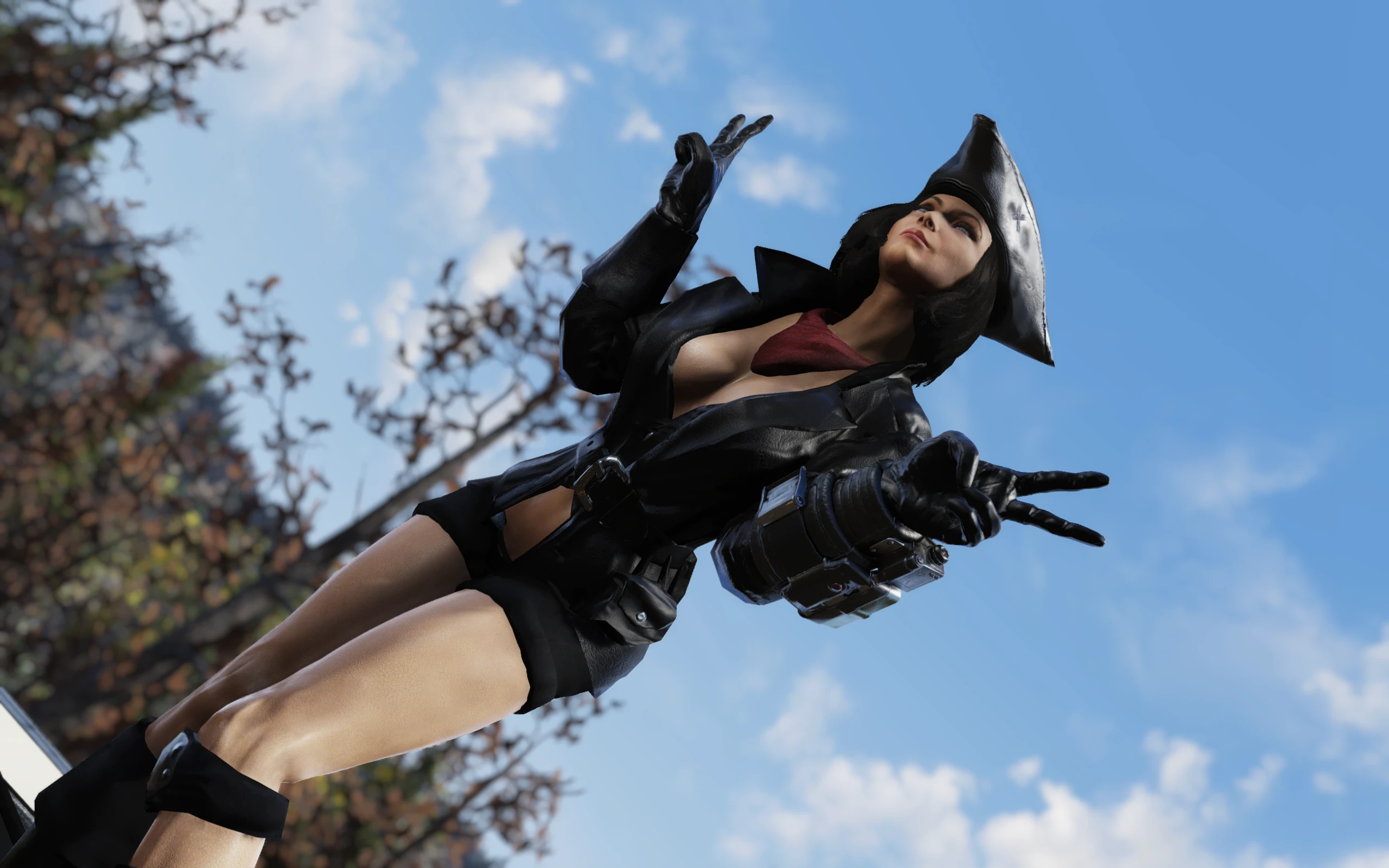
This is a simple retexture of PA Frame and standard Jetpack torso modification.
Version 2. 2 Contents-
[]Fix for specular on 1st person PA Frame hands model. Please refer to the Installation section below for details on how to implement it.[/]
[]Silver and Black Power Armor Frame[/]
[]Gold and Black Power Armor Frame[/]
[]Shiny Dark Power Armor Frame[/]
[]Dark Power Armor Frame[/]
Installation
1. Extract PAFrame_Dark.ba2, PAJet.ba2 and PaFr_Mat.ba2 to your Fallout76/Data folder.
2. Add the following line to the top of the section in your Fallout76Custom.ini file:
sResourceIndexFileList = PAFr_Mat.ba2, PAFrame_Dark.ba2, PAJet.ba2
If you already have the string that begins with "sResourceIndexFileList" in your Fallout76Custom.ini file, just add ", PAFr_Mat.ba2, PAFrame_Dark.ba2, PAJet.ba2" to the end of that string (without the quotes).
Please note, that the PAFr_Mat.ba2 is essential for the mod to work properly, be sure to put it before other mod's files.
If you only want the frame replacer or the jetpack replacer, only add the corresponding filename to the end of that string. (PAJet.ba2 is for jetpack and PAFrame_Dark.ba2 is for frame)
Note: Only you will see this retexture in your game, other players will still see the PA Frame/jetpack textures they have in their game, so it's just for your own aesthetic pleasure and screenshotting purposes.If you liked this mod, please click the "Endorse" button and also check out my other mods:
Global mods:
Appalachian Tropical Jungle - Summer in Appalachia - turn your game into a sprawling jungle/dry desert!
Appalachia Decorated - Festive Lights - Street Lighting - Lit Billboards - add some holiday cheer to the wasteland with this mod!
Appalachia Restored - lets you explore pre-war version of Appalachia, where everything is clean and pristine!
Winter in Appalachia - turn your wasteland into winter wonderland!
Subtle Snow Weather - removes the snowflakes from weather machines completely or makes them smaller.
No Dust and Sand Storms - removes Dust/Sand storms from the Burning Springs area
[]Silver and Black Power Armor Frame[/]
[]Gold and Black Power Armor Frame[/]
[]Shiny Dark Power Armor Frame[/]
[]Dark Power Armor Frame[/]
Installation
1. Extract PAFrame_Dark.ba2, PAJet.ba2 and PaFr_Mat.ba2 to your Fallout76/Data folder.
2. Add the following line to the top of the section in your Fallout76Custom.ini file:
sResourceIndexFileList = PAFr_Mat.ba2, PAFrame_Dark.ba2, PAJet.ba2
If you already have the string that begins with "sResourceIndexFileList" in your Fallout76Custom.ini file, just add ", PAFr_Mat.ba2, PAFrame_Dark.ba2, PAJet.ba2" to the end of that string (without the quotes).
Please note, that the PAFr_Mat.ba2 is essential for the mod to work properly, be sure to put it before other mod's files.
If you only want the frame replacer or the jetpack replacer, only add the corresponding filename to the end of that string. (PAJet.ba2 is for jetpack and PAFrame_Dark.ba2 is for frame)
If you liked this mod, please click the "Endorse" button and also check out my other mods:
Global mods:
Appalachian Tropical Jungle - Summer in Appalachia - turn your game into a sprawling jungle/dry desert!
Appalachia Decorated - Festive Lights - Street Lighting - Lit Billboards - add some holiday cheer to the wasteland with this mod!
Appalachia Restored - lets you explore pre-war version of Appalachia, where everything is clean and pristine!
Winter in Appalachia - turn your wasteland into winter wonderland!
Subtle Snow Weather - removes the snowflakes from weather machines completely or makes them smaller.
No Dust and Sand Storms - removes Dust/Sand storms from the Burning Springs area
Dark PA Frame and Jetpack is a retexture mod for the Power Armor frame and jetpack, adding more detail and three optional color schemes: Shiny, Gold/Black, and Silver/Black. With 148 endorsements and 5,459 downloads, it's a niche cosmetic enhancement for Fallout 4 players.
✨ Key Features
📊 Pros & Cons
✅ Pros
- Community-tested with 148 endorsements and over 5,000 downloads.
- Offers three distinct color options to match your playstyle.
- Adds visual detail to often-overlooked Power Armor components.
⚠️ Cons
- No screenshots or previews in the description to see the textures before downloading.
- Last updated in 2020 — may not be compatible with the latest game patches or DLC.
For Fallout 4 players who want to customize their Power Armor's appearance without overhauling the whole game. If you're into detailed retextures and like having color choices, this is a quick add. Skip if you're looking for gameplay changes or if you prefer more comprehensive armor overhauls.
💡 Beginner Tips
- Since this is a texture replacer, you can install it manually by dropping the files into your Data folder, but using a mod manager like Vortex or Mod Organizer 2 makes it easier to uninstall if you change your mind.
- If you're using other Power Armor retextures, load this mod after them to ensure its textures take priority.
- Check the mod's comments section on the Nexus for user screenshots and compatibility reports, since the description lacks previews.
📊 Mod Details
- Game
- Fallout 76 Mods
- Author
- Rigell
- Version
- 2.2
- Downloads
- 5,459
- Endorsements
- 148
- Category
- Models and Textures
- Created
- 11/28/2020
- Updated
- 11/30/2020
🔧 How to Install Fallout 76 Mods
Use Vortex. Place .ba2 files in Data folder. Use cautiously online.
📖 Full step-by-step install guide for Fallout 76 →
Visit the official mod page for specific installation instructions for this mod.
🎮 Need cheat codes or console commands? Check ur gaming wiki for Fallout 76 commands, item IDs, and more.
Keep browsing — more Fallout 76 mods await