Better Default Power Armor Light
⚪ Last updated 2019Preview
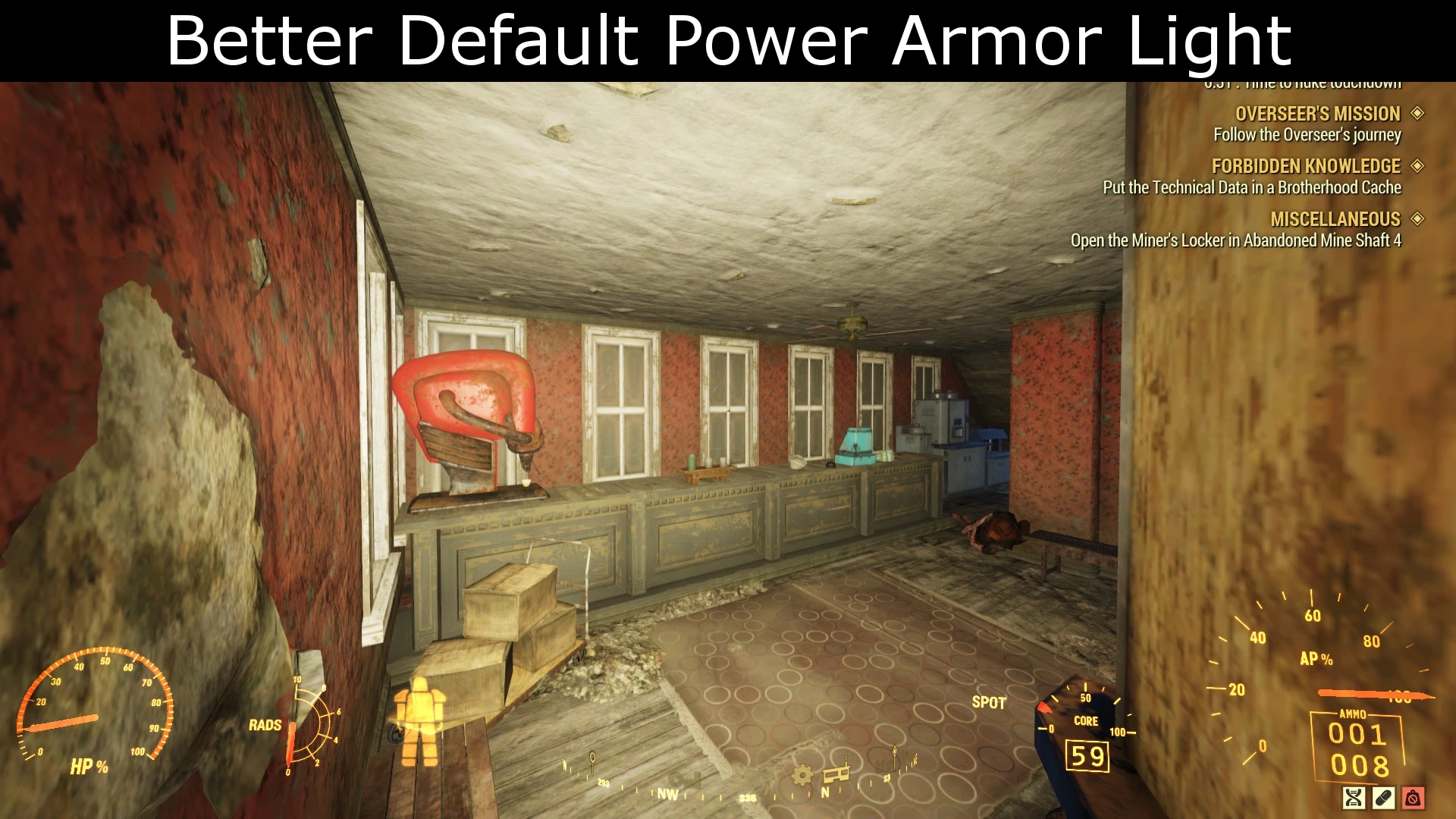
🔍 Analysis
- 👍 6.2% endorsement rate — high engagement, a strong quality signal
- 🏆 #143 of 247 Models and Textures mods in this game by downloads
📋 About This Mod
For 100% brightness, check out Diranar's PALight Up Max.
Installation
1. Extract the contents from the zipped file to the Data folder of the game files.
a) Bethesda.net version: C:\Program Files (x86)\Bethesda.net Launcher\games\Fallout76\Data
b) Steam version: C:\Program Files (x86)\Steam\steamapps\common\Fallout76\Data
2. Open Fallout76Custom.ini located in %UserProfile%\Documents\My Games\Fallout 76
3. Add the name of the extracted file (BetterPALight.ba2), including the extension (.ba2), (and a comma before it if you already have other mods installed) at the end of the line with sResourceArchive2List (You can find the line by pressing Ctrl+F and typing sResourceArchive2List)
Example: sResourceArchive2List=OtherMods.ba2,BetterPALight.ba2
4. Save the changes to Fallout76Custom.ini
If you don't have Fallout76Custom.ini, copy Fallout76.ini and rename the copy to Fallout76Custom.ini
My other mods
A simple texture mod that makes the default power armor light brighter in Fallout 76. It has 268 endorsements and 4,342 downloads, last updated in April 2019. Installation requires manual file extraction and an INI edit.
✨ Key Features
📊 Pros & Cons
✅ Pros
- Community-approved with 268 endorsements and 4,342 downloads.
- Simple single-file install—no complex dependencies.
- Author provides clear step-by-step installation instructions for both Steam and Bethesda.net versions.
⚠️ Cons
- Last updated in 2019—may not work with the latest Fallout 76 patches.
- Requires manual INI editing, which can be intimidating for modding newcomers.
- Only a subtle brightness increase; for full brightness you need another mod.
For Fallout 76 players who find the default power armor light too dim but don't want an extreme overhaul. If you're a completionist who wants a slightly better visibility without changing the game's feel, this is a quick fix. Skip if you want a dramatic lighting change or if you're not comfortable editing INI files.
💡 Beginner Tips
- Make sure to back up your Fallout76Custom.ini before editing, so you can revert if something goes wrong.
- If you don't have Fallout76Custom.ini, copy Fallout76.ini and rename it—don't edit the original.
- After adding the mod, launch the game to test the light; if it doesn't work, double-check the file name and the comma placement in the INI.
📊 Mod Details
- Game
- Fallout 76 Mods
- Author
- ZOMGH4X
- Version
- 1.0.0
- Downloads
- 4,342
- Endorsements
- 268
- Category
- Models and Textures
- Created
- 4/23/2019
- Updated
- 4/23/2019
🔧 How to Install Fallout 76 Mods
Use Vortex. Place .ba2 files in Data folder. Use cautiously online.
📖 Full step-by-step install guide for Fallout 76 →
Visit the official mod page for specific installation instructions for this mod.
🎮 Need cheat codes or console commands? Check ur gaming wiki for Fallout 76 commands, item IDs, and more.
Keep browsing — more Fallout 76 mods await