Uneducated Shooter - QE Leaning and Gun Inertia
🟡 Updated this year⚠️ Install Order · 3 steps
Install in this order, then this mod last — most mods fail to load without their framework and dependencies in place.
Preview
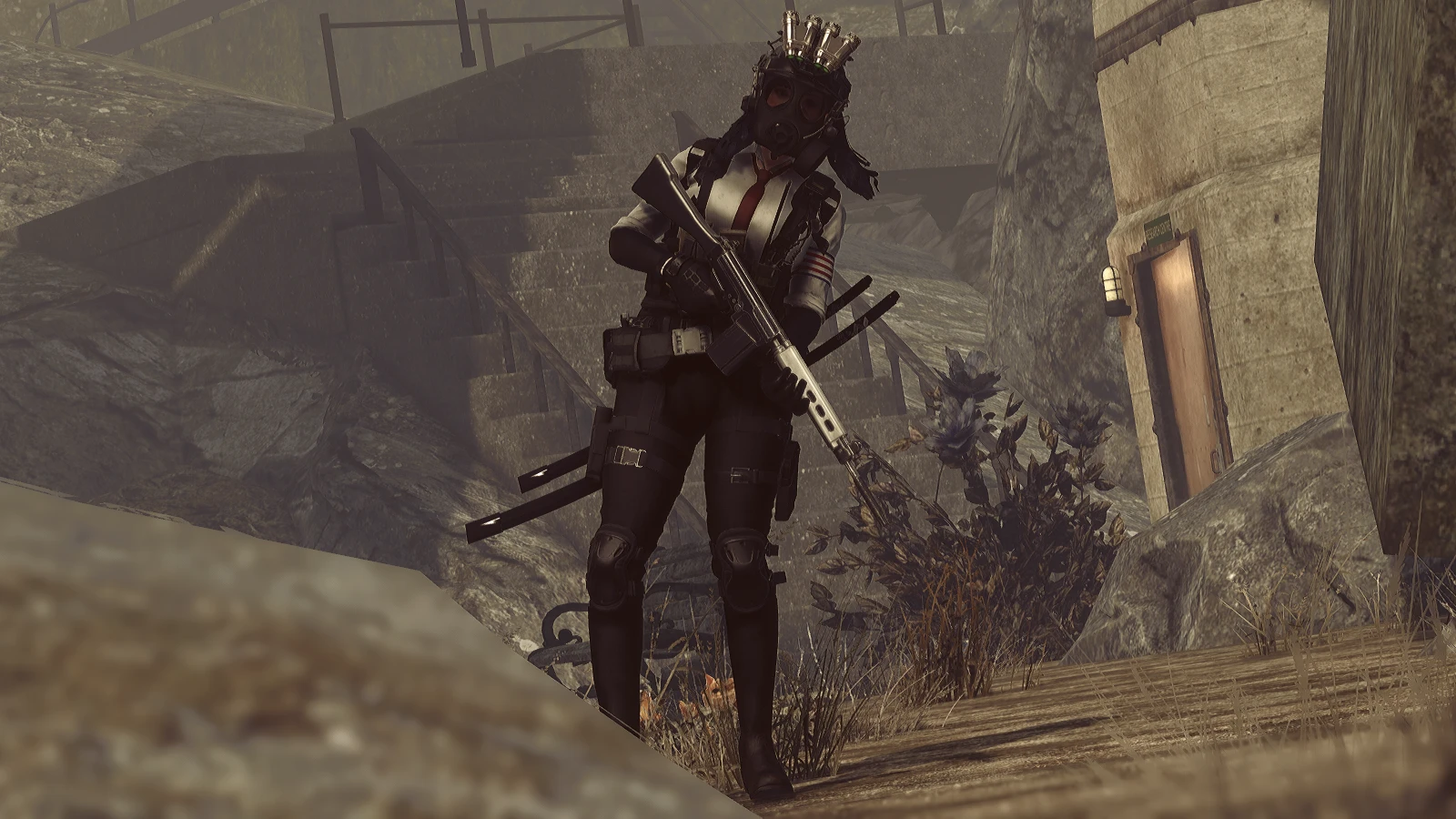
🔍 Analysis
- 👍 1.1% endorsement rate — high engagement, a strong quality signal
- 🏆 #29 of 187 Gameplay mods in this game by downloads
📋 About This Mod
Requirement : Address Library for F4SE Plugins (https://www.nexusmods.com/fallout4/mods/47327)
Uneducated Shooter - QE Leaning and Gun Inertia
A F4SE plugin to improve overall gameplay in Fallout 4 as a Shooter.
For customization, use the provided MCM.
Inertia
Inertia is something most of modern FPS games have in their animations to give you a feeling that you're controlling the gun.
However in Fallout 4, the gun stays intact with your camera.
Uneducated Shooter simulates fake inertia using your inputs, and bad arm condition makes it harder for you to control your gun.
Most of the settings should stay untouched. You can change the rotation limits, how much inertia you'll get according to your input, inertia strength and whether it should be disabled in ADS or not.
Lowering Horizontal/Vertical Rotation Divider will create stronger inertia and lowering Rotation Return Rate will make your gun return to its original position late.
Realism Camera (Turned off by default)
6k_rZS9hRXA
In addition to first person inertia, I've created an experimental feature called Realism Camera.
Inspired from recent bodycam-style games, this adds more rotational movements to the camera so it feels a bit more realistic.
Note that the camera will be tilted. If you don't like that, you can adjust Default Rotation through MCM.
There are lots of other customizable values as well so you can make your own camera style.
Leaning
Tarkov Style R6 Style
Leaning, bound to Q, E as default will be your best first person tactic available in Fallout 4.
Keys are customizable. Leaning angle, time it takes to fully lean, leaning style can be customized through MCM as well.
Some clipping might occur while you're leaning against a wall, but it should have a proper collision now.
Leaning can be used in third person as well. It's a bit wanky but It Just Works ™.
Toggle lean makes leaning toggle. Tap Q or E once to lean, and tap once again to return to the original position.
Time Cost is the time it will take to fully lean in seconds.
Lean Max Angle (1st) is the max angle of lean for the first person perspective.
Lean Max Angle (3rd) is same as above, but for the third person perspective.
A F4SE plugin for Fallout 4 that introduces Tarkov-style gun inertia and a leaning mechanic, enhancing the feel of gunplay. With over 8,400 endorsements and 765k downloads, it's a popular choice for players seeking more realistic movement and tactical combat.
✨ Key Features
📊 Pros & Cons
✅ Pros
- Huge community trust with 8,454 endorsements and over 765k downloads.
- Brings Tarkov-style gunplay to Fallout 4, a fresh twist for veterans.
- Actively maintained, last updated June 2026.
⚠️ Cons
- Requires F4SE, so you'll need to manage that dependency separately.
- Leaning might feel clunky with vanilla animations, so expect a learning curve.
For Fallout 4 players who want more tactical, realistic gunplay and are comfortable with F4SE mods. If you're a fan of Tarkov's movement mechanics, this is a must-try. Skip if you prefer vanilla-style shooting or don't want to mess with script extenders.
💡 Beginner Tips
- Make sure F4SE is installed correctly and launch the game through f4se_loader.exe, not the default launcher.
- Test the leaning in a safe area first to get used to the keybinds and timing.
- Check the mod's forum or comments for any known conflicts with other gameplay mods that alter weapon animations.
📊 Mod Details
- Game
- Fallout 4 Mods
- Author
- Bingle
- Version
- 1.31
- Downloads
- 765,171
- Endorsements
- 8,454
- Category
- Gameplay
- Created
- 12/22/2021
- Updated
- 6/26/2026
🔧 How to Install Fallout 4 Mods
Download from Nexus.
📖 Full step-by-step install guide for Fallout 4 →
Visit the official mod page for specific installation instructions for this mod.
🎮 Need cheat codes or console commands? Check ur gaming wiki for Fallout 4 commands, item IDs, and more.
Keep browsing — more Fallout 4 mods await