Terrain Undersides - 2 Million Sunblock
⚪ Last updated 2022⚠️ Install Order · 2 steps
Install in this order, then this mod last — most mods fail to load without their framework and dependencies in place.
Preview
🔍 Analysis
- 👍 0.9% endorsement rate
- 🏆 #15 of 76 Visuals and Graphics mods in this game by downloads
📋 About This Mod
ESL flagged plugin.
Requires FarHarbor, NukaWorld and Mod Configuration Menu (MCM).
Installation
Install as any other mod and activate plugin.
Load order is not important. Other plugins that modify the world space or persistent cell records should load after this.
Updating
To update from 1. 0 to 2. 0 simply replace all files. Only the Commonwealth underside meshes changed in TerrainUndersides - Main.ba2.
Uninstallation
Can be uninstalled at any time. Simply disable plugin and remove all files.
Configuration
Defaults to lowest quality terrain underside meshes for each worldspace.
Use the MCM to choose between different quality terrain underside meshes. Lower quality has better performance but is less close to the original terrain.
Use the MCM to lower the terrain underside mesh in case it can be seen poking through the original terrain.
The current active terrain underside mesh and height settings are stored in the normal save game.
See Terrain-Underside-Readme.txt in the xLODGen terrain LOD beta download archive how to generate the underside mesh. In case of questions or problems make post in the same thread.
Information
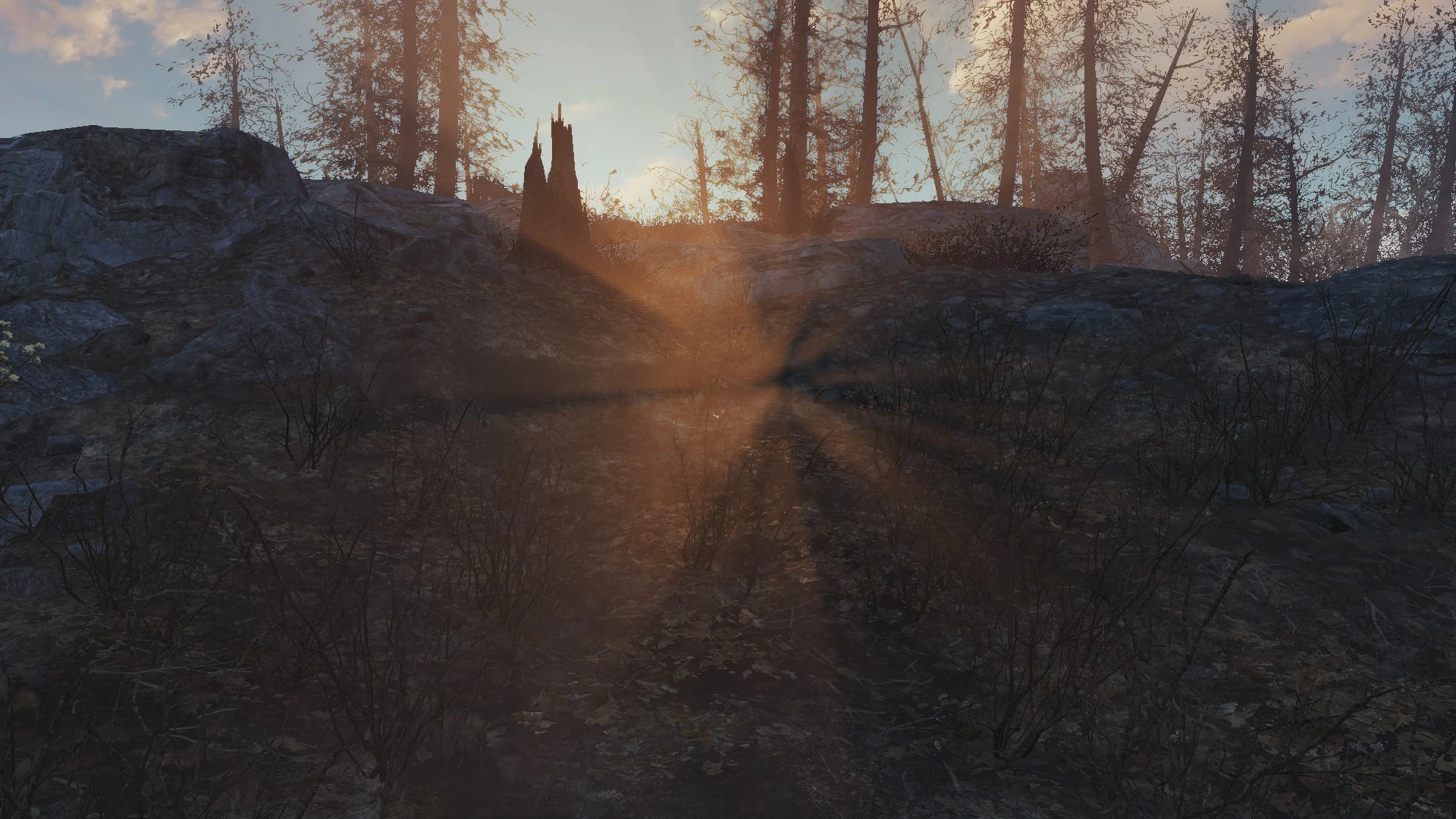
Simple plugin that places a simplified terrain mesh just below the full terrain facing the opposite direction so it blocks the sun.
If a mod makes drastic height changes to the terrain, it is possible for the terrain underside mesh to be seen despite lowering it.
Intended to be used alongside mods like Sunlight Alignment Tweak - Better Dawn and Dusk.
Terrain Undersides - 2 Million Sunblock adds underside meshes to block god rays shining through the ground in Fallout 4's Commonwealth, Far Harbor, and Nuka World. A highly endorsed visual fix with over 5,000 endorsements and 550k downloads, last updated in 2022.
✨ Key Features
📊 Pros & Cons
✅ Pros
- Massive community trust (5,032 endorsements) — this is a go-to fix for a common visual bug
- Covers all major map areas, so you get consistent fixes across the base game and DLCs
- Lightweight and performance-friendly — just mesh files, no scripts or heavy assets
⚠️ Cons
- Last updated in 2022 — may not be fully compatible with the latest Fallout 4 updates or next-gen patch
- Purely cosmetic — if you don't notice god rays through terrain, you won't see a difference
For Fallout 4 players who are bothered by light bleeding through the ground, especially in outdoor areas. If you're a modder or visual enthusiast who wants a cleaner look without performance hits, this is a must-have. Skip if you don't care about minor visual glitches or if you're on an older game version where compatibility is uncertain.
💡 Beginner Tips
- If you're using a mod manager like Vortex or MO2, just download and install — the meshes will overwrite automatically.
- Make sure this mod loads after any terrain or landscape overhauls to ensure the underside meshes take priority.
- If you're on the next-gen update, check the mod's comments for user reports on compatibility before installing.
📊 Mod Details
- Game
- Fallout 4 Mods
- Author
- Sheson
- Version
- 5.0
- Downloads
- 551,541
- Endorsements
- 5,032
- Category
- Visuals and Graphics
- Created
- 4/30/2021
- Updated
- 9/12/2022
🔧 How to Install Fallout 4 Mods
Download from Nexus.
📖 Full step-by-step install guide for Fallout 4 →
Visit the official mod page for specific installation instructions for this mod.
🎮 Need cheat codes or console commands? Check ur gaming wiki for Fallout 4 commands, item IDs, and more.
Keep browsing — more Fallout 4 mods await