Subway Transit Sign 4K Texture
⚪ Last updated 2020⚠️ Install Order · 2 steps
Install in this order, then this mod last — most mods fail to load without their framework and dependencies in place.
Preview
🔍 Analysis
- 👍 1.0% endorsement rate — high engagement, a strong quality signal
- 🏆 #225 of 320 Models and Textures mods in this game by downloads
📋 About This Mod
Description
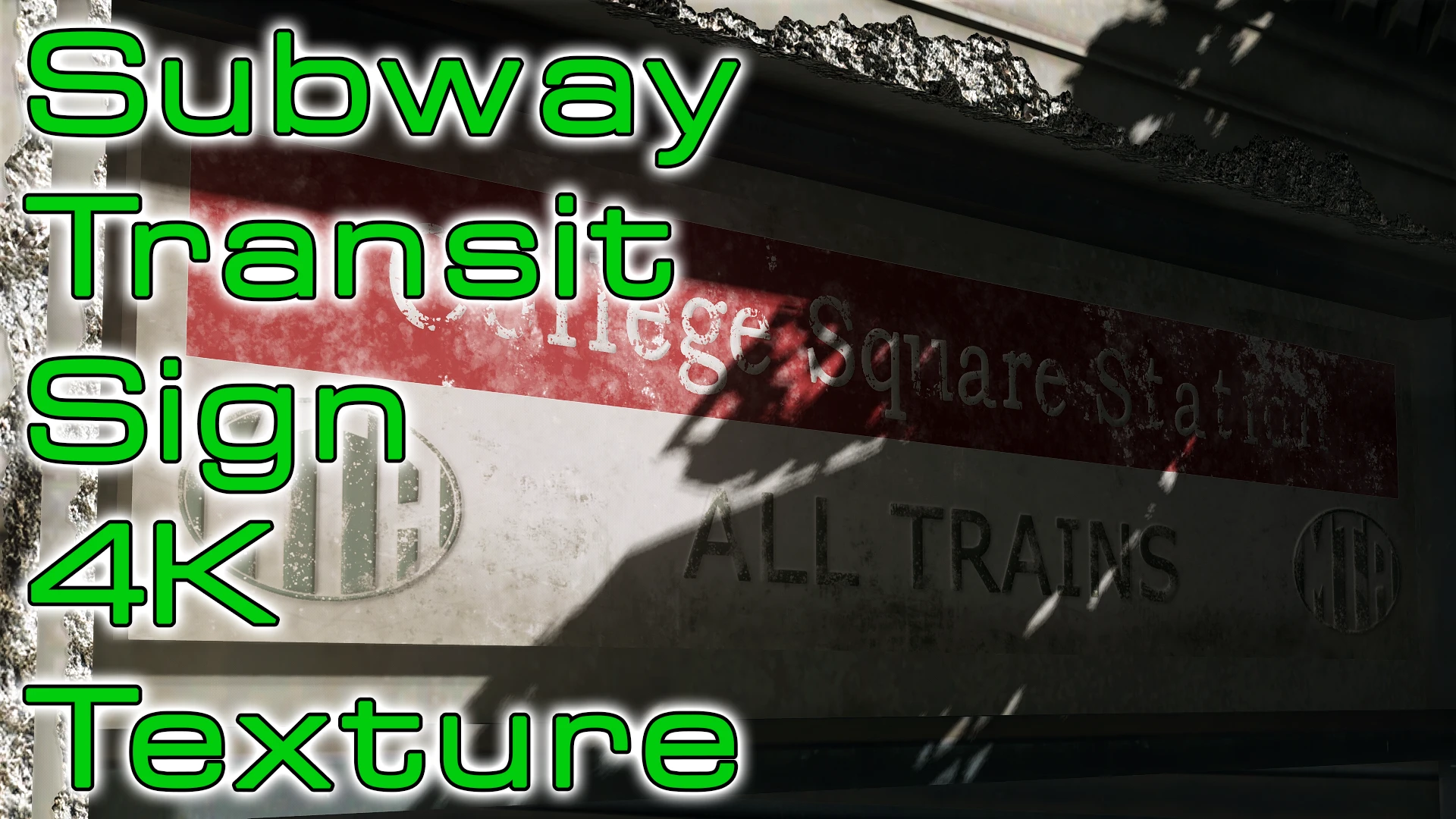
This is a scratch made texture for the subway transit sign that is hanging around at subway station entrances. The vanilla texture resolution is 512 x 512 pixels and the HD DLC doesn't help here because it contains the same low resolution texture. The signs have a proper normal map now so you can see small shadows around the letters. Furthermore, the colour for the Orange Line has been edited so you can now differentiate between the Red and the Orange Line.
Installation and load order
You can install this mod with any mod manager.
If you're new to this, here's a guide.
In the installer, you can select your prefered resolution (1K, 2K and 4K) and your prefered file type (loose files or a packed archive). The dummy plugin for the packed version is an ESL flagged ESP so you can move the mod in your load order but the plugin doesn't count towards your plugin limit.
Some technical stuff
Bethesda used a different approach to create this asset. Instead of creating different textures for each station, they use one texture for all stations. The texture is only black and white. It contains the alphabet and each sign uses links to the needed letters. The colour for the 4 station lines is stored in sepearte tiny 3kb palette texture.
The brightness level of a pixel in the black and white texture determines which colour is picked for it from the palette texture. This whole technique saves a lot of memory (especially with high res textures) but is in my opinion a nightmare to work with.
A retexture mod for the subway transit sign in Fallout 4, offering 1K, 2K, and 4K resolution options via an installer. Choose between loose or packed files. Popular with 686 endorsements and 65,731 downloads, last updated in 2020.
✨ Key Features
📊 Pros & Cons
✅ Pros
- Community favorite with 686 endorsements and 65k downloads.
- Flexible installer: pick your resolution (1K/2K/4K) and file type.
- Simple texture upgrade that enhances visual clarity without gameplay changes.
⚠️ Cons
- Last updated in 2020 — may not be tested with the latest game patches.
- Only affects one sign, so visual impact is limited to that object.
- No screenshots or detailed previews in the description, so you can't see the result before installing.
For Fallout 4 players who want to polish up environmental details without overhauling the whole game. If you're a texture enthusiast or modder looking for a quick, low-risk addition, this is a nice touch. Skip if you're after major visual overhauls or gameplay changes.
💡 Beginner Tips
- Use the installer to pick 2K if you're on a mid-range GPU; 4K can hit performance on weaker systems.
- If you use a mod manager, choose the packed (BA2) option for easier load order management.
- Place this mod after other texture mods in your load order to ensure it takes effect.
📊 Mod Details
- Game
- Fallout 4 Mods
- Author
- Ablaze666
- Version
- 1.1
- Downloads
- 65,731
- Endorsements
- 686
- Category
- Models and Textures
- Created
- 11/20/2020
- Updated
- 11/23/2020
🔧 How to Install Fallout 4 Mods
Download from Nexus.
📖 Full step-by-step install guide for Fallout 4 →
Visit the official mod page for specific installation instructions for this mod.
🎮 Need cheat codes or console commands? Check ur gaming wiki for Fallout 4 commands, item IDs, and more.
Keep browsing — more Fallout 4 mods await