Repaired Red Rocket
⚪ Last updated 2017⚠️ Install Order · 2 steps
Install in this order, then this mod last — most mods fail to load without their framework and dependencies in place.
Preview
🔍 Analysis
- 👍 2.7% endorsement rate — high engagement, a strong quality signal
- 🏆 #162 of 320 Models and Textures mods in this game by downloads
📋 About This Mod
Someone asked if they could port this mod for XBox 1, I gave permission and it can be found here: https://bethesda.net/en/mods/fallout4/mod-detail/4029288. Due to the limitations of the site, it is only a single version (from the description, it appears to be the No Pump, no window version).
Edit: Have gotten a few reports that it caused the cell reset bug, so if you keep a bunch of power armor there or use the pre-existing containers keep that in mind. I haven't noticed it myself, and it;s just been two reports so far (last one was before I updated the esp). If it actually is causing the bug, then there is nothing I can do about it, since the esp does not one bit more than it needs to do to be able to work (without the ini edit), and the method I used is the same one that Spring Cleaning did to allow you to scrap the things it enables scrapping for (which reportedly doesn't cause the reset bug). So if it is causing the reset bug then it is impossible to edit a vanilla mesh without causing it. I don't think the ini version causes the bug (1st report was using esp, second didn't say).
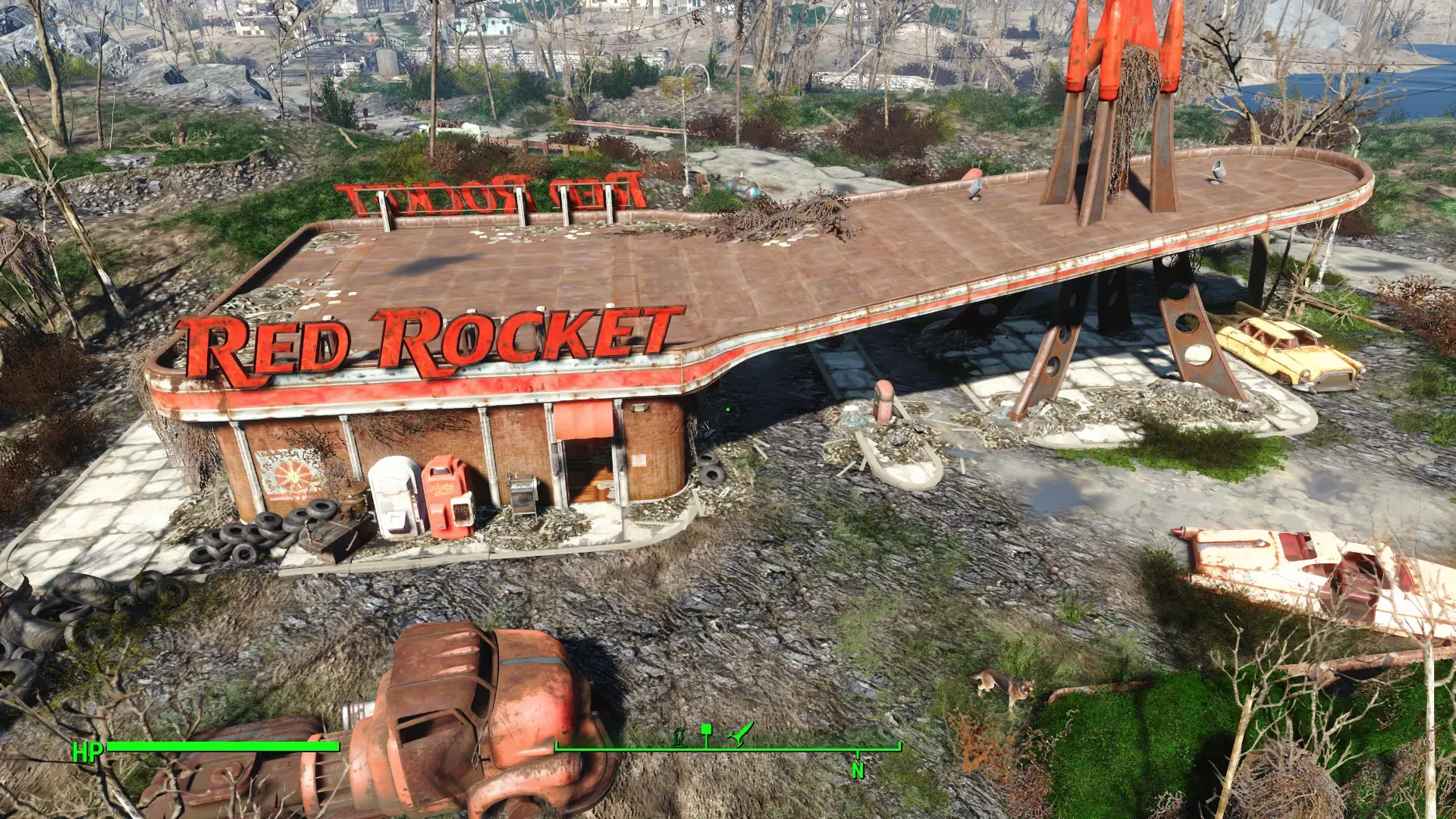
Just a mesh replacer that fixes up the Red Rocket, repairing the sign and the moulding (?) around the outside roof. There are two version: one with all the vanilla parts, and one with the hanging pump and semi-spheres on the ground removed. I copied the install path structure, so it should install fine with NMM, or just copy the "meshes" folder into your data folder.
Compatability: should be compatible with pretty much everything. It's just a mesh edit of a single mesh, so it will work fine with anything that doesn't touch the same mesh. This includes the various Red Rocket retextures. Both esp version should be compatible with pretty much everything.
A note: if you get the version with the hanging pump removed, the collision for it is still there. Unfortunately, it is all one big collision mesh, so there was no way for me (with my limited understanding of FO4 collision) to change the collision mesh without removing it for the whole thing.
Only issue I could find was with Red Rocket's Glare. It wasn't so much a compatability issue, but a change he made to the material file the mesh uses caused some weirdly stretched textures on the parts I edited. I figured out the cause, and included the fix as an optional file (requires his mod, this just changes the material file, it doesn't provide the needed glow map).
Fixed with 1. 1. <
A simple mesh edit that repairs the Red Rocket gas station in Fallout 4, fixing visual issues. With 2,215 endorsements and 81,654 downloads, it's a popular, lightweight cosmetic fix for players who want a cleaner Red Rocket without major overhauls.
✨ Key Features
📊 Pros & Cons
✅ Pros
- Community favorite with 2,215 endorsements and over 80k downloads—clearly a fix many players wanted.
- Pure mesh edit means no performance hit and no conflicts with texture mods.
- Simple, focused purpose: makes the Red Rocket look better without changing the game's feel.
⚠️ Cons
- Last updated in 2017—may not be compatible with newer game patches or DLC content.
- Only addresses the Red Rocket—if you want other settlements cleaned up, this won't help.
For Fallout 4 players who spend time at the Red Rocket and notice its worn-down look. If you're a settlement builder or just want a slightly tidier landmark, this is a quick fix. Skip if you're looking for major overhauls or gameplay changes—this is purely cosmetic.
💡 Beginner Tips
- Since it's a mesh edit, it should work with most texture mods—just load it after them in your mod manager.
- If you're on PC, you can manually drop the files into your Data folder, but using a mod manager like Vortex or NMM is safer for uninstalling.
- Check the mod's comments section for any reported issues with DLC areas—some users may have posted compatibility notes.
📊 Mod Details
- Game
- Fallout 4 Mods
- Author
- VlitS
- Version
- 1.65
- Downloads
- 81,654
- Endorsements
- 2,215
- Category
- Models and Textures
- Created
- 2/27/2016
- Updated
- 5/5/2017
🔧 How to Install Fallout 4 Mods
Download from Nexus.
📖 Full step-by-step install guide for Fallout 4 →
Visit the official mod page for specific installation instructions for this mod.
🎮 Need cheat codes or console commands? Check ur gaming wiki for Fallout 4 commands, item IDs, and more.
Keep browsing — more Fallout 4 mods await