Realistic Facial Proportions (RFP) - For Females - Face Slides
⚪ Last updated 2022⚠️ Install Order · 2 steps
Install in this order, then this mod last — most mods fail to load without their framework and dependencies in place.
Preview
🔍 Analysis
- 👍 1.6% endorsement rate — high engagement, a strong quality signal
- 🏆 #68 of 73 Body, Face, and Hair mods in this game by downloads
📋 About This Mod
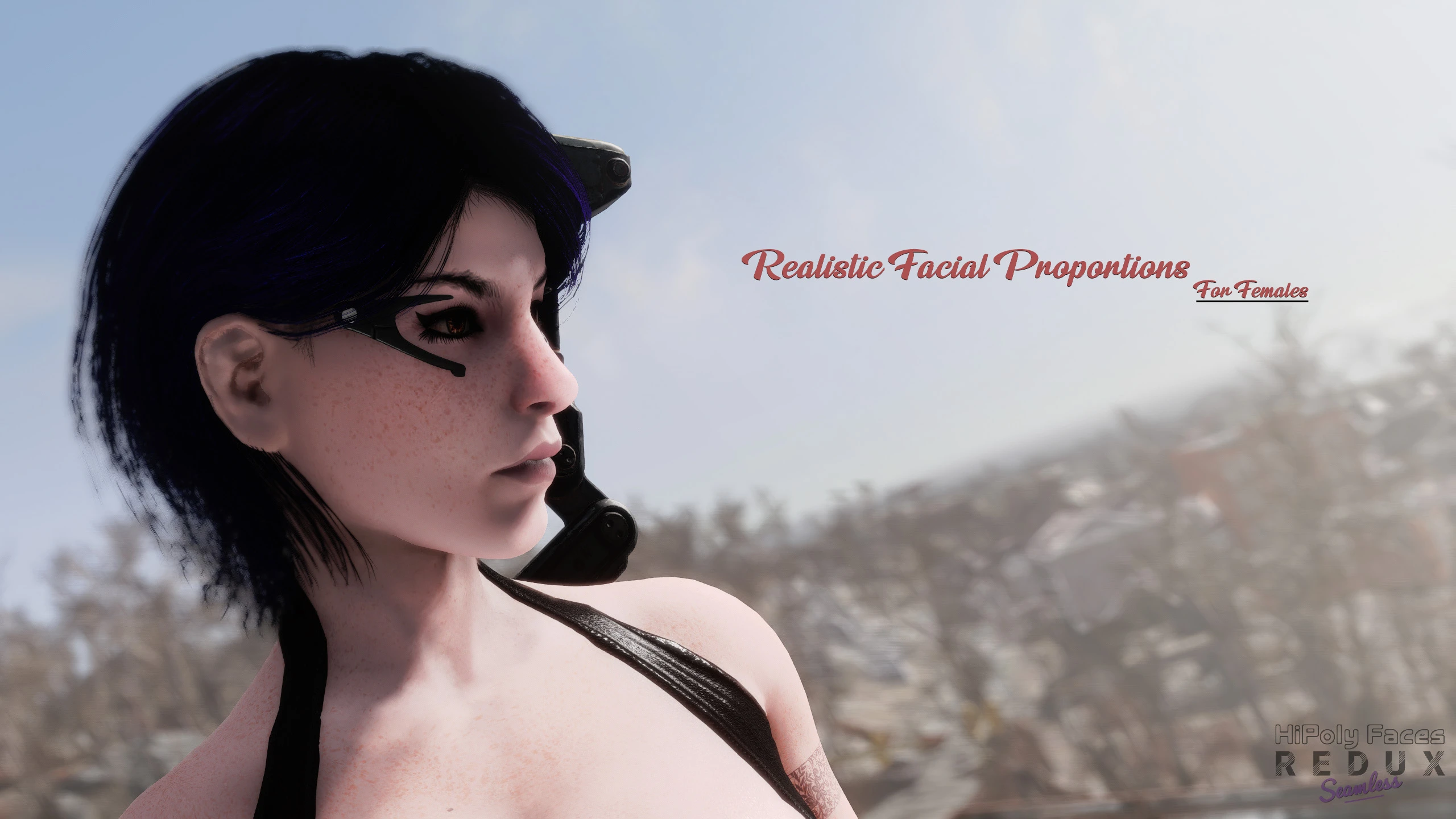
This relatively simple mod adjusts the female faces to have a bit more natural proportions. It does that primarily by getting rid of the huge forehead from the vanilla female faces and slightly adjusting the face width/height.
While this mod is meant to be 'install and forget, a slight re-adjustment may help your characters' faces (especially the eyes) look just right.
The idea for this mod was conceived while working on the next version of HiPoly Face and as such is a standalone addon/extension to the upcoming mod. A working patch for the current HiPoly Faces is available but do note that it is provided as-is. The upcoming HiPoly Faces Redux will provide full support and features.
Face-slides
One of the new features included with this mod is face-slides for use with Bodyslide. Face-slides included some of the most popular, community-made face adjustments as sliders for you to mix and match as you wish. Want to use RFP with Neck Tweaks? Just use Bodyslide (find 'RFP Face Slides'), set values accordingly (use RFP 50% if you are using the Balanced version), and build them (make sure the 'Build Morphs' checkbox is unchecked). The original mods are required, please download them and endorse them to support the authors.
Compatibility
Check FardeenRiyadh16's Face Slides Patch Hub for RFP-ready face parts and more.
- Custom head meshes.
These are modified vanilla meshes and thus retain full in-game compatibility with NPCs, etc. Other custom head meshes (modified vanilla) will conflict with this mod are NOT directly compatible. This is where Face-slides come into play; you can use in to mix and match adjustments to your liking.
- Custom Face parts
Since this mod changes the face quite a bit, modified face parts (for example, custom/long eyelashes mods, custom teeth, etc.) are not compatible and will require changes to fit the new face mesh.
Luckily, this is very easy to do with Outfit Studio. Just use the included conversion references and convert the face parts like any other outfit and export. Most custom face part mods include two meshes for each part (main mesh and _facebones), you need to convert both and then export and overwrite the included face parts in this mod.
- Face accessories
Same as above, SOME glasses/earrings may not fit perfectly anymore due to the changes. You can use the same conversion reference as above but you may end with a distorted mesh in some instances. In such cases you can try the following:
-Use the included conversion reference and 'Conform Slider' using the 'Even Movement' setting.
-Load and raise the face accessory mesh by ~0. 6 (Z-axis) using Outfit Studio. Use half of this value if you are using the Bal
Realistic Facial Proportions (RFP) is a cosmetic mod for Skyrim that tweaks female face sliders to reduce forehead size and other proportions for a more natural look. With 2,673 endorsements and 163,156 downloads, it's a popular choice for players seeking subtle facial realism without overhauling the game.
✨ Key Features
📊 Pros & Cons
✅ Pros
- Huge download count (163k) shows it's a go-to for face tweaks
- Endorsement ratio is solid—2.6k people vouched for it
- Subtle change that keeps the vanilla look but fixes that 'big forehead' issue
⚠️ Cons
- Last updated in 2022—might be outdated for the latest Skyrim versions
- Only affects female faces, so male characters are untouched
For Skyrim players who want more realistic female faces without a complete overhaul. If you're tired of the vanilla 'forehead for days' look, this is a quick fix. Skip if you want dramatic changes or male face improvements.
💡 Beginner Tips
- Since it's a face slide mod, you can adjust the sliders in-game at the character creation or with the ShowRaceMenu console command.
- If you use a mod manager like Vortex or MO2, just download and enable—no need to manually place files.
- Load order shouldn't matter much, but if you use other face mods, put this one after them to ensure your sliders take priority.
📊 Mod Details
- Game
- Fallout 4 Mods
- Author
- SQr17
- Version
- 1.1
- Downloads
- 163,156
- Endorsements
- 2,673
- Category
- Body, Face, and Hair
- Created
- 9/5/2021
- Updated
- 10/11/2022
🔧 How to Install Fallout 4 Mods
Download from Nexus.
📖 Full step-by-step install guide for Fallout 4 →
Visit the official mod page for specific installation instructions for this mod.
🎮 Need cheat codes or console commands? Check ur gaming wiki for Fallout 4 commands, item IDs, and more.
Keep browsing — more Fallout 4 mods await