Radio Model Replacer
⚪ Last updated 2017⚠️ Install Order · 2 steps
Install in this order, then this mod last — most mods fail to load without their framework and dependencies in place.
Preview
🔍 Analysis
- 👍 4.0% endorsement rate — high engagement, a strong quality signal
- 🏆 #97 of 329 Models and Textures mods in this game by downloads
📋 About This Mod
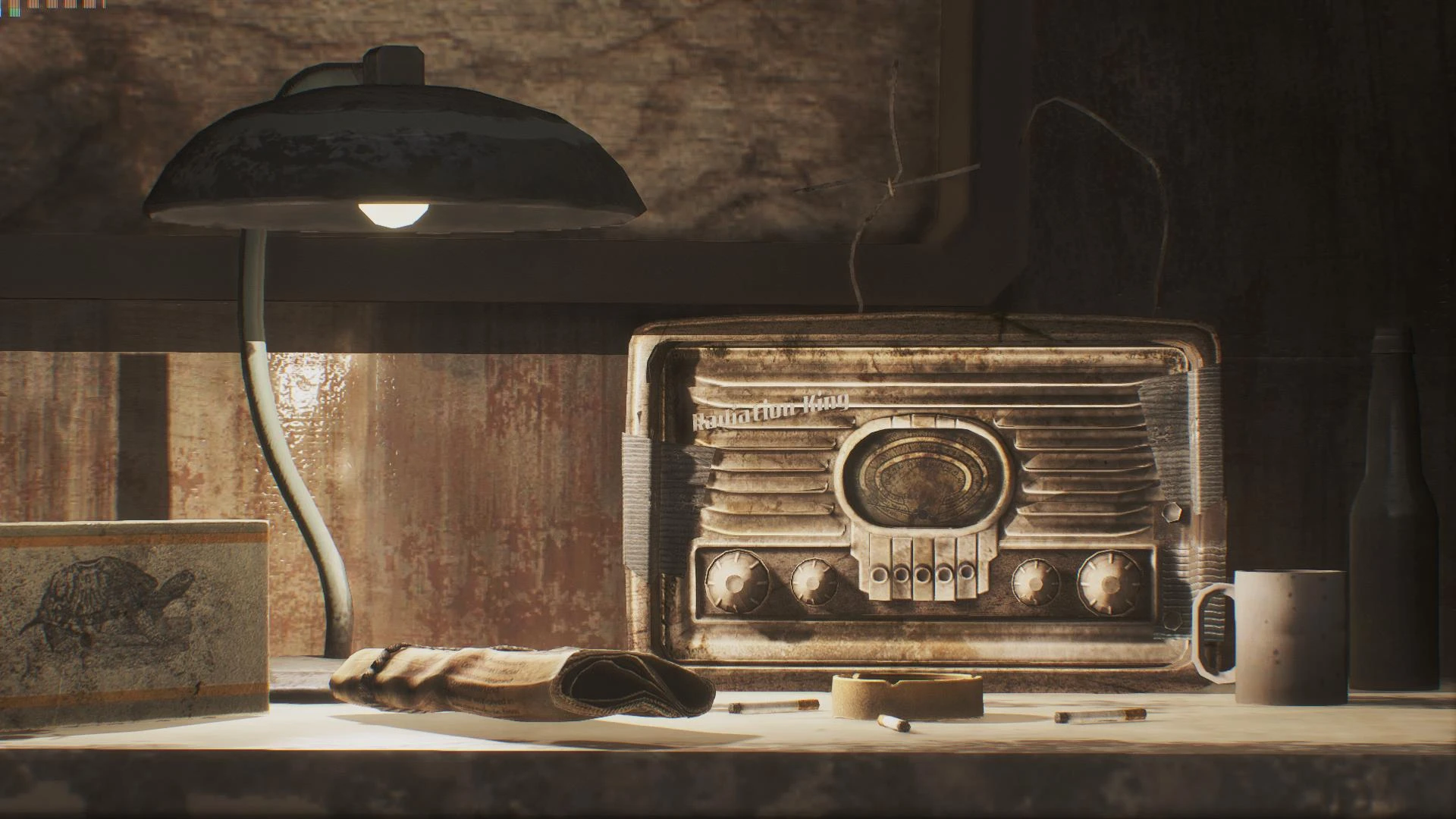
Let's be honest. Vanilla radio model looks like someone squished its front and back in a hydraulic press. Too flat. This mod adds some depth to the model and also makes it look more like it really is 200 years old by adding cracks in the wooden casing and signs of homemade repairs, that is duct tape holding everything together and so on. Furthermore, I added some nice animated glowing tubes in the back, just for the extra aesthetic points. Please take note that the transition between them being off and lit IS SMOOTH. It's just like that on the .gif, due to it being made from only two shots.
Replaces ALL postwar models. Made in 3DS Max and Nifskope.
Replaces the vanilla radio model with a more detailed version featuring glowing tubes in the back. A simple cosmetic upgrade for Fallout 4 players who want better-looking props. With 1,743 endorsements and 43,366 downloads, it's a popular choice for visual polish.
✨ Key Features
📊 Pros & Cons
✅ Pros
- Community favorite with 1,743 endorsements and 43k downloads.
- Adds a nice visual touch with glowing tubes – makes the radio stand out.
- Lightweight and easy to install – just drop it in your Data folder.
⚠️ Cons
- Last updated in 2017 – might not be compatible with the latest game patches or DLC.
- Only affects the radio model – if you're looking for more comprehensive prop overhauls, this is limited.
- No screenshots or detailed description – you're flying blind on what it looks like in-game.
For Fallout 4 players who want a quick visual upgrade to the radio prop without messing with gameplay. If you're a settlement builder who notices details, this is a nice touch. Skip if you want more substantial model changes or need compatibility with the latest updates.
💡 Beginner Tips
- Since it's a simple replacer, just drop the files into your Fallout 4 Data folder and enable the mod in your load order.
- If you're using a mod manager like Vortex or NMM, you can install it with one click – no need to manually extract.
- Make sure you have the base game updated to at least the version from 2017, or you might run into issues.
📊 Mod Details
- Game
- Fallout 4 Mods
- Author
- Quaz30
- Version
- 1.0
- Downloads
- 43,366
- Endorsements
- 1,743
- Category
- Models and Textures
- Created
- 5/27/2017
- Updated
- 6/4/2017
🔧 How to Install Fallout 4 Mods
Download from Nexus.
📖 Full step-by-step install guide for Fallout 4 →
Visit the official mod page for specific installation instructions for this mod.
🎮 Need cheat codes or console commands? Check ur gaming wiki for Fallout 4 commands, item IDs, and more.
Keep browsing — more Fallout 4 mods await