Quick Reflexes - Slow Motion Favorites Menu
⚪ Last updated 2017⚠️ Install Order · 2 steps
Install in this order, then this mod last — most mods fail to load without their framework and dependencies in place.
Preview
🔍 Analysis
- 👍 2.9% endorsement rate — high engagement, a strong quality signal
- 🏆 #119 of 147 Gameplay mods in this game by downloads
📋 About This Mod
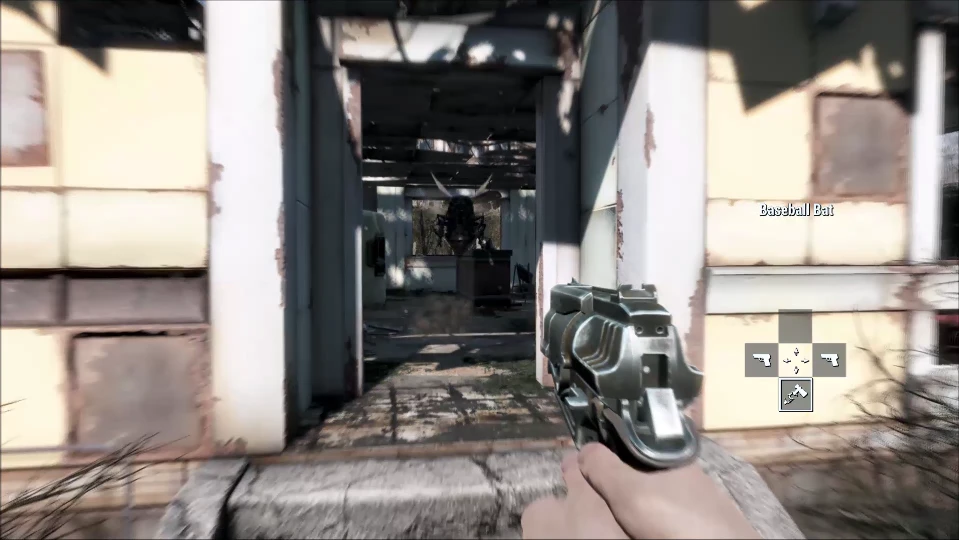
Ever wish you had a little extra time when going through your quick-access Favorites menu? Ever wanted your Favorites menu to work similar to item selection seen in games such as Skyrim or Dishonored? Consider your wishes granted!
Quick Reflexes slows down time while you browse the Favorites menu in Fallout 4, giving you breathing room to pick items mid-combat. It's a small, focused gameplay tweak with 438 endorsements and 15,212 downloads, last updated in 2017. For players who want Skyrim-style slow-motion selection without overhaul mods.
✨ Key Features
📊 Pros & Cons
✅ Pros
- Community-approved with 438 endorsements and over 15k downloads.
- Solves a real pain point: fumbling through Favorites while enemies are shooting.
- Simple concept that fits seamlessly into vanilla gameplay.
⚠️ Cons
- Last updated in 2017, so it may not be compatible with the latest game patches or DLC.
- No mention of compatibility with popular UI mods like DEF_UI or Full Dialogue Interface.
- Slow-motion effect might feel disorienting if you're used to instant menu access.
For Fallout 4 players who hate pausing mid-fight to scroll through a cluttered Favorites list and want a more cinematic, Skyrim-like selection. Skip if you prefer instant menu access or use heavy UI overhaul mods that might conflict.
💡 Beginner Tips
- If you use a mod manager like Vortex or NMM, install this mod through the manager to keep your load order clean.
- Test the slow-motion effect in a safe area first to adjust to the new pacing before relying on it in combat.
- Since the mod is from 2017, check the mod page for any compatibility patches if you have the latest game version.
📊 Mod Details
- Game
- Fallout 4 Mods
- Author
- Pharros
- Version
- 1.0.2
- Downloads
- 15,212
- Endorsements
- 438
- Category
- Gameplay
- Created
- 4/3/2017
- Updated
- 4/15/2017
🔧 How to Install Fallout 4 Mods
Download from Nexus.
📖 Full step-by-step install guide for Fallout 4 →
Visit the official mod page for specific installation instructions for this mod.
🎮 Need cheat codes or console commands? Check ur gaming wiki for Fallout 4 commands, item IDs, and more.
Keep browsing — more Fallout 4 mods await