Playstation 4 Buttons (Ps3 and Ps4)
⚪ Last updated 2016⚠️ Install Order · 2 steps
Install in this order, then this mod last — most mods fail to load without their framework and dependencies in place.
Preview
🔍 Analysis
- 👍 3.1% endorsement rate — high engagement, a strong quality signal
- 🏆 #57 of 82 User Interface mods in this game by downloads
📋 About This Mod
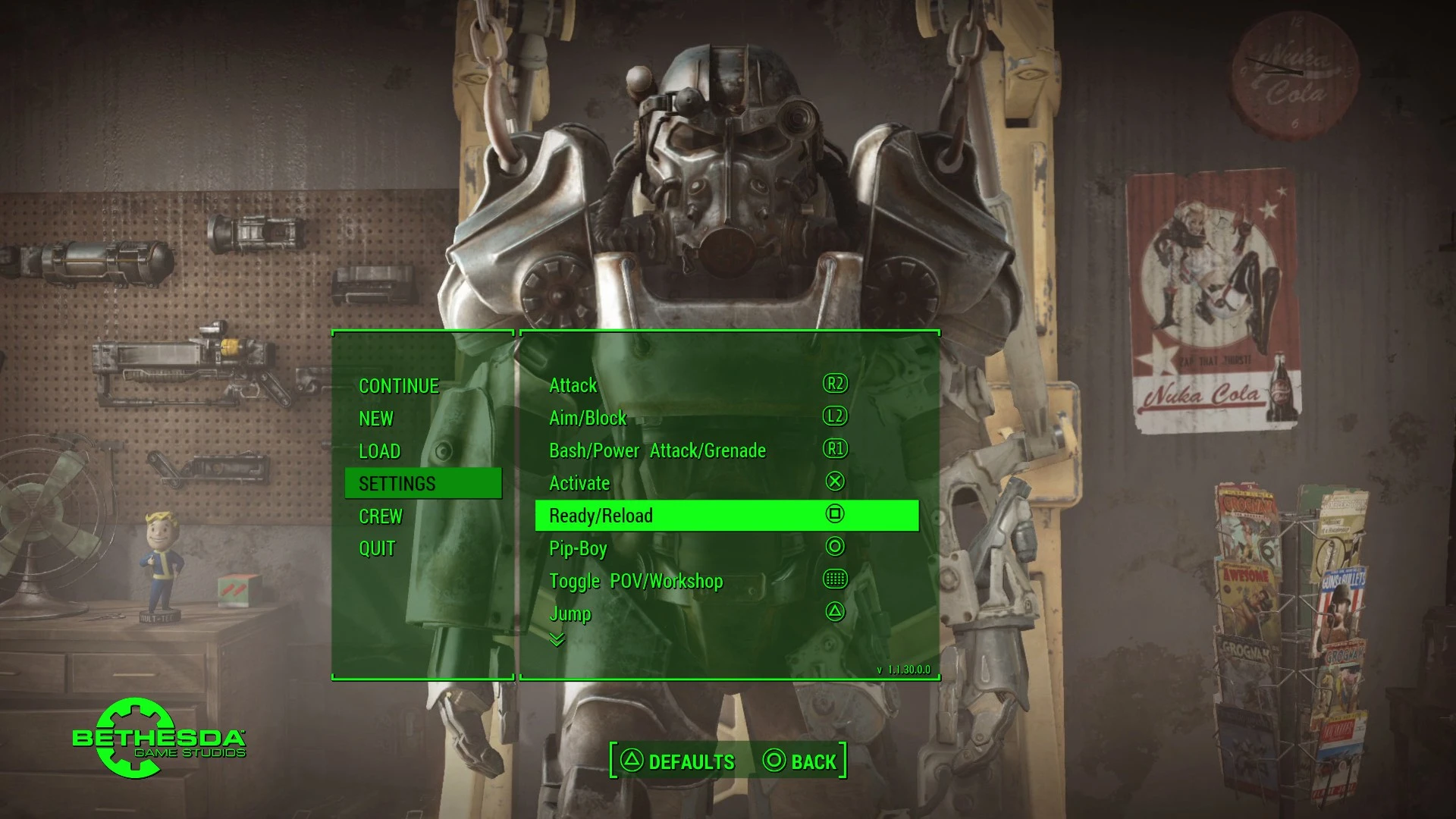
This mod replaces the Xbox prompts when using an xbox or emulated controller to Playstation 4 button prompts.
Originally this mod replaced the 'Fallout4 - Interface.ba2' file with a custom one I had made, for users who had a problem getting the game recognizing loose Interface folder files. But I believe I have found a way for it to recognize them now, this may also help with other UI mods! It is also already compatible with UI mods that support gamepad buttons such as 'Full Dialogue Interface'!
△ INSTALLATION: First you need to make sure your game is ready for modding:
Second, decide how to apply the mod:
- -NMM:
- ------
- 1. Download through the manager and activate the mod!
- -MANUAL:
- -----
- 1. Unzip the latest uploaded file and insert the Interface folder inside the Data folder. And you're done!
Should be working now guys! :) Let me know if you have any problems!
○
x --An important thing to note is: Make sure the controller, whether it be a Dualshock 3 or 4, whatever it is you are using, that it is emulating a 360/Xbox controller, or something similar. For example with a DS4 attached I use the 'DS4Windows' tool and in settings I set it to "Hide DS4 Controller". Otherwise the Playstation characters will be displayed incorrectly. You may need to download the Xbox 360 drivers for your computer. A quick search of "Xbox 360 Controller for Windows" might help.
Fallout 4 comes with a built-in "compatability" with Dualshock 4, but from what I've seen it does not work correctly. It works fine with Xbox controllers however. The nature of this mod is tha
This mod replaces Xbox button prompts with PlayStation 4 (DS4) prompts in the game. It is fully functional and has been downloaded over 67,000 times, with 2,106 endorsements. Last updated in 2016, it remains a popular choice for players using PS4 controllers.
✨ Key Features
📊 Pros & Cons
✅ Pros
- Community-approved with 2,106 endorsements and 67k downloads—clearly a go-to for PS4 controller users.
- Simple, focused mod: does exactly what it says, replacing Xbox prompts with DS4 prompts.
- Works as intended per the author, so no fiddling with broken features.
⚠️ Cons
- Last updated in 2016—might not be compatible with newer game patches or DLC.
- Only covers button prompts, not other UI elements like icons or menus.
For PC players who use a PS4 controller and want the on-screen prompts to match their input device. Skip if you use an Xbox controller or prefer keyboard/mouse prompts.
💡 Beginner Tips
- If you're using a PS4 controller via Steam, make sure Steam Input is disabled for the game to avoid conflicting prompt mods.
- Check the mod's file structure—if it uses a .pak or .uasset, place it in the correct game directory (e.g., ~mods folder for some games).
- Since the mod is from 2016, test it after game updates; if prompts revert, the mod may need a compatibility patch.
📊 Mod Details
- Game
- Fallout 4 Mods
- Author
- Tohkann01
- Version
- 1.1
- Downloads
- 67,023
- Endorsements
- 2,106
- Category
- User Interface
- Created
- 11/13/2015
- Updated
- 7/3/2016
🧩 Commonly Used Together
Users add these mods to the same collections — a real compatibility signal, not an AI guess.
🔧 How to Install Fallout 4 Mods
Download from Nexus.
📖 Full step-by-step install guide for Fallout 4 →
Visit the official mod page for specific installation instructions for this mod.
🎮 Need cheat codes or console commands? Check ur gaming wiki for Fallout 4 commands, item IDs, and more.
Keep browsing — more Fallout 4 mods await