Player Voice Frequency Slider (PVoFS)
⚪ Last updated 2019⚠️ Install Order · 2 steps
Install in this order, then this mod last — most mods fail to load without their framework and dependencies in place.
Preview
🔍 Analysis
- 👍 2.4% endorsement rate — high engagement, a strong quality signal
- 🏆 #8 of 12 Audio - Voice mods in this game by downloads
📋 About This Mod
NEXUSMODS | FACEBOOK | YOUTUBE | TWITTER | DISCORD | TWITCH | PATREON
-
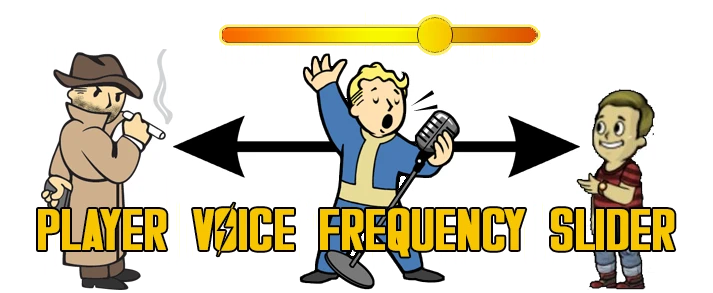
[]let's you change your character's voice (for example in case of a second or subsequent playthrough)
[
]works with both male and female characters[]works with any languages of the game
[]works with any additional player dialogue added by mods
[]set any frequency with a slider or a holotape
[]4 presets included as well: Teenager, Young Adult, Heavy Smoker, Very Deep
[]Mod Configuration Menu settings (requires MCM)
[]holotape settings - Inventory / Misc / Player Voice Frequency (or craft at Chem Station / Utility)
The "TEENAGER" preset (male)
-F9ThPOjJaI
From v1. 1 the mod requires the latest version of F4SE.
It is HIGHLY RECOMMENDED to use my tool: Fallout4.exe Auto-Backup as this mod needs to be updated with each new version of the game.
Use a mod manager like Nexus Mod Manager.
Extract the contents of the rar file to your Fallout 4 Data folder.
Enable PlayerVoiceFrequencySlider.esp using a mod manager or manually.
MCM IS NOT REQUIRED, ONLY SUGGESTED!
If you have trouble installing mods, check these tutorials by Gopher:
- Enabling Mods for FALLOUT 4
- FALLOUT 4: Installing Mods on PC (MANUALLY)
Change the frequency of the Player's Sound Category via the Settings Holotape: Inventory / Misc / Player Voice Frequency.
You can also craft this holotape at Chemistry Stations under Utility. From v1. 1 a dialogue sample will be played constantly while you're fine-tuning frequency in the Pip-Boy. The dialogue sample will stop when you exit the Pip. Boy.
If you're using MCM there's a much more comfortable way of controlling the mod.
From v1. 1 there's a button in MCM to Start/Stop an example dialogue that's constantly playing while you're fine-tuning frequency.
Craftable items use vanilla categories.
No vanilla records have been modified
Player Voice Frequency Slider (PVoFS) is a Skyrim mod that lets you adjust the pitch of your character's voice, offering a fresh feel for new playthroughs without changing the original voice actors. With over 5,000 endorsements and 218,000 downloads, it's a popular tool for players seeking vocal variety.
✨ Key Features
📊 Pros & Cons
✅ Pros
- Huge community trust with 5,184 endorsements and 218k downloads
- Easy to use—just slide to change pitch, no complex setup
- Breathes new life into repeat playthroughs without modding voice files
⚠️ Cons
- Last updated in 2019—might not work with the latest Skyrim version or AE
- Only affects pitch, not other voice aspects like tone or accent
- No detailed instructions or compatibility notes from the author
For Skyrim players who love creating new characters but get tired of the same voice. Perfect for roleplayers who want a slightly different feel without overhauling voice mods. Skip if you want full voice replacement or don't care about pitch.
💡 Beginner Tips
- Use a mod manager like Vortex or MO2 to install and manage the mod easily.
- Test the slider in-game while creating a character to find your preferred pitch.
- If you're on Skyrim Special Edition, check if the mod is compatible with your version—it's old.
📊 Mod Details
- Game
- Fallout 4 Mods
- Author
- CDante
- Version
- 2.4
- Downloads
- 218,110
- Endorsements
- 5,184
- Category
- Audio - Voice
- Created
- 4/4/2018
- Updated
- 12/5/2019
🔧 How to Install Fallout 4 Mods
Download from Nexus.
📖 Full step-by-step install guide for Fallout 4 →
Visit the official mod page for specific installation instructions for this mod.
🎮 Need cheat codes or console commands? Check ur gaming wiki for Fallout 4 commands, item IDs, and more.
Keep browsing — more Fallout 4 mods await