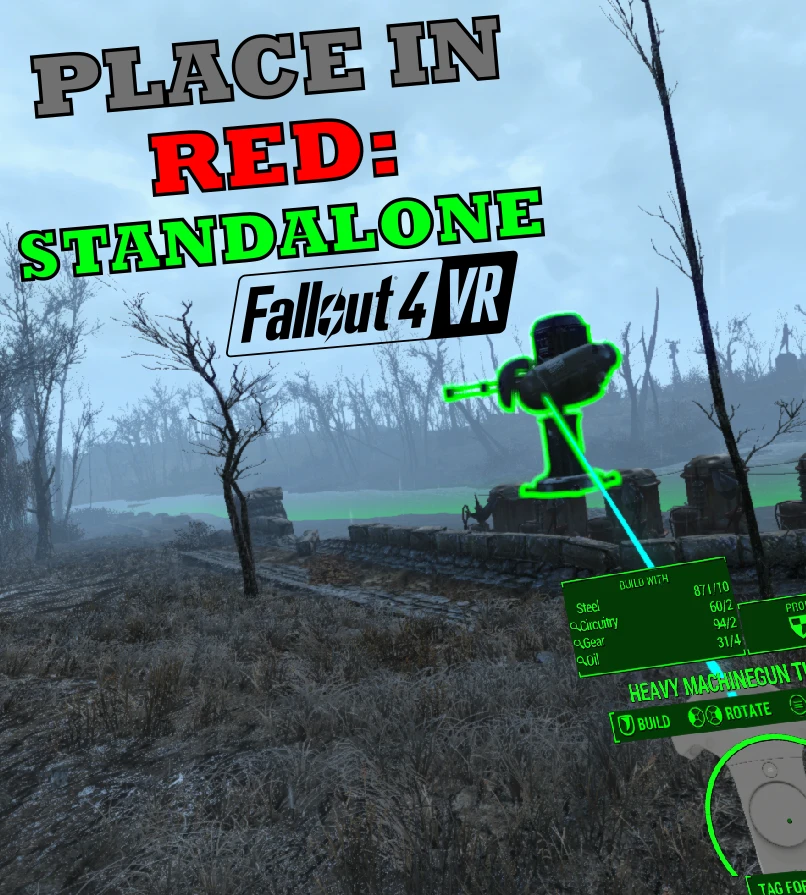
Place in Red Standalone - VR
⚪ Last updated 2019⚠️ Install Order · 2 steps
Install in this order, then this mod last — most mods fail to load without their framework and dependencies in place.
Preview
🔍 Analysis
- 👍 2.4% endorsement rate — high engagement, a strong quality signal
- 🏆 #6 of 10 VR mods in this game by downloads
📋 About This Mod
PLACE IN RED - STANDALONE (VR)
Standalone (no Cheat Engine required) version of RandyConstan's excellent Place in Red mod.
Released with his permission and collaboration.
GITHUB (includes source): https://github.com/napalm00/PlaceInRedStandalone
Features
-
[]No Cheat Engine required!
[
]Easy drag & drop installation[]Place workshop objects anywhere (within workshop bounds)
[]Disable object/ground snapping
[]Disable object highlight when using the workshop
[] Set zoom/rotation speed when placing the object in the workshop
[]Enable achievements for modded games
[]Settings holotape given to the player automatically to configure the various parameters
[]Settings saved in .ini file within the Fallout 4 VR/Data folder, they can be edited manually or through the holotape
Installation
-
[]Download the latest version from the files page
[]Unzip the contents in your Fallout 4 VR directory, making sure you replace steam_api64.dll and that, after unpacking, you also have steam_api64_org.dll
[]Load the .esp like any other mod
[]Start the game and ejoy!
Settings
To change the settings you can:
- []Play the "Place in Red Settings" holotape in a Terminal (using the Pip-Boy will NOT work, see Known Issues)
-
[]Edit the Fallout 4 VR/Data/PlaceInRedStandalone.ini file
The settings and their default values are:
- [
[]Disable Object Snap (default: OFF)
[]Disable Ground Snap (default: OFF)
[]Disable Object Highlighting (default: OFF)
[]Object Zoom Speed (default: 10. 0)
[]Object Rotation Speed (default: 5. 0)
[]Enable Modded Achievements (default: ON)
- []Updated to work on the latest game version
- []Fixed Beta crash
- []Fixed Object outline bug
[]Initial
Place in Red Standalone - VR lets you place workshop objects anywhere in Fallout 4 VR without needing Cheat Engine. It includes an Achievement Enabler for modded games. With 388 endorsements and over 16k downloads, it's a solid utility for VR players who want more freedom in settlement building.
✨ Key Features
📊 Pros & Cons
✅ Pros
- No Cheat Engine hassle – this standalone version just works
- Community trusted with 388 endorsements and 16k+ downloads
- Achievement Enabler keeps your trophies intact while modding
⚠️ Cons
- Last updated in 2019 – might not play nice with newer game patches
- VR-only – flat screen players need to look elsewhere
For Fallout 4 VR players who love settlement building but hate the vanilla placement limits. If you're tired of objects snapping to grids or floating in mid-air, this mod gives you the freedom to place things exactly where you want. Skip if you play the flat version – this is strictly for VR.
💡 Beginner Tips
- Make sure you have the VR version of Fallout 4 – this mod won't work on the flat game.
- After installing, test placing a few objects in a settlement to get used to the new freedom.
- If you're using other mods, enable the Achievement Enabler to keep achievements working.
📊 Mod Details
- Game
- Fallout 4 Mods
- Author
- naPalm and RandyConstan
- Version
- 1.3
- Downloads
- 16,353
- Endorsements
- 388
- Category
- VR
- Created
- 12/23/2017
- Updated
- 8/18/2019
🔧 How to Install Fallout 4 Mods
Download from Nexus.
📖 Full step-by-step install guide for Fallout 4 →
Visit the official mod page for specific installation instructions for this mod.
🎮 Need cheat codes or console commands? Check ur gaming wiki for Fallout 4 commands, item IDs, and more.
Keep browsing — more Fallout 4 mods await