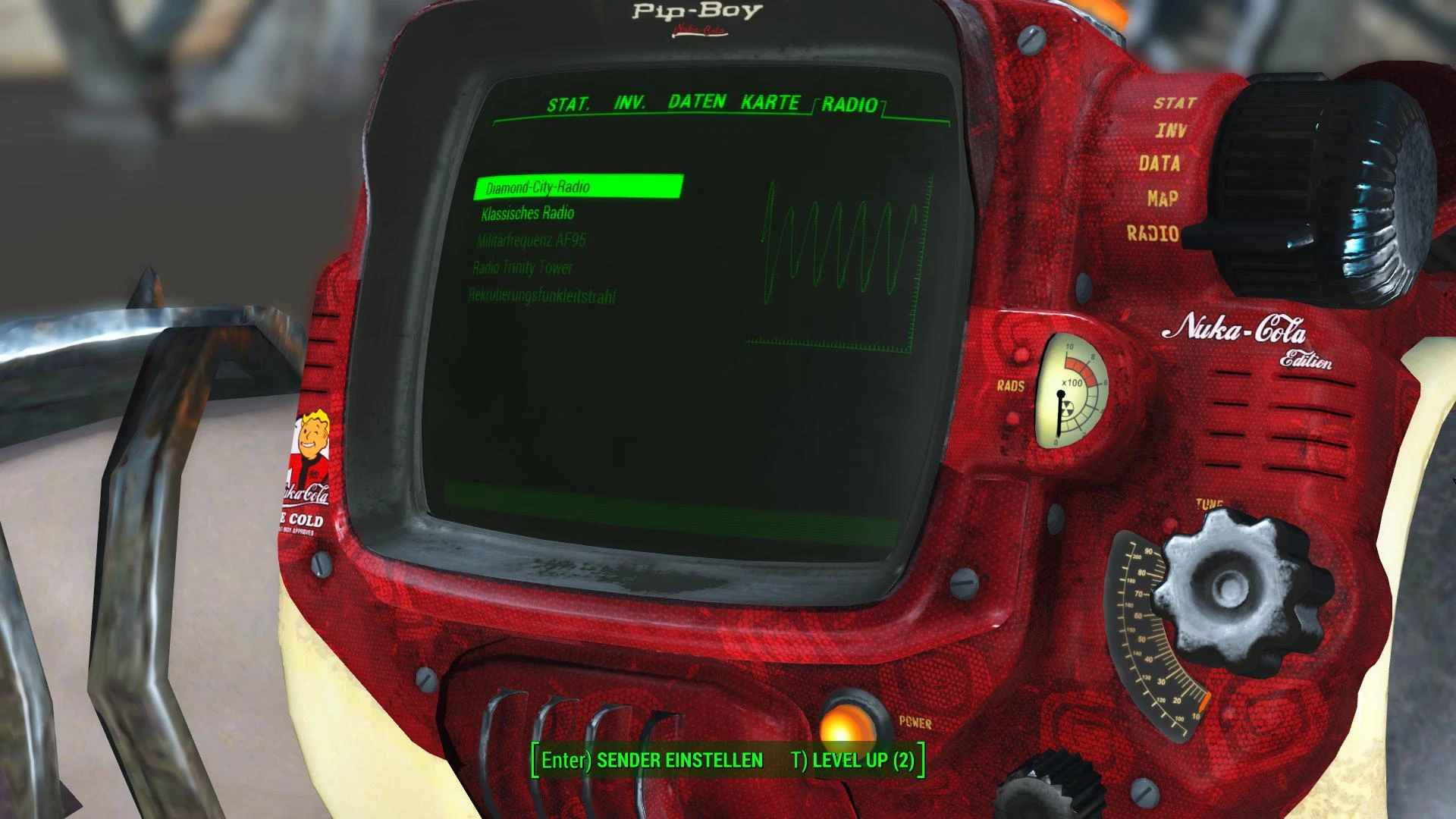
PipBoy 3000 Nuka-Cola Edition
⚪ Last updated 2015⚠️ Install Order · 2 steps
1🛠️ F4SE — Fallout 4 Script Extender Download ↗
2🔧 UFO4P — Unofficial Fallout 4 Patch Download ↗
Install in this order, then this mod last — most mods fail to load without their framework and dependencies in place.
Preview
🔍 Analysis
- 👍 6.3% endorsement rate — high engagement, a strong quality signal
- 🏆 #1 of 21 Pip-Boy mods in this game by downloads
📋 About This Mod
🤖 AI-enhanced — based on mod data
A cosmetic Fallout 4 mod that reskins the Pip-Boy 3000 with a Nuka-Cola theme, featuring detailed textures and a normal map fix. Requires manual INI edit and file placement. With 853 endorsements and 13,569 downloads, it's a popular choice for fans of the iconic soda brand.
✨ Key Features
Reskins the Pip-Boy 3000 with a Nuka-Cola color scheme and detailed textures.
Includes a corrected normal map for improved visual quality.
Fixes texture bugs from the initial release.
Requires manual installation: edit Fallout4.ini and copy the Texture folder to the data directory.
📊 Pros & Cons
✅ Pros
- Community favorite with 853 endorsements and over 13k downloads.
- Attention to detail in textures, plus a normal map fix for better visuals.
- Simple cosmetic change that doesn't affect gameplay.
⚠️ Cons
- Requires manual INI edit, which can be intimidating for modding newbies.
- Last updated in 2015, so it may not be compatible with newer game patches or DLC.
- Potential conflicts with other Pip-Boy reskins or mods that alter the same textures.
🎯 Is This For You?
For Fallout 4 players who love Nuka-Cola and want a themed Pip-Boy without changing gameplay. Perfect for collectors of cosmetic mods. Skip if you prefer lore-friendly or minimal changes, or if you're not comfortable editing INI files.
For Fallout 4 players who love Nuka-Cola and want a themed Pip-Boy without changing gameplay. Perfect for collectors of cosmetic mods. Skip if you prefer lore-friendly or minimal changes, or if you're not comfortable editing INI files.
📦 Install:Medium· 5-10 minutes
💡 Beginner Tips
- Back up your Fallout4.ini before editing, so you can revert if something goes wrong.
- Use a mod manager like Nexus Mod Manager to install the texture folder, but you'll still need to manually edit the INI.
- Make sure to place the Texture folder in the correct data directory, not just anywhere in the Fallout 4 folder.
📊 Mod Details
- Game
- Fallout 4 Mods
- Author
- Taiwendo
- Version
- 1.0
- Downloads
- 13,569
- Endorsements
- 853
- Category
- Pip-Boy
- Created
- 11/13/2015
- Updated
- 11/15/2015
🔧 How to Install Fallout 4 Mods
Download from Nexus.
📖 Full step-by-step install guide for Fallout 4 →
Visit the official mod page for specific installation instructions for this mod.
🎮 Need cheat codes or console commands? Check ur gaming wiki for Fallout 4 commands, item IDs, and more.
Keep browsing — more Fallout 4 mods await