Photo Light AIO - All In One
⚪ Last updated 2020⚠️ Install Order · 2 steps
Install in this order, then this mod last — most mods fail to load without their framework and dependencies in place.
Preview
🔍 Analysis
- 👍 3.8% endorsement rate — high engagement, a strong quality signal
- 🏆 #15 of 29 Crafting - Equipment mods in this game by downloads
📋 About This Mod
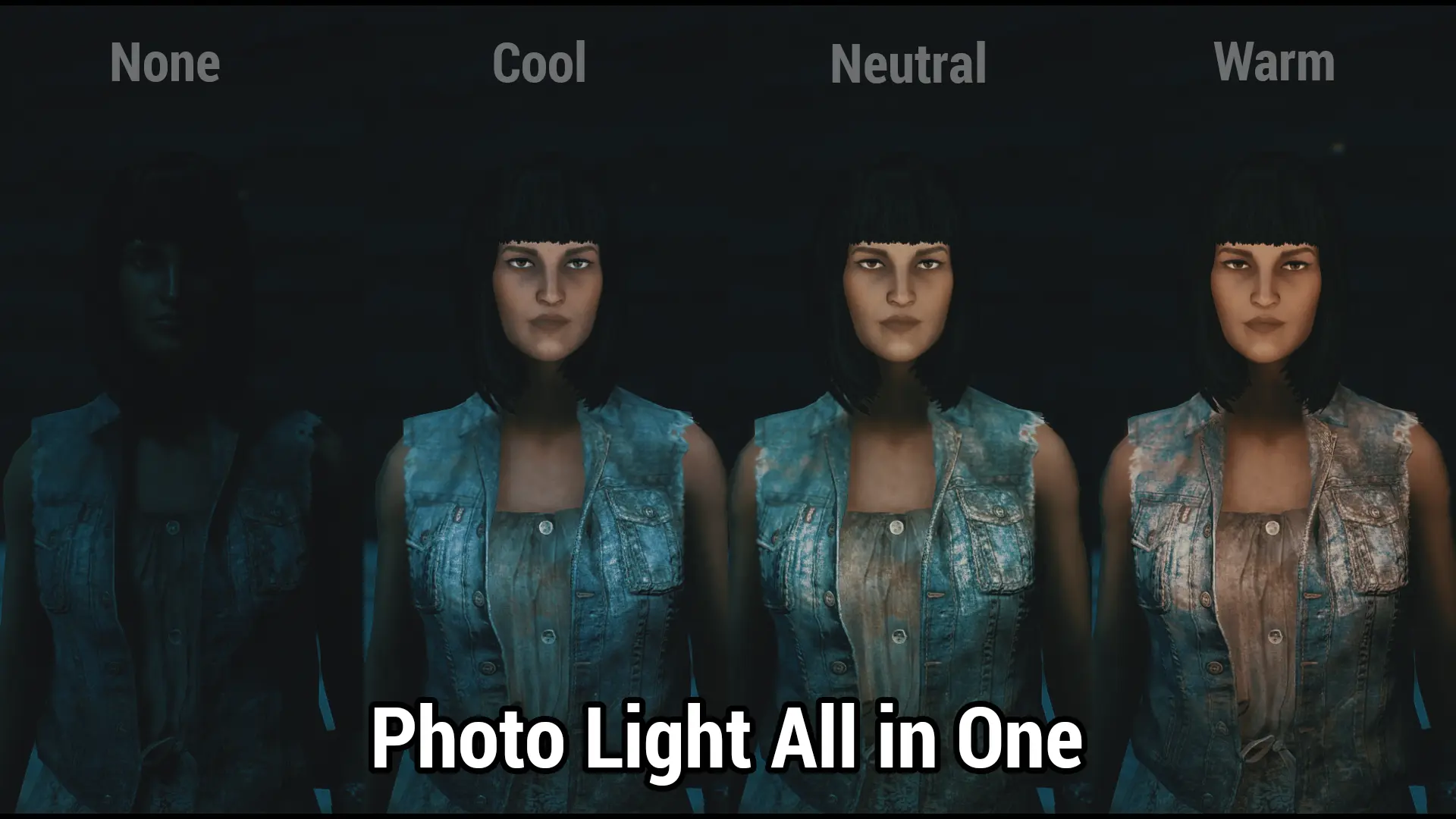
I'm a big fan of the Photo Light mod, but sometimes i needed to use the different tones and... well, with the original version of the mod you could only have one installed at a time. I've gone ahead and reworked it slightly so that the cool, neutral, and warm variants are all available from the same ESP, as well as the five brightness levels..
As well, some users reported a 'paint spray' effect with some of the lights - this was tied to addon values that weren't used in the base game, but were used in DLC (I believe?) so I went ahead and fixed that issue while I was at it. Please let me know if it persists (it should not)
This mod is standalone and the original mod is not required, thanks to the author's permissions.
As well, the mod is an ESL flagged/light ESP.
I have added an optional file which adds a change first made for the original mod by zfroggyman. With the patch installed, all lights should now deactivate while sneaking and reactivate upon standing. This was originally made available here: https://www.nexusmods.com/fallout4/mods/36867 as a workaround for an issue where the light would stop working upon cell change.
The photo light works the same as in the original mod and I have copied the description below for reference.
It can craftable from the chemlab.(Category "PHOTO LIGHT" or "PHOTO LIGHT HUD")
"PHOTO LIGHT"
Only Equip "PHOTO LIGHT" To Player or NPC.
Slot 51 (ring) is used by default. It's possible to change it to 50 (neck) by an option file.
When going in and out of a building, the light goes out.
Be equipped again at that time or please try a viewpoint change.
I can't elucidate the cause of this problem at present. Sorry.
"PHOTO LIGHT(HUD)"
This is equipment for a player.
Slot 51 (ring) is used by default. It's possible to change it to 50 (neck) by an option file.
When a player is equipped with this, the effect of the "PHOTO LIGHT" is given to all friendly NPC which enters the sight automatically.
In other words, you're freed by all settlers from Hardships equipped with "PHOTO LIGHT" separately.
Join us on Discord in The Glowing Sea!
Photo Light AIO combines all three color variants of the original photo light mod into one package, adding five brightness levels and bugfixes. It's a crafting equipment mod for players who want versatile lighting options. With 429 endorsements and over 11k downloads, it's a community favorite for photography or ambiance.
✨ Key Features
📊 Pros & Cons
✅ Pros
- Solid community backing with 429 endorsements and over 11k downloads
- All-in-one convenience—no need to juggle separate color mods
- Five brightness levels give you fine control over lighting
⚠️ Cons
- Last updated in 2020, so it might not be compatible with the latest game patches
- No explicit compatibility info—could conflict with other lighting or crafting mods
- Limited to crafting equipment; not for players wanting broader lighting overhauls
For players who love taking screenshots or setting up atmospheric scenes and want a simple, all-in-one lighting tool. Also great for builders who need adjustable light sources. Skip if you're looking for a full lighting overhaul or gameplay-changing mechanics.
💡 Beginner Tips
- Check if your game version is compatible since the mod hasn't been updated since 2020
- Use a mod manager to easily toggle this mod on/off if you suspect conflicts
- Experiment with different brightness levels in various environments to see which suits your needs
📊 Mod Details
- Game
- Fallout 4 Mods
- Author
- radbeetle
- Version
- 1
- Downloads
- 11,402
- Endorsements
- 429
- Category
- Crafting - Equipment
- Created
- 7/9/2020
- Updated
- 8/14/2020
🔧 How to Install Fallout 4 Mods
Download from Nexus.
📖 Full step-by-step install guide for Fallout 4 →
Visit the official mod page for specific installation instructions for this mod.
🎮 Need cheat codes or console commands? Check ur gaming wiki for Fallout 4 commands, item IDs, and more.
Keep browsing — more Fallout 4 mods await