Persistent Volume Sliders
⚪ Last updated 2022⚠️ Install Order · 3 steps
Install in this order, then this mod last — most mods fail to load without their framework and dependencies in place.
Preview
🔍 Analysis
- 👍 0.5% endorsement rate
- 🏆 #15 of 48 Audio - SFX mods in this game by downloads
📋 About This Mod
Persistent Volume Sliders
Uses (requires!) MCM, the Mod Configuration Menu, which you should probably get anyway.
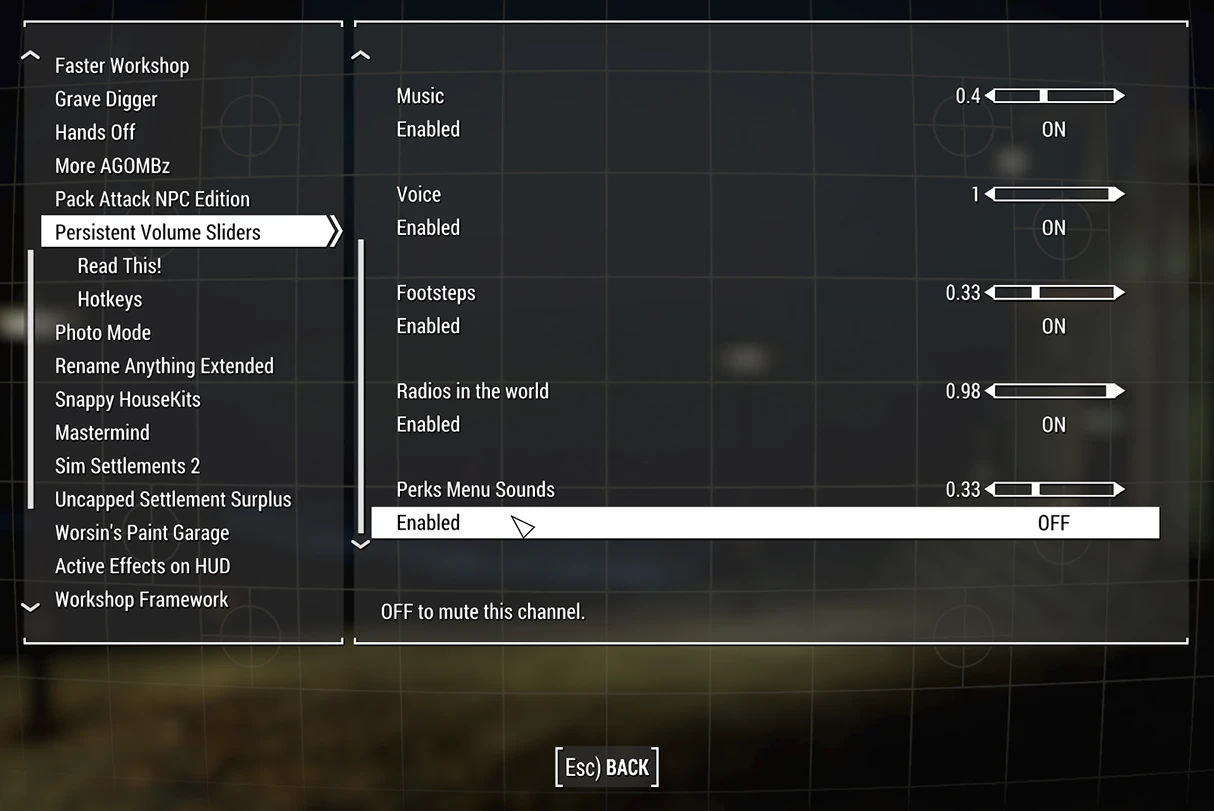
I've taken the Vanilla, base-game volume sliders out of the Settings menu, and made MCM replacements for them, leaving only the Master channel behind. So now there's 7 available slots for mods to use for their own sliders. They'll appear in Settings -> Audio, save between sessions, all that fun stuff.
Thanks to yarawu and ThatMPSG for the highlights!
35NCM0k0fqg tI4CM1J1UHs
While I was at it, I added a slider (and MUTE control) for the Perks menu's soothing sounds. Radios placed in the world also have their own slider now.
And finally, you can define a hotkey in MCM to toggle Mute on/off for every Vanilla sound channel - Sound FX, Music, Pip-boy's radio, Voice lines, and Footsteps (hey, it was there), as well as the placed radios and Perks noises.
Install with your favorite mod manager, or by draggin' and droppin' if you know what gets dragged where. No other steps should be required. Your other sound mods, like Reverb and Ambiance Overhaul or True Storms, will all "take over" the slider spots and get saved.
The one obvious note is: if you have mods that add a total of more than 7 new sliders (you lunatic!) they'll be playing Musical Chairs for the save slots again. I'm a mad scientist, not a wizard, Harry.
MY OTHER MODS CAN BE FOUND HERE
Persistent Volume Sliders uses MCM to bypass Bethesda's 8-slider limit, saving volume slider positions between sessions. It also adds a mute function for vanilla sound channels and built-in hotkeys. A popular utility for modders and players with many audio mods.
✨ Key Features
📊 Pros & Cons
✅ Pros
- Huge community trust with 2,163 endorsements and 452k downloads
- Solves a real pain point—no more resetting sliders every launch
- Adds mute and hotkeys, making audio management way more convenient
⚠️ Cons
- Last updated in 2022—might not work with the latest game patches
- Requires MCM, so you need that dependency installed
For modders who run lots of audio mods and hate re-adjusting sliders every session. Also great for players who want quick mute toggles and hotkey control. Skip if you rarely touch volume settings or don't use MCM.
💡 Beginner Tips
- Make sure you have MCM installed and enabled before adding this mod.
- After installing, check MCM for the new slider options and set your hotkeys there.
- If you use a mod manager, let it handle the file placement to avoid overwriting issues.
📊 Mod Details
- Game
- Fallout 4 Mods
- Author
- spacefiddle
- Version
- 1.1
- Downloads
- 452,406
- Endorsements
- 2,163
- Category
- Audio - SFX
- Created
- 2/25/2022
- Updated
- 2/26/2022
🧩 Commonly Used Together
Users add these mods to the same collections — a real compatibility signal, not an AI guess.
🔧 How to Install Fallout 4 Mods
Download from Nexus.
📖 Full step-by-step install guide for Fallout 4 →
Visit the official mod page for specific installation instructions for this mod.
🎮 Need cheat codes or console commands? Check ur gaming wiki for Fallout 4 commands, item IDs, and more.
Keep browsing — more Fallout 4 mods await