Non see-through Power Armor HUD
⚪ Last updated 2018⚠️ Install Order · 2 steps
Install in this order, then this mod last — most mods fail to load without their framework and dependencies in place.
Preview
🔍 Analysis
- 👍 4.8% endorsement rate — high engagement, a strong quality signal
- 🏆 #7 of 10 VR mods in this game by downloads
📋 About This Mod
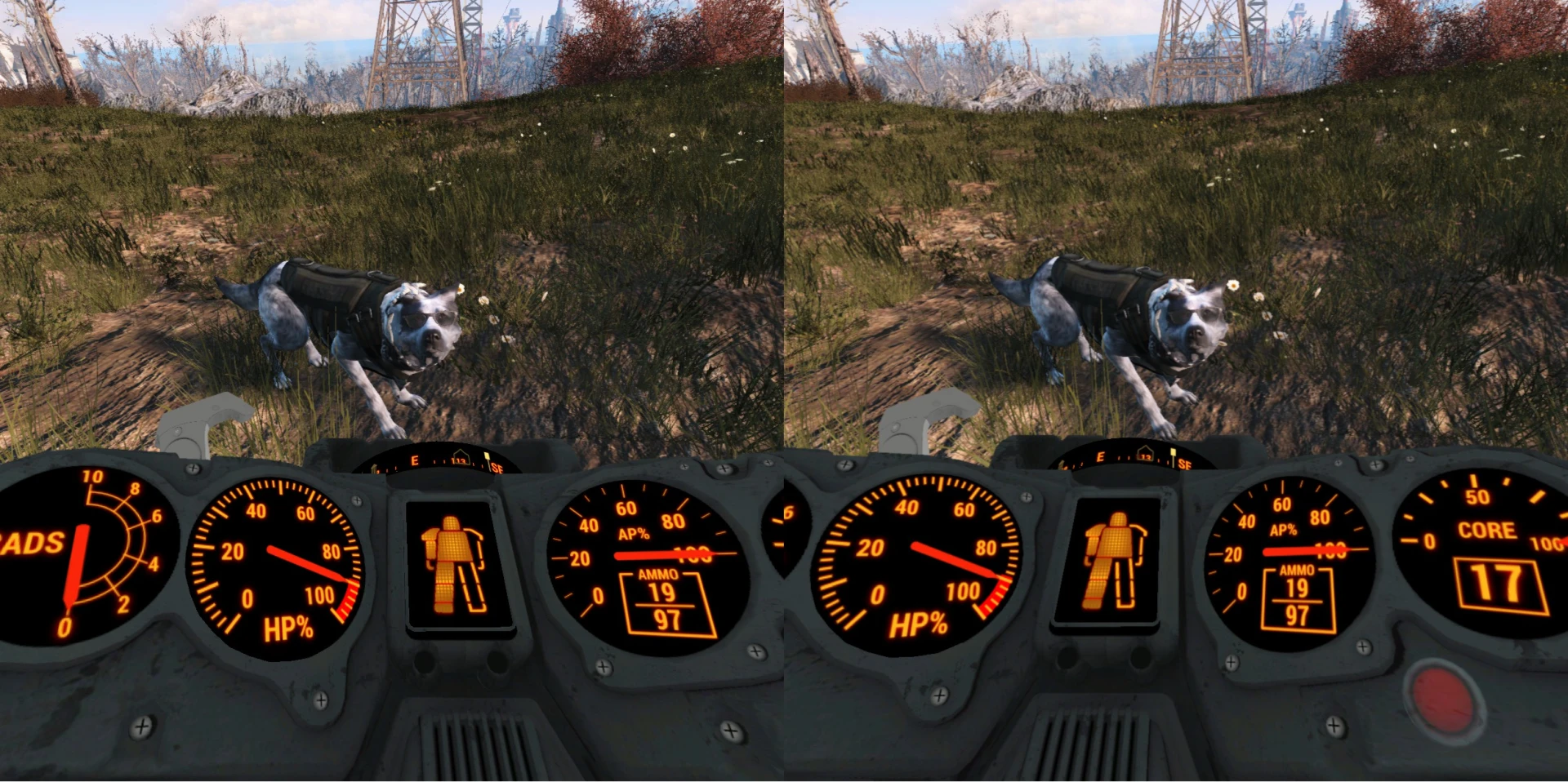
Removes transparency from the power armor HUD, because IMMERSION!
Removes transparency by changing PAVRHelmet.nif's alpha to zero and removing PADash05.dds's alpha by providing it with a black background and merging the layers in Paint.net. (see pictures)
Caution! Installation requires unpacking and renaming of the files:
Fallout4VR - Main.ba2
Fallout4VR - Textures.ba2
1) Get B. A. E - Bethesda Archive Extractor and make yourself familiar with it.
1b) Optional Step: Make a Backup copy of your Fallout 4 VR folder.
2) Create a working folder for your extracted files. Extract Fallout4VR - Main.ba2 and Fallout4VR - Textures.ba2 into that folder.
3) Copy extracted folders (Materials, Meshes,Scripts,Textures) to Fallout 4 VR's Data folder. If permission to overwrite is asked you probably have installed a mod that changes some of the files, saying don't overwrite here could be a good idea, or you will have to install that previous mod again. (I bet it was Full Dialog VR)
4) Now rename Fallout4VR - Main.ba2 and Fallout4VR - Textures.ba2 to for example: reFallout4VR - Main.ba2 and reFallout4VR - Textures.ba2 (or 7zip them or move them out of the folder. but don't loose them, in case you're gonna need them someday.)
5) This would be a good time to test that the game still runs :)
6) If the game runs then you can extract this mod into your Fallout 4 VR Data folder and replace PAVRHelmet.nif and PADash05.dds
7) Open the game again and try out your new IMMERSIVE Power Armor HUD.
Nevermind that, you should try this one first:
Edit your Fallout4Custom.ini's archive section to look like this:
bInvalidateOlderFiles=1
sResourceDataDirsFinal=
sVRResourceStartUpArchiveList=
sVRResourceIndexFileList=
sResourceStartUpArchiveList=Fallout4 - Startup.ba2, Fallout4 - Shaders.ba2, Fallout4 - Interface.ba2, Fallout4_VR - Shaders.ba2
sResourceIndexFileList=Fallout4 - Textures1.ba2, Fallout4 - Textures2.ba2, Fallout4 - Textures3.ba2, Fallout4 - Textures4.ba2, Fallout4 - Textures5.ba2, Fallout4 - Textures6.ba2, Fallout4 - Textures7.ba2, Fallout4 - Textures8.ba2, Fallout4 - Textures9.ba2, Fallout4_VR - Main.ba2, Fallout4_VR - Textures.ba2
Also add *Fallout4_VR.esm to your plugins.txt This is important.
Now you are ready to install the mod any way you like.
Bonus round:
Download Fallout 4 VR Config Tool by Bilago and study about .ini tweaks.
These are pretty nice settings. Most magical of numbers may be scale which makes the helmet much more cramped and realistic.
fPowerArmorOverlay_ForwardDistance=25
fPowerArmorOverlay_Max
📊 Mod Details
- Game
- Fallout 4 Mods
- Author
- hellstorm102 and ajantaju
- Version
- 0.002b
- Downloads
- 1,856
- Endorsements
- 90
- Category
- VR
- Created
- 1/18/2018
- Updated
- 2/2/2018
🔧 How to Install Fallout 4 Mods
Download from Nexus.
📖 Full step-by-step install guide for Fallout 4 →
Visit the official mod page for specific installation instructions for this mod.
🎮 Need cheat codes or console commands? Check ur gaming wiki for Fallout 4 commands, item IDs, and more.
Keep browsing — more Fallout 4 mods await