No More Fake Puddles
⚪ Last updated 2022⚠️ Install Order · 2 steps
Install in this order, then this mod last — most mods fail to load without their framework and dependencies in place.
Preview
🔍 Analysis
- 👍 1.1% endorsement rate — high engagement, a strong quality signal
- 🏆 #26 of 271 Models and Textures mods in this game by downloads
📋 About This Mod
No More Fake Puddles
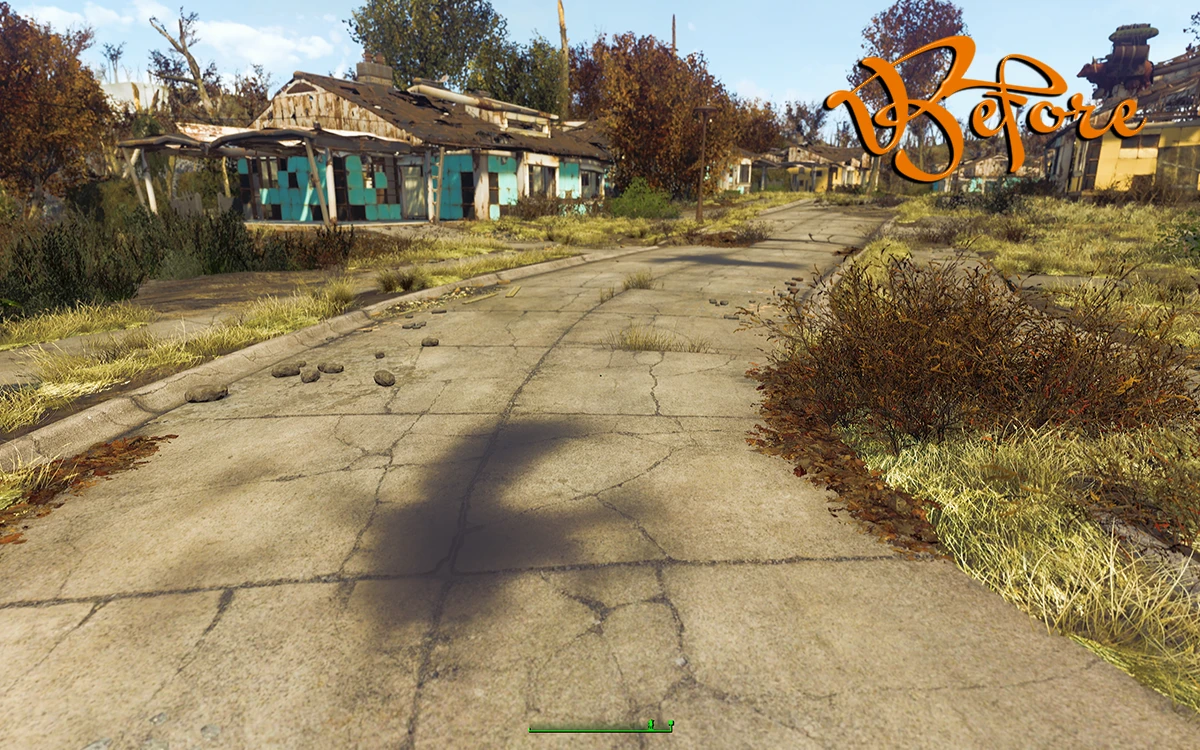
I’ve always been bothered by the fake puddles in the game. They persist in all weathers, reflect things that aren’t there and are way too shiny to be realistic. They are especially bothersome in survival mode as you walk past them again and again and again.
I’ve used a very simple texture replacement to remove them all. It’s a hack really, but it works.
NEW! Nuka World Support:
Unfortunately, there is a error in one of the material files for the new puddles in Nuka World. The only way to fix this is by adding an ESP. Hopefully this issue gets corrected by Beth or the UFO4P and when it does, I'll update my mod.
Unfortunately, it looks like Bethesda used them to cover up some seam issues. You won’t notice them unless you are looking for them.
Required: None.
Recommended: New Road Enhanced by Rufus696
Installation: Just use your mod manager as normal.
Credits: Ousnius for Material Editor
Made with the NVidia DDS Photoshop plugin, Material Editor by ousnius and the Creation Kit.
A simple texture replacement that removes the persistent fake puddles from the game, eliminating fake reflections. With 10,705 endorsements and 1.0M downloads, it's a popular quality-of-life fix for players bothered by unrealistic wet surfaces.
✨ Key Features
📊 Pros & Cons
✅ Pros
- Huge community approval with 10,705 endorsements and 1.0M downloads.
- Does exactly what it says—removes those annoying fake puddles.
- Lightweight texture swap, no performance hit.
⚠️ Cons
- Last updated in 2022—might not be compatible with the latest game version.
- Only removes puddles; doesn't add any new features or improvements.
For players who hate the unrealistic fake puddles and reflections that break immersion. If you're a purist who wants a cleaner look without changing gameplay, this is a must-have. Skip if you don't mind the puddles or want more comprehensive visual overhauls.
💡 Beginner Tips
- Make sure to place the texture files in the correct game directory, usually the Data folder.
- If you're using a mod manager, you can install it directly and enable it in your load order.
- Check if the mod is compatible with your game version, especially after updates.
📊 Mod Details
- Game
- Fallout 4 Mods
- Author
- twizz0r
- Version
- 2.0
- Downloads
- 1,012,946
- Endorsements
- 10,705
- Category
- Models and Textures
- Created
- 8/30/2016
- Updated
- 4/15/2022
🧩 Commonly Used Together
Users add these mods to the same collections — a real compatibility signal, not an AI guess.
🔧 How to Install Fallout 4 Mods
Download from Nexus.
📖 Full step-by-step install guide for Fallout 4 →
Visit the official mod page for specific installation instructions for this mod.
🎮 Need cheat codes or console commands? Check ur gaming wiki for Fallout 4 commands, item IDs, and more.
Keep browsing — more Fallout 4 mods await