IN-GAME ESP Explorer
⚪ Last updated 2019⚠️ Install Order · 2 steps
Install in this order, then this mod last — most mods fail to load without their framework and dependencies in place.
Preview
🔍 Analysis
- 👍 2.6% endorsement rate — high engagement, a strong quality signal
- 🏆 #29 of 49 Utilities mods in this game by downloads
📋 About This Mod
IN-GAME ESP Explorer
Free from FormID
--------------------------------------------------------------------------------------------------
Havredave
has taken over this mod, thank you
HavredaveDavesMods - In Game ESP Explorer Maintenance------------------------------------------------------------------------------------------------------------------------------------
This mod requires F4SE 0. 4. 2 or greater.
Description
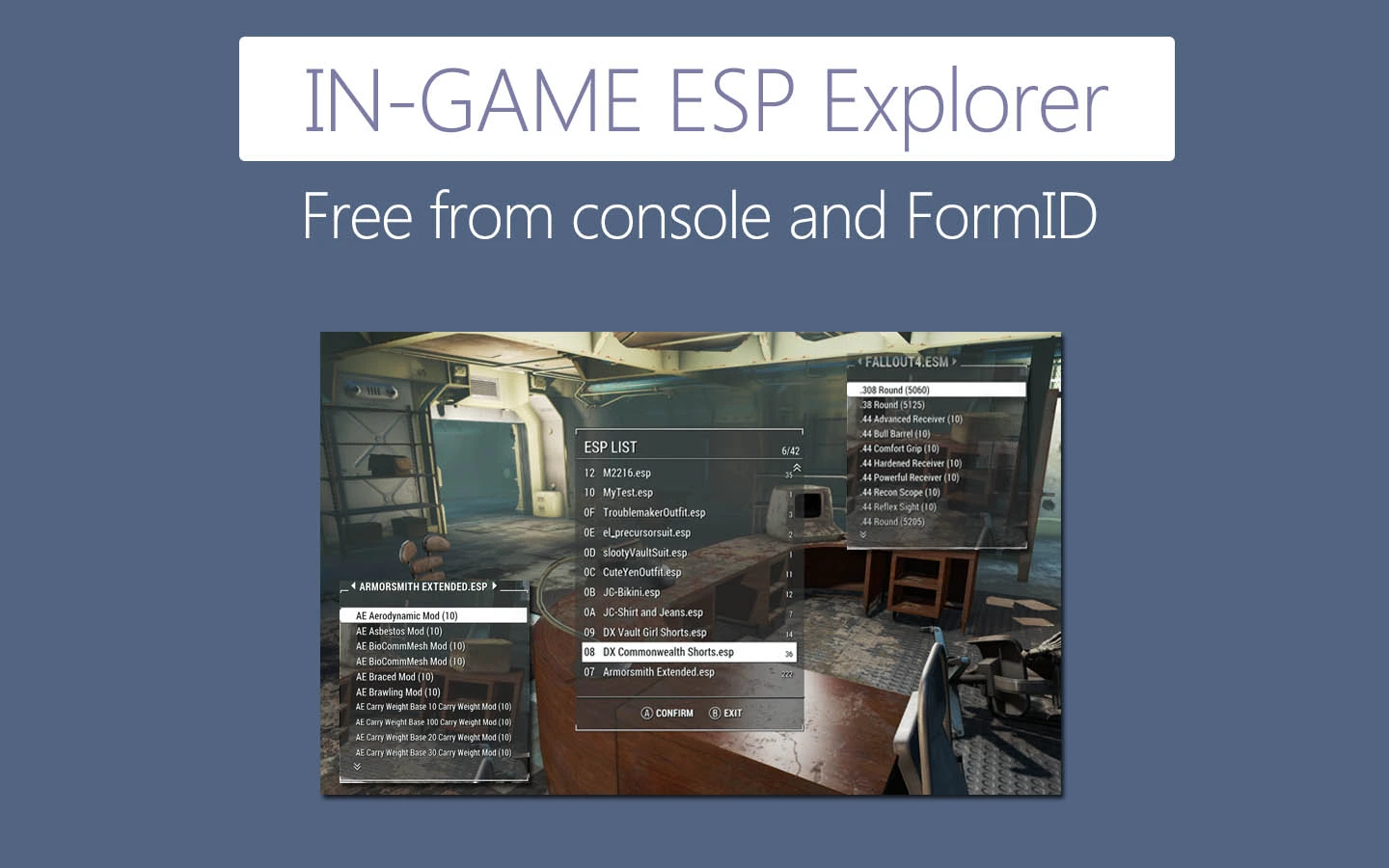
Get items from ESMs/ESPs at runtime.
See pictures. All are there.
V 1. 12. 042 beta
FO4 v1. 9. 4 + F4SE 0. 4. 2
V 1. 12. 022
F4SE drove me crazy.
V 1. 12. 021
Respawn an item with 10 X initial quantity if you take all of it.
V 1. 11. 020
Removed most of debug info
For AZERTY keyboard, set AZERTY = 1 in INI , it will change fixed hotkey to Shift+W
V 1. 10. 020
Added a new feature:
Search everything
- Search all items in all ESMs/ESPs using a keyword
- Match item's FormID, EDID and name.
- Support old school wildcard characters, and ?
- 20 history search records. Use UP/DOWN to scroll while in the input field.
- Don't worry about speed, the search process is 100% pure C++ code, not stupid Papyrus, very fast.
Mouse : Click magnifier icon. Keyboard/Controller: Press key.
You have to remember the key, current UI has no space to place a button.
General stability and performance improvements. It's true, not Bethesda's bullshit.
Default hotkey is F11 now
Added another fixed hotkey: Shift + Z
Remove old version completely and make a clean save. This update changed a lot.
Created with
Microsoft Visual C++(50%)
Adobe Animate CC(40%)
Bethesda Creation Kit(10%)
IN-GAME ESP Explorer is a utility mod that lets you retrieve items from ESP files at runtime, eliminating the need for console commands, FormID lookups, and ALT+TAB. With nearly 10,000 endorsements and over 388,000 downloads, it's a proven tool for modders and players who want a streamlined item-spawning experience.
✨ Key Features
📊 Pros & Cons
✅ Pros
- Huge community trust with 9,977 endorsements and 388,435 downloads.
- Saves time and frustration by removing the console and ALT+TAB workflow.
- Simple concept that solves a common pain point for mod users.
⚠️ Cons
- Last updated in 2019 — may not work with the latest game patches or newer mods.
- Requires you to know which ESP contains the item you want, which can be a hurdle for beginners.
For modders and power users who frequently spawn items and are tired of juggling FormIDs and external tools. Also great for players who want a more immersive way to access modded content without breaking flow. Skip if you rarely use console commands or only play vanilla.
💡 Beginner Tips
- Make sure the mod is compatible with your game version, as it hasn't been updated since 2019.
- Use a mod manager to install and track the mod for easy removal if issues arise.
- Familiarize yourself with the ESP names of your installed mods to quickly find items.
📊 Mod Details
- Game
- Fallout 4 Mods
- Author
- a1a3a6a9
- Version
- 1.13.0619
- Downloads
- 388,435
- Endorsements
- 9,977
- Category
- Utilities
- Created
- 7/22/2016
- Updated
- 11/23/2019
🔗 Required By 1 Mod
These mods list this mod as a dependency.
🧩 Commonly Used Together
Users add these mods to the same collections — a real compatibility signal, not an AI guess.
🔧 How to Install Fallout 4 Mods
Download from Nexus.
📖 Full step-by-step install guide for Fallout 4 →
Visit the official mod page for specific installation instructions for this mod.
🎮 Need cheat codes or console commands? Check ur gaming wiki for Fallout 4 commands, item IDs, and more.
Keep browsing — more Fallout 4 mods await