Hint Reshade
⚪ Last updated 2018⚠️ Install Order · 2 steps
Install in this order, then this mod last — most mods fail to load without their framework and dependencies in place.
Preview
🔍 Analysis
- 👍 4.5% endorsement rate — high engagement, a strong quality signal
- 🏆 #6 of 7 ReShade Presets mods in this game by downloads
📋 About This Mod
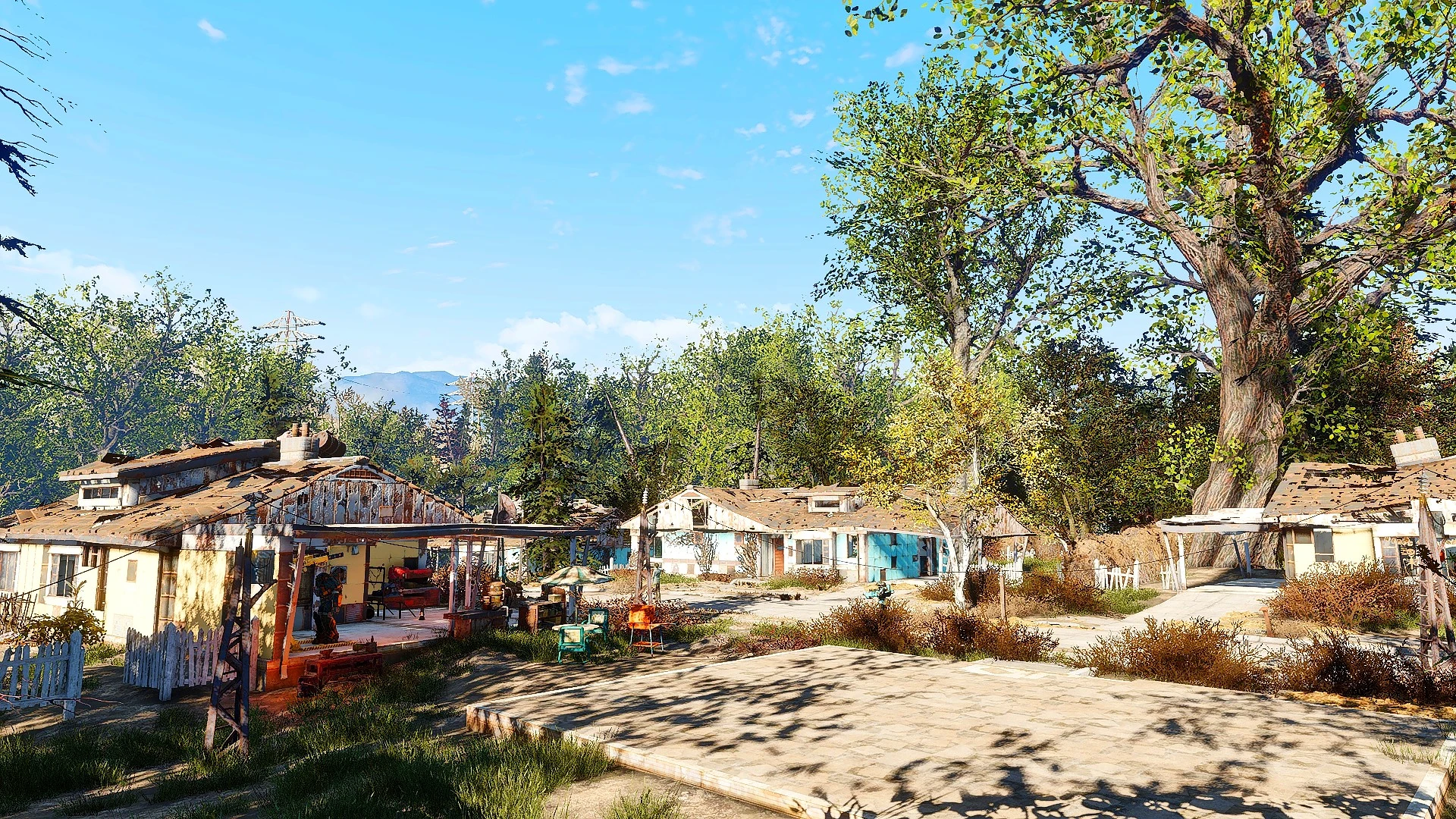
I was searching for a vibrant yet realistic ENB- or Reshade-config, but found all the ones named "realistic"-something to be quite dull (concerning the colors).
So I figured, why not create something myself?
Thus initially I created this preset only for myself, but eventually thought I'd take a minute to upload it here to hopefully make someone happy ;)
I tried to tweak the saturation and effects to make the game look more vibrant and less dull.
I use a whole bunch of mods, but the one the image depends on the most, most likely is "Natural and Atmospheric Commonwealth".
If you have any questions, feel free to post them in the comment section. Have fun :)
--- THIS CONFIG WAS MADE USING RESHADE 3. 1. 0 ---
Important Controls
Effects (all effects simultaneously) can be toggled using the "Home"-key.
MXAO can be toggled seperately using the "End"-key (for those who dont want
to see occlusion being applied to objects through rain or fog).
The sharpening-effect can be toggled using the "Scroll Lock"-Key.
Installation
1. Dowload the reshade framework from https://reshade.me .
2. Double-click the file you just downloaded.
3. Click "Select game" and select your Fallout4 exe-file.
4. Choose "Direct3D 10+".
5. When prompted if you wish to download the shaders, click "Yes".
6. When the download is done, you can close the program.
7. Unpack my zip-file and move the ini-file to the directory where your Fallout4 executable is.
8. Start the game, press Shift+F2, follow the tutorial and instead of creating a new file,
pick the ini you just put in your Fallout4-directory.
DONE.
Changelog
Added Key-Mapping for toggling the Sharpening-Effect.
Hint Reshade is a ReShade preset for The Witcher 3 that aims to boost vibrancy without going overboard. With 306 endorsements and 6,857 downloads, it's a modestly popular choice for players seeking a subtle visual enhancement. Last updated in 2018, it remains a stable option for those wanting a more colorful game.
✨ Key Features
📊 Pros & Cons
✅ Pros
- Community-trusted with 306 endorsements and 6,857 downloads
- Subtle vibrancy boost that won't ruin the game's atmosphere
- Lightweight preset, minimal performance impact
⚠️ Cons
- Last updated in 2018, so may not be compatible with newer game patches or ReShade versions
- Only one preset, so limited variety if you want different looks
- Potential conflicts with other ReShade presets or mods that alter lighting
For Witcher 3 players who want a gentle color boost without heavy post-processing. If you're after dramatic visual overhauls or gameplay changes, this isn't for you—it's purely a subtle cosmetic tweak.
💡 Beginner Tips
- Make sure you have ReShade installed and set to the game's executable before adding this preset.
- Use the ReShade in-game overlay to toggle the preset on/off and compare the difference.
- If the game updates, check if the preset still works; if not, you may need to reinstall ReShade.
📊 Mod Details
- Game
- Fallout 4 Mods
- Author
- Hundsfott
- Version
- 1.1
- Downloads
- 6,857
- Endorsements
- 306
- Category
- ReShade Presets
- Created
- 1/19/2018
- Updated
- 1/20/2018
🔧 How to Install Fallout 4 Mods
Download from Nexus.
📖 Full step-by-step install guide for Fallout 4 →
Visit the official mod page for specific installation instructions for this mod.
🎮 Need cheat codes or console commands? Check ur gaming wiki for Fallout 4 commands, item IDs, and more.
Keep browsing — more Fallout 4 mods await