Aviator Reshade
⚪ Last updated 2016⚠️ Install Order · 3 steps
Install in this order, then this mod last — most mods fail to load without their framework and dependencies in place.
Preview
🔍 Analysis
- 👍 4.7% endorsement rate — high engagement, a strong quality signal
- 🏆 #4 of 7 ReShade Presets mods in this game by downloads
📋 About This Mod
Preamble:
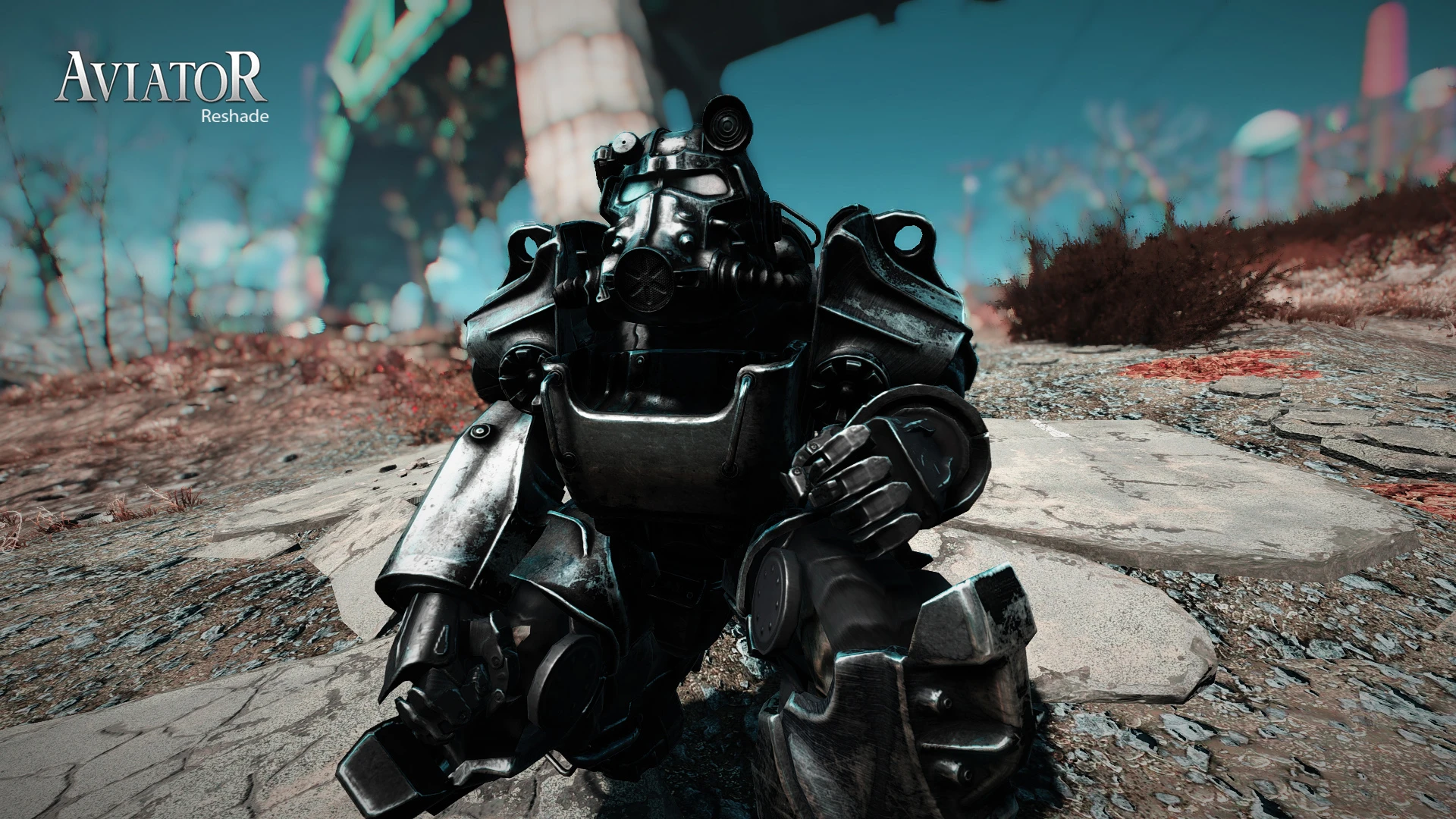
- This preset is intended to "mimic" the Cinematography in "The Aviator" where blue and reds are saturated and are the most important colors for half of the movie. nooow if you espect full realism probably will disappoint you, but really im in love with the moody colors of that movie and i think that the cinematography is amazing and since it has a vintage feel based on Howard Hughes ascent (this have a little bit of easter eggy sneak peak if you played FNV) i wanted to connect that atmosphere to the distopic atompunk of Fallout.
- This preset was originally maded with two version of it one standard and one really heavily modified, buuut i decided to give only the standard one because the other was a huge hit on fps and it kinda loses the look that i wanted for this work, if you want, i will upload it.
- im using this reshade with ultra settings (Godrays and Shadows Included) This Reshade shouldn't have more than 1-2 frame hit in performance, anywhay it depends on your settings and your hardware, Obviously you can use this mod eeven with Low Settings.
- Sorry if my English is bad.
Try this with hbao+ it's amazing.
Feat
ures:
- Enhanched and atmospheric Colors based on "The Aviator" or the Two Strip color process.
- Exposure and contrast adjustments and "cinestyle" contrast.
- Depth of Field.
- Vignetting.
Installation:
- Download the file.
- Read the EULA.
- Extract the files in the Fallout 4 folder THE EXE ONE.
- If you want... only... and i said only... if you want... you can play the game.
Recommended Mods:
- Vivid Fallout.
- Darker Nights.
- FPS Dynamic Shadows.
Hope you'll enjoy my Reshade, See you next time, Prepare for the future! Fell Free To Add your Screenshots!
_________________________________________________________
Aviator Reshade is a ReShade preset for Fallout 4 that gives the game a vintage, Scorsese-inspired look. With 347 endorsements and over 7,000 downloads, it's a popular choice for players seeking a cinematic, film-like atmosphere. Last updated in 2016, it remains a niche but well-received option.
✨ Key Features
📊 Pros & Cons
✅ Pros
- Community-approved with 347 endorsements and over 7,000 downloads
- Gives Fallout 4 a unique cinematic, film-noir vibe that stands out from vanilla
- Easy to install—just drop the preset into your ReShade folder
⚠️ Cons
- Last updated in 2016, so it may not be fully compatible with the latest Fallout 4 patches or ReShade versions
- Requires ReShade to be installed separately, which adds an extra step
- The vintage look isn't for everyone—it can make the game feel darker and more muted
For Fallout 4 players who want a cinematic, vintage aesthetic inspired by classic films. If you're tired of the default look and enjoy atmospheric, moody visuals, this preset is worth trying. Skip if you prefer a bright, colorful, or vanilla-like appearance.
💡 Beginner Tips
- Make sure you have ReShade installed and set up for Fallout 4 before adding this preset.
- After installing, launch the game and use the ReShade in-game menu to adjust the intensity if it feels too strong.
- If the preset doesn't seem to work, check that your ReShade version is compatible with the preset's format.
📊 Mod Details
- Game
- Fallout 4 Mods
- Author
- ZORKYTHEDUDE
- Version
- 1.5
- Downloads
- 7,445
- Endorsements
- 347
- Category
- ReShade Presets
- Created
- 12/27/2015
- Updated
- 2/16/2016
🔧 How to Install Fallout 4 Mods
Download from Nexus.
📖 Full step-by-step install guide for Fallout 4 →
Visit the official mod page for specific installation instructions for this mod.
🎮 Need cheat codes or console commands? Check ur gaming wiki for Fallout 4 commands, item IDs, and more.
Keep browsing — more Fallout 4 mods await