HBAO-TAA Improved Visuals (actually improves performance FPS-boost)
⚪ Last updated 2020⚠️ Install Order · 2 steps
Install in this order, then this mod last — most mods fail to load without their framework and dependencies in place.
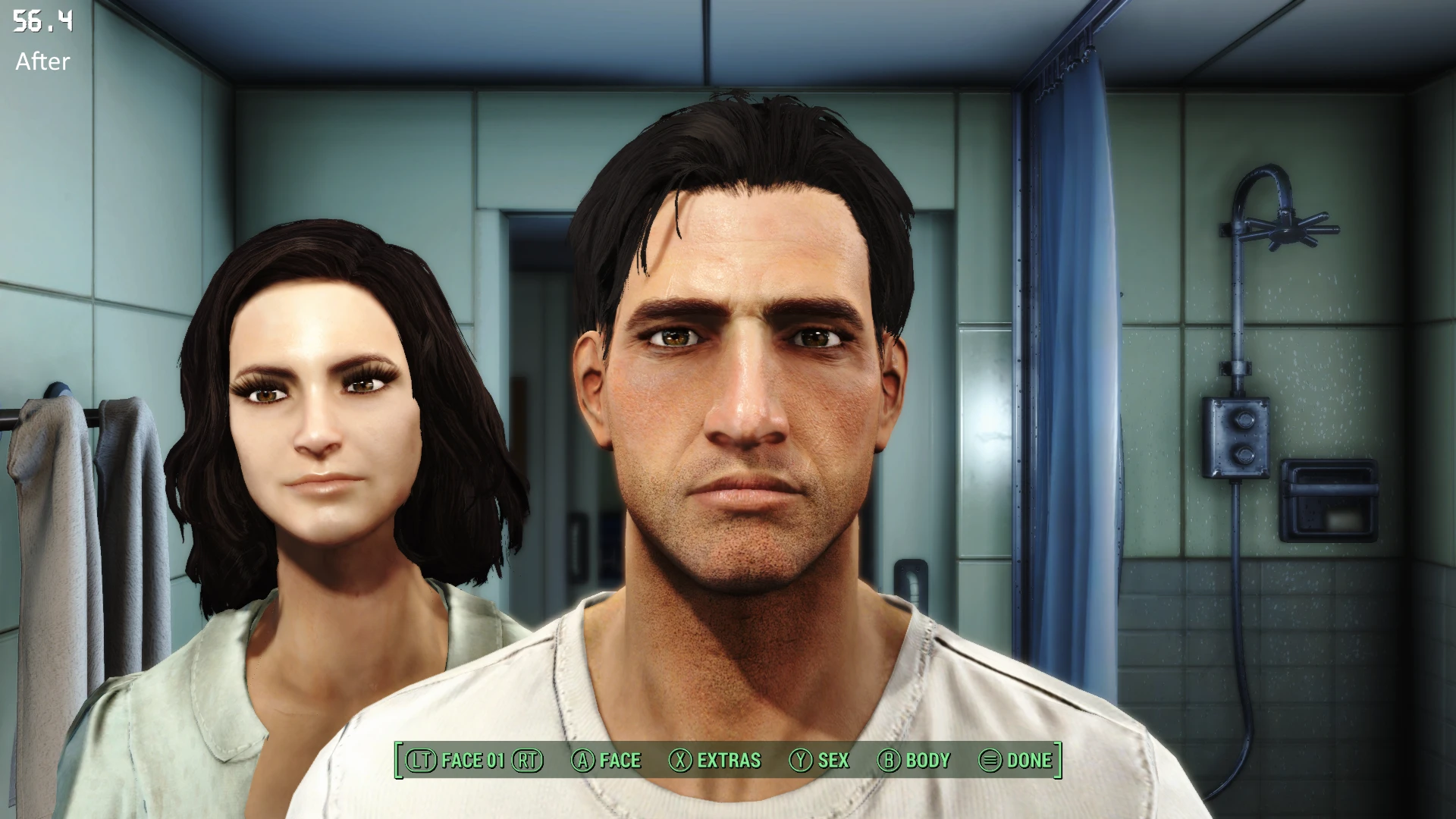
Preview
🔍 Analysis
- 👍 4.9% endorsement rate — high engagement, a strong quality signal
- 🏆 #37 of 45 Visuals and Graphics mods in this game by downloads
📋 About This Mod
After lots of tweaking of the INI files, I have found some very good settings for the HBAO.
They affect much more than the vanilla HBAO settings, they play well in motion, they work very well generally and they even improve performance!!
On my laptop with GTX 1050 and i5, I get around 5 fps more with those settings, depending on your hardware you may get more or less of a boost, please leave a comment.
It's a must have IMO
EDIT: I have some new settings in the Comments sticky post, maybe those are even better. Please try them out if you like and report back!
Better HBAO
Just add/replace the HBAO section with this in your Fallout4Prefs.ini in My Games/Fallout4:
fBackgroundAOViewDepth=8000. 0000
bBackgroundAOEnable=1
fDepthThresholdSharpness=100. 0000
fDepthThresholdMaxViewDepth=8000. 0000
bDepthThresholdEnable=1
iDepthClampModeEnum=0
fCoarseAO=0. 7500
fDetailAO=0. 1000
fBlurSharpnessProfileBackgroundViewDepth=1. 0000
fBlurSharpnessProfileForegroundViewDepth=0. 0000
fBlurSharpnessProfileForegroundSharpnessScale=1. 0000
bBlurSharpnessProfileEnable=1
fBlurSharpness=16. 0000
iBlurRadiusEnum=1
bBlurEnable=1
fPowerExponent=6. 0000
fBias=0. 2000
fRadius=0. 5000
And remember to activate bSAOEnable=1 under in Fallout4Prefs.ini also. Disable SAAO in your ENBSeries, if you use that probably.
Another setting I have tweaked a lot is of the TAA.
I have managed to remove ALL blur when moving around while keeping it sharp and crisp, I highly recommend trying those out too!!
Better TAA, blur-free and sharp:
In Fallout4.ini add/replace this under
fTAAPostSharpen=0. 4
fTAASharpen=1. 5
fTAAHighFreq=0. 6
fTAALowFreq=0. 5
fTAAPostOverlay=0. 4
(The files i uploaded is of my personal INI files, they are made for 30FPS gameplay. No need to use them, but you can download it to endorse :) I would appreciate it)
HBAO-TAA Improved Visuals is a simple INI tweak for Fallout 4 that enhances HBAO shadow quality and sharpens TAA while boosting FPS by about 5. With 465 endorsements and nearly 9.5k downloads, it's a popular performance-friendly visual upgrade for players wanting better shadows without heavy mods.
✨ Key Features
📊 Pros & Cons
✅ Pros
- Community-approved with 465 endorsements and nearly 9.5k downloads.
- Gives you sharper shadows and crisper TAA without the blur.
- Actually boosts FPS by about 5, so you get better visuals and performance at once.
⚠️ Cons
- Last updated in 2020, so it might not be tested with the latest game patches or DLC.
- INI tweaks can conflict with other mods that alter the same settings, so watch your load order.
- The FPS boost is modest; don't expect a massive jump on low-end rigs.
For Fallout 4 players who want better shadow quality and sharper TAA without sacrificing performance. If you're tired of blurry TAA and want a quick FPS bump, this is for you. Skip if you're on the latest patch and wary of outdated mods, or if you prefer ENB-based overhauls.
💡 Beginner Tips
- Make sure you have HBAO enabled in your game's graphics settings, otherwise the tweak won't have any effect.
- If you use other INI tweak mods, place this one last in your load order to avoid conflicts.
- Test the TAA sharpness setting in a bright outdoor area to see the difference clearly.
📊 Mod Details
- Game
- Fallout 4 Mods
- Author
- Hamper
- Version
- 1.1
- Downloads
- 9,467
- Endorsements
- 465
- Category
- Visuals and Graphics
- Created
- 5/18/2020
- Updated
- 5/25/2020
🔧 How to Install Fallout 4 Mods
Download from Nexus.
📖 Full step-by-step install guide for Fallout 4 →
Visit the official mod page for specific installation instructions for this mod.
🎮 Need cheat codes or console commands? Check ur gaming wiki for Fallout 4 commands, item IDs, and more.
Keep browsing — more Fallout 4 mods await