Faster Terminal Displays
⚪ Last updated 2016⚠️ Install Order · 2 steps
Install in this order, then this mod last — most mods fail to load without their framework and dependencies in place.
Preview
🔍 Analysis
- 👍 2.8% endorsement rate — high engagement, a strong quality signal
- 🏆 #9 of 187 Gameplay mods in this game by downloads
📋 About This Mod
Description
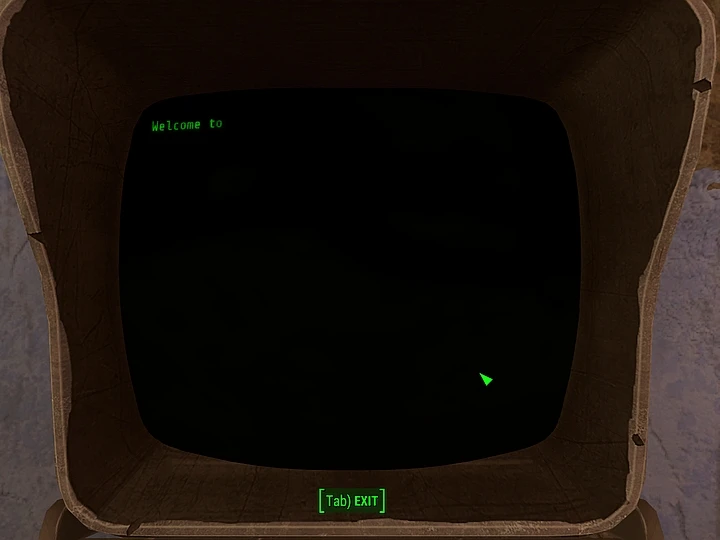
I find the speed that the text on the terminal screens takes to appear is too slooooooooow, I always find myself just clicking to get it all to show up. So I've increased it by 2, 3, 5, 10, 20 and 100 times, just download whichever file suits your needs.
Unzip and place the ESP in your Fallout data folder, then either add it to your Plugins.txt file manually, or use one of the growing number of managers that have been uploaded here.
For version 2. 0, I've rebuilt the ESPs with the new FO4Edit, still not an official 1st party tool, but maybe better than using the version of TES5Edit/FNVEdit/FO3Edit that existed before Fallout 4's release, which is what I used for version 1. 0
And for version 3. 0, all the plugins have been made in the Official Creation Kit.
—————————————————————————————————
Also available on Beth.net: PC, XBone, PS4
————————————————————————————————————————————————————————————————
My Fallout 4 Mods
Radium Rifle . 38 and . 308 Receivers (Far Harbor) Remove Rads in Survival Fix (Mutant Hound Chops etc) Timescale Defaults to 6 (when leaving Vault 111) Zoom-out Extended for World Map - Unofficial Update for Fallout 4 1. 6 Less Annoying Berry Mentats Legendary Clothing Loot Automatron DLC Legendary Drops Recruitable NPC Dialogue Fixes Mister Sandman Unfixed No Drunk Player Comments Live and Love 5 - Talk Yourself Sober - Fix Trigger Rush Fix Perk Magazine Material Fix Ghoulish Perk Heals Radiation Damage Too Companion Fall Damage Immunity Bobbi's Terminal Fix (Batch File) No Enemies or Locations on Compass Faster Terminal Displays
————————————————————————————————————————————————————————————————
This mod has been made with the Fallout 4 Creation Kit
Faster Terminal Displays is a simple gameplay mod that speeds up the text display on terminals in Fallout 4. It has 47,241 endorsements and 1.7 million downloads, indicating widespread community approval. Last updated in 2016, it remains a popular quality-of-life improvement for players who find terminal text too slow.
✨ Key Features
📊 Pros & Cons
✅ Pros
- Huge community trust (47k endorsements, 1.7M downloads) — this is a must-have for anyone tired of waiting on terminal text.
- Does exactly what it says: speeds up terminal displays with no extra fluff.
- Lightweight and likely compatible with most setups since it's a simple tweak.
⚠️ Cons
- Last updated in 2016 — may not be compatible with the latest Fallout 4 patches or DLC.
- No detailed description or install instructions provided by the author.
- Only affects terminal text speed — if you're looking for broader UI improvements, this won't cover them.
For Fallout 4 players who spend a lot of time reading terminals and want to cut down on waiting. If you're a completionist who reads every log, this is a no-brainer. Skip if you're fine with the default speed or want more comprehensive UI overhauls.
💡 Beginner Tips
- If you're using a mod manager like Nexus Mods' Vortex, just download with the manager and it'll handle installation automatically.
- For manual install, drop the files into your Fallout 4 Data folder and enable the mod in your load order.
- Since this mod is from 2016, check the comments section on the Nexus page for any user-reported compatibility notes with current game versions.
📊 Mod Details
- Game
- Fallout 4 Mods
- Author
- Old Nick
- Version
- 3.0
- Downloads
- 1,695,987
- Endorsements
- 47,241
- Category
- Gameplay
- Created
- 11/16/2015
- Updated
- 4/27/2016
🧩 Commonly Used Together
Users add these mods to the same collections — a real compatibility signal, not an AI guess.
🔧 How to Install Fallout 4 Mods
Download from Nexus.
📖 Full step-by-step install guide for Fallout 4 →
Visit the official mod page for specific installation instructions for this mod.
🎮 Need cheat codes or console commands? Check ur gaming wiki for Fallout 4 commands, item IDs, and more.
Keep browsing — more Fallout 4 mods await